
Don’t Fall Victim to Social Media Hacking: Tips for Securing Your Accounts
Social media platforms have become integral to modern communication and information sharing. However, these platforms are also targets for malicious actors seeking to gain unauthorized access to user accounts. These acts can lead to a range of negative consequences, from the spread of misinformation to identity theft. This article outlines methods and best practices for securing social media accounts against hacking.
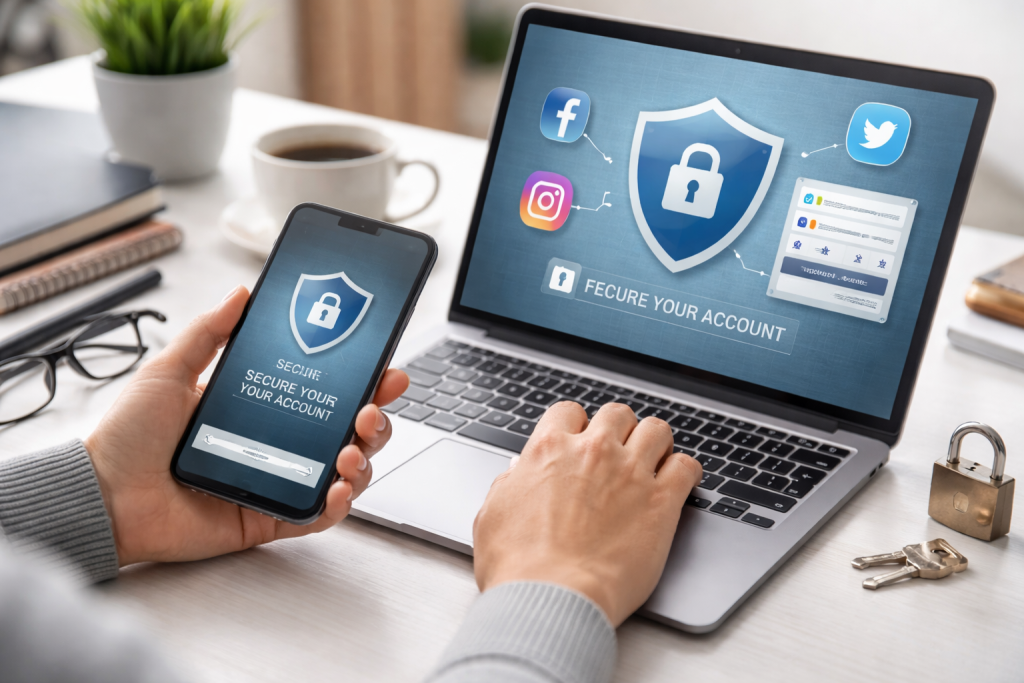
Social media hacking refers to the unauthorized access to or control of a user’s social media account. This can be achieved through various methods, each with its level of sophistication and potential impact. Understanding these techniques is the first step in building effective defenses. Hackers often exploit human vulnerabilities as much as technical ones. Think of it like a fortress; the walls might be strong, but a weak gatepost can let anyone in.
Contents
- 0.1 Common Hacking Techniques
- 0.2 The Impact of Social Media Account Hacking
- 0.3 Creating Strong and Unique Passwords
- 0.4 Two-Factor Authentication: An Essential Security Measure
- 0.5 Recognizing Phishing Attempts and How to Avoid Them
- 0.6 The Importance of Regularly Updating Your Privacy Settings
- 0.7 Monitoring Your Account Activity for Signs of Unauthorized Access
- 0.8 How to Safely Use Public Wi-Fi and Avoid Security Risks
- 0.9 The Dangers of Sharing Personal Information on Social Media
- 0.10 Educating Yourself on Common Social Media Hacking Techniques
- 0.11 Seeking Help and Reporting Suspicious Activity to the Platform
- 1 FAQs
- 1.1 1. What are the risks of social media hacking?
- 1.2 2. How do I make sure that each of my social media accounts has a strong and unique password?
- 1.3 3. What is two-factor authentication, and why is it important for securing my social media accounts?
- 1.4 4. How can I recognize phishing attempts and avoid falling victim to them?
- 1.5 5. Why is it important to regularly update my privacy settings on social media?
Common Hacking Techniques
Password Guessing and Brute-Force Attacks: These methods involve attackers attempting to guess a user’s password through trial and error. This can involve using common password combinations, personal information, or employing automated software to systematically test thousands of passwords. Accounts with simple or predictable passwords are particularly vulnerable.
Phishing: Phishing attacks aim to trick users into revealing their login credentials. This is often done through deceptive emails, messages, or websites that mimic legitimate social media platforms or trusted entities. For instance, you might receive a message claiming your account has been compromised and you need to click a link to verify your information, but the link leads to a fake login page.
Malware and Spyware: Malicious software can be installed on a user’s device through infected links or downloads. Once on a device, this malware can record keystrokes, steal stored passwords, or directly access account information.
Session Hijacking: This technique involves an attacker intercepting the data flow between a user and a social media server, allowing them to steal the user’s active session token and gain access to their account without needing the password.
Account Takeover (ATO): This is a broader term encompassing various methods used to gain complete control of an account. It can involve exploiting vulnerabilities in the platform, using stolen credentials obtained elsewhere, or social engineering tactics.
The Impact of Social Media Account Hacking
The consequences of a compromised social media account can extend far beyond the loss of access. Hackers can leverage compromised accounts for various illicit purposes:
- Spreading Misinformation and Propaganda: A compromised account can be used to disseminate false news, political propaganda, or harmful conspiracy theories to a wide audience, potentially influencing public opinion or inciting unrest.
- Financial Fraud and Scams: Hackers can use an account to solicit money from friends and followers with false pretenses or to gather personal financial information for identity theft.
- Identity Theft: Stolen personal information from a social media profile can be used to impersonate the victim, open fraudulent accounts, or commit other criminal activities in their name.
- Reputational Damage: Malicious posts or messages sent from a compromised account can damage the victim’s personal and professional reputation.
- Blackmail and Extortion: Hackers may threaten to reveal private information or post embarrassing content if a ransom is not paid.
- Many social media accounts have connections to other online services. A hacked account can therefore serve as a gateway to compromise other digital assets.
The foundation of social media security lies in robust authentication practices. Your password serves as the primary security measure, and the way you handle it greatly influences the safety of your account.
Creating Strong and Unique Passwords
A strong password is a complex combination of characters that is difficult for attackers to guess or crack. It acts as a unique key to your digital door.
- Length: Aim for passwords that are at least 12 characters long. The longer the password, the more combinations an attacker must try.
- Complexity: Incorporate a mix of uppercase and lowercase letters, numbers, and special characters (e.g., !, @, #, $). Avoid using easily guessed sequences like “123456” or “password.”
- Uniqueness: Crucially, use a different password for each social media account and for any other online service. If one account is compromised, your other accounts remain safe. Consider using a password manager to generate and store unique, complex passwords for all your online services.
- Avoid Personal Information: Do not use your name, birthday, address, pet’s name, or any other information that can be easily found on your profile or through other means.
- Regular Updates: While not a replacement for strong passwords, changing your passwords periodically can add an extra layer of security, especially if you suspect a breach or have used a password across multiple sites in the past.
Two-Factor Authentication: An Essential Security Measure
Two-factor authentication (2FA), also known as multi-factor authentication (MFA), adds a critical layer of security to your accounts. It requires more than just a password to log in, essentially asking for two different forms of proof of identity. This process is akin to having both a key and a security question when entering a safe.
- How it Works: When 2FA is enabled, after you enter your password, you will be prompted to provide a second form of verification. This can typically be
- A code is sent to your phone via SMS: The platform sends a one-time code to your registered mobile number.
- A code generated by an authenticator app: Apps like Google Authenticator or Authy generate time-sensitive codes that change every minute.
- A physical security key: a small hardware device that you plug into your computer or tap to your phone.
- Benefits: Even if an attacker obtains your password, they cannot access your account without also having access to your second authentication factor. This significantly reduces the risk of unauthorized access.
- Enabling 2FA: Most major social media platforms offer 2FA. You can usually find this option within the security or privacy settings of your account. It is highly recommended to enable 2FA on all your social media profiles.
Beyond strong passwords and authentication, maintaining a proactive and vigilant approach to your online security is paramount. This involves understanding potential threats and adopting habits that minimize your exposure.
Recognizing Phishing Attempts and How to Avoid Them
Phishing attempts are a constant threat and a common entry point for hackers. Being able to spot these deceptive tactics is crucial.
- Be Skeptical of Unsolicited Communications: If you receive an email, message, or notification that you were not expecting, especially one that asks for personal information or urges immediate action, be cautious.
- Examine Sender Details: Look closely at the sender’s email address. Hackers often use addresses that are very similar to legitimate ones, but with slight variations (e.g., @facebo0k.com instead of @facebook.com). Similarly, scrutinize the sender’s username on social media.
- Check for Suspicious Links: Before clicking any link, hover your mouse pointer over it (on a computer) or long-press it (on a mobile device) to see the actual URL. If the URL looks unusual, doesn’t match the purported sender, or contains misspellings, do not click it.
- Look for Urgency and Threats: Phishing messages often create a sense of urgency or use threatening language to pressure you into acting without thinking. They might claim your account will be suspended or that you’ve engaged in suspicious activity.
- Beware of Poor Grammar and Spelling: While not always the case, many phishing attempts contain grammatical errors or awkward phrasing, which can be a sign of their illegitimate origin.
- Never Share Sensitive Information: Legitimate companies will generally not ask for your password, credit card details, or other highly sensitive personal information via email or direct message.
The Importance of Regularly Updating Your Privacy Settings
Social media platforms offer a range of privacy settings that control who can see your information and interactions. These settings are not static and should be reviewed regularly, as platforms sometimes update their policies and features.
- Control Your Audience: Configure your posts, profile information, and friend lists to be visible only to people you approve. Avoid setting everything to “public.”
- Limit Tagging and Mentions: Understand who can tag you in photos or mention you in posts and consider limiting this functionality if you find it intrusive.
- Review App Permissions: When you grant third-party apps permission to access your social media account, they can often access a significant amount of your data. Periodically review which apps have access to your accounts and revoke permissions for any you no longer use or trust.
- Location Services: Be mindful of the location data you share, both through posts and through your device’s settings.
Just as you might check your bank statements for suspicious transactions, actively monitoring your social media account activity is a critical security practice.
- Review Login History: Many platforms provide a log of recent login activity, showing the devices and locations from which your account has been accessed. If you see any unfamiliar logins, it’s a strong indicator that your account may have been compromised.
- Check the sent messages and posts: Regularly review your sent messages and posted content. If you see anything you didn’t send or post, it’s a clear sign of unauthorized access.
- Look for Unexpected Changes: Be alert for any changes to your profile picture, bio, or other account information that you did not make.
- Friend Requests and Followers: If you start receiving friend requests from people you don’t know, or if you notice new followers you didn’t attract, it could be a sign of activity related to a compromised account.
Social media security is a continuous process. Your online behavior, even outside of the platform itself, can have consequences for your account’s safety.
How to Safely Use Public Wi-Fi and Avoid Security Risks
Public Wi-Fi networks, found in cafes, airports, and libraries, offer convenience but can pose significant security risks. These networks are often unencrypted, making your data vulnerable to interception.
- Avoid Sensitive Transactions: Refrain from logging into social media accounts, online banking, or making any sensitive transactions while connected to public Wi-Fi.
- Use a Virtual Private Network (VPN): A VPN encrypts your internet traffic, making it unreadable to anyone who might be trying to snoop on the network. This is a strong recommendation for anyone who frequently uses public Wi-Fi.
- Disable Auto-Connect: Ensure your device is not set to automatically connect to available Wi-Fi networks.
- Turn Off File Sharing: If your device has file sharing enabled, disable it when on a public network to prevent unauthorized access to your files.
The Dangers of Sharing Personal Information on Social Media
Social media platforms naturally encourage sharing, but it’s essential to distinguish between connecting through sharing and excessively disclosing personal details.
- Impact on Password Security: Information like your mother’s maiden name, your first pet’s name, or your birthplace can be used by hackers to bypass security questions or to craft more convincing phishing attempts.
- Physical Safety: Sharing your current location, travel plans, or details about when your home will be empty can make you a target for theft or other physical dangers.
- Identity Theft and Fraud: The more personal information available online, the easier it is for someone to piece together enough details to impersonate you for fraudulent purposes. This can include your full name, date of birth, address, phone number, and even details about your work or family members.
Educating Yourself on Common Social Media Hacking Techniques
The landscape of online threats is constantly evolving. Staying informed about new hacking methods and emerging vulnerabilities is an ongoing process.
- Follow Reputable Security Sources: Regularly read articles and blogs from cybersecurity experts and organizations.
- Pay Attention to Platform Updates: Social media platforms often issue warnings or advice about new security threats.
- Be Wary of Viral Scams: Many online scams spread rapidly. Before engaging with or sharing something that seems unusual or too good to be true, do some research.
Seeking Help and Reporting Suspicious Activity to the Platform
Prompt action is essential if you suspect account compromise or encounter suspicious activity.
- Report Directly to the Platform: Most social media platforms have dedicated channels for reporting hacked accounts or suspicious behavior. Usually, the platform’s help or support section contains this information.
- Change Passwords Immediately: Should you suspect a compromise in your account, promptly alter the password for that account and all other accounts that share the same password.
- Contact Friends and Family: Inform your contacts that your account may have been compromised to prevent them from falling victim to scams or misinformation sent from your account.
- For severe cases of identity theft or fraud, it is advisable to reach out to law enforcement or a cybersecurity professional.
FAQs
Social media hacking can lead to unauthorized access to your personal information, identity theft, financial loss, reputation damage, and even cyberbullying or harassment.
To create strong and unique passwords, use a combination of uppercase and lowercase letters, numbers, and special characters. Avoid using easily guessed information, such as your name, birthdate, or common words.
Two-factor authentication adds an extra layer of security by requiring a second form of verification, such as a code sent to your phone, in addition to your password. This helps prevent unauthorized access even if your password is compromised.
4. How can I recognize phishing attempts and avoid falling victim to them?
Phishing attempts often involve deceptive emails or messages that appear to be from legitimate sources, aiming to trick you into revealing personal information or clicking on malicious links. Be cautious of unexpected requests for personal information, and verify the sender’s identity before taking any action.
Regularly updating your privacy settings helps you control who can see your posts, personal information, and contact details. This can help minimize the risk of unauthorized access and protect your privacy.

With over 5 years of experience in digital learning and productivity, we specialize in creating practical and easy-to-follow solutions.Our expertise focuses on simplifying complex concepts into clear, actionable strategies for everyday use.We are committed to helping learners and professionals improve efficiency, build skills, and achieve consistent growth.