
Don’t Get Duped: How to Recognize and Avoid Fake Websites
Navigating the digital landscape requires a degree of caution. The internet offers tremendous opportunities for commerce, communication, and information, but it also harbors opportunities for deception. Understanding how to identify and avoid fake websites is crucial for safeguarding personal data and financial security. Often designed to mimic legitimate businesses or services, these fraudulent sites lure unsuspecting users into revealing sensitive information or making fraudulent purchases.
Fake websites, also known as phishing sites or fraudulent websites, operate by impersonating trusted entities. Their primary goal is to harvest valuable personal and financial information from users. This can include login credentials for online banking, social media accounts, or email. It can also extend to credit card numbers, social security numbers, and other personally identifiable information. Once this data is obtained, it can be used for identity theft, financial fraud, or to gain unauthorized access to other accounts, creating a domino effect of potential damage.
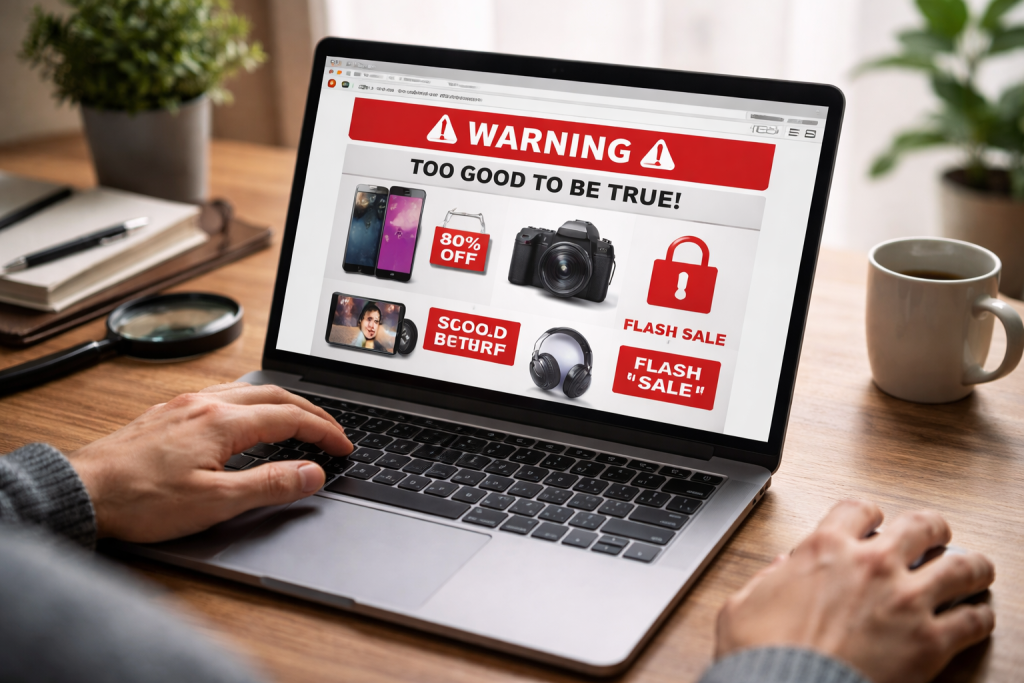
Fake websites not only steal information but also spread malware. Clicking on links or downloading files from these deceptive sites can install malicious software on your device. This malware can range from viruses that corrupt your files to ransomware that locks your data and demands payment for its release. Such infections can lead to data loss, system instability, and significant financial costs for repair or recovery.
Another common tactic employed by fake websites is the sale of counterfeit or nonexistent goods. Users may pay for products that are never delivered, or they may receive substandard, fake items. Such conduct leads to financial loss and a lack of recourse, as these fraudulent operations are often short-lived and difficult to trace. Deception can have a significant emotional toll, as it can result in financial loss or compromise personal security.
Contents
- 0.1 The Mechanism of Deception
- 0.2 Financial and Identity Theft Risks
- 0.3 Domain Name Anomalies
- 0.4 Poor Website Design and Content
- 0.5 Lack of Security Indicators
- 0.6 Unsolicited Contact and Urgency
- 0.7 Strange or Unprofessional Contact Information
- 0.8 Verify Website Addresses Carefully
- 0.9 Use Strong, Unique Passwords
- 0.10 Be Cautious with Personal Information Requests
- 0.11 Look for Trust Seals and Secure Connections
- 0.12 Avoid Public Wi-Fi for Sensitive Transactions
- 0.13 Fake Online Stores
- 0.14 Phishing Websites for Financial Institutions
- 0.15 Fake Tech Support Scams
- 0.16 Fake Government or Charity Websites
- 0.17 Conduct a WHOIS Lookup
- 0.18 Check for Contact Information and Reviews
- 0.19 Search for the company independently.
- 0.20 Use Secure Search Engines and Antivirus Software
- 0.21 Be Skeptical and Question Everything
- 0.22 Keep Software Updated
- 0.23 Educate Yourself on Current Scams
- 0.24 Use Two-Factor Authentication (2FA)
- 0.25 Understand Privacy Policies and Terms of Service
- 0.26 Report to the Website’s Platform or Hosting Provider
- 0.27 Report to Consumer Protection Agencies
- 0.28 Report to Search Engines and Social Media Platforms
- 0.29 Report to Banks and Credit Card Companies
- 0.30 Report to Law Enforcement
- 0.31 Talk to Friends and Family
- 0.32 Share Information on Social Media
- 0.33 Encourage Critical Thinking
- 0.34 Support Cybersecurity Education Initiatives
- 0.35 Lead by Example
- 0.36 Antivirus and Anti-Malware Software
- 0.37 Browser Security Features
- 0.38 Email Filters and Spam Blockers
- 0.39 Virtual Private Networks (VPNs)
- 0.40 Website Security Scanners
- 0.41 Financial Institutions
- 0.42 Cybersecurity Assistance Hotlines
- 0.43 Consumer Protection Agencies
- 0.44 Identity Theft Protection Services
- 0.45 Local Law Enforcement
- 1 FAQs
- 1.1 1. What are some common red flags to look out for when trying to identify a fake website?
- 1.2 2. How can I protect my personal information and avoid falling victim to a fake website?
- 1.3 3. What are some examples of common scams associated with fake websites that I should be aware of?
- 1.4 4. How can I verify the legitimacy of a website to ensure that it is authentic and safe to use?
- 1.5 5. What should I do if I encounter a fake website or become a victim of online fraud?
The Mechanism of Deception
Fake websites are meticulously crafted to appear genuine. They often use logos, branding, and website layouts that are nearly identical to those of legitimate companies. This visual mimicry is a key component of their success. However, they design the underlying technology for exploitation, not for legitimate service. Domains are often registered shortly before a scam is launched, and the hosting infrastructure may be temporary, making it harder for authorities to track down the perpetrators.
The success of these sites relies on a combination of social engineering and technical deception. Social engineering exploits human psychology, playing on trust, urgency, or fear. For example, a fake email might claim your account has been compromised, prompting you to click a link to “secure” it, leading you directly to a phishing site. Technical deception involves employing methods to hide the true nature of the website or to bypass security measures.
Financial and Identity Theft Risks
One of the most significant risks associated with fake websites is the potential for financial and identity theft. When you enter your credit card details on a fraudulent site, those numbers are transmitted directly to the scammers. They can then use this information to make unauthorized purchases, drain your bank accounts, or even open new lines of credit in your name. This can result in a lengthy and stressful process of disputing charges, restoring your credit, and proving your identity.
Identity theft is a pervasive problem, and fake websites are a common gateway. With enough personal information, a scammer can assume your identity to commit crimes, file fraudulent tax returns, or obtain other benefits. Reclaiming your identity can be an arduous battle, involving extensive paperwork, communication with various institutions, and a significant expenditure of time and energy.
Recognizing the telltale signs of a fake website is your first line of defense. While scammers are becoming more sophisticated, certain indicators can help you discern genuine sites from fraudulent ones. Vigilance is your shield in the digital realm.
Domain Name Anomalies
The web address, or domain name, is a crucial indicator. Fake websites often use domain names that are similar to legitimate ones but differ slightly. Such differences can involve a misspelling, an extra letter, or a different top-level domain (TLD) such as “.biz” or “.info” instead of the expected “.com” or “.org” for a well-known brand. For instance, a site claiming to be Amazon might be “amazonn.com” or “amazon-deals.biz.” Always scrutinize the domain name carefully, looking for subtle deviations.
Poor Website Design and Content
While some fake sites are professionally designed, many exhibit signs of amateurism. Look for grammatical errors, awkward phrasing, and inconsistent branding. Legitimate businesses invest in professional website development and content creation. Numerous typos or sentences that don’t quite make sense can be a warning sign. Low-resolution images or a cluttered layout can also suggest a lack of professional polish.
Lack of Security Indicators
A secure website should display a padlock icon in the browser’s address bar, and the web address should begin with “https://” rather than “http://.” The “s” stands for secure, indicating that the connection between your browser and the website is encrypted. If a website asks for sensitive information, such as login details or payment information, and lacks these security indicators, it is a strong sign that it is not trustworthy.
Unsolicited Contact and Urgency
Be wary of websites you land on through unsolicited emails or social media messages, especially if they create a sense of urgency. Scammers often use these tactics to pressure you into acting without thinking. For example, an email might warn of an account suspension and provide a link to a fake login page. If a website insists you act immediately or you will miss out on a fantastic offer, it’s a call to pause and investigate further.
Strange or Unprofessional Contact Information
Legitimate businesses usually provide clear and easily accessible contact information, including a physical address, phone number, and professional email address. Fake websites might have no contact information, or they may provide generic email addresses like “gmail.com” or “yahoo.com” instead of a corporate domain. If the contact details appear vague or unprofessional, it may be wise to view this as a potential red flag.
Preventing your personal information from falling into the wrong hands is paramount. Adopting a proactive approach and adhering to these guidelines can significantly reduce your risk of fraud. Think of yourself as a vigilant guardian of your digital identity.
Verify Website Addresses Carefully
Before entering any personal information, take a moment to double-check the website’s URL. As mentioned earlier, look for misspellings or unusual domain extensions. If you are unsure, it is often best to navigate to the website by typing the address directly into your browser or by using a bookmark from a trusted source. Avoid clicking on links from suspicious emails or messages, as these are common vectors for phishing.
Use Strong, Unique Passwords
Employing strong, unique passwords for each of your online accounts is a fundamental security measure. A strong password typically includes a mix of uppercase and lowercase letters, numbers, and symbols. Avoid using easily guessed information, like your name, birthday, or common words. Furthermore, never reuse passwords across different websites. If one account is compromised, the others remain secure. Consider using a password manager to help you generate and store complex passwords.
Be Cautious with Personal Information Requests
Approach any website that requests excessive personal information with suspicion. Legitimate businesses generally only ask for the information necessary to complete a transaction or provide a service. If a website asks for your social security number, bank account details, or other highly sensitive information for no clear or justifiable reason, it is a significant warning sign.
Look for Trust Seals and Secure Connections
While not foolproof, trust seals from reputable security companies can sometimes indicate a legitimate website. However, these can also be faked. The most reliable indicator of a secure connection is the “https://” in the web address and the padlock icon in your browser. Always ensure these are present before submitting any sensitive data.
Avoid Public Wi-Fi for Sensitive Transactions
Coffee shops and airports often have unsecured public Wi-Fi networks. This makes it easier for malicious actors to intercept your data. Avoid conducting sensitive transactions, such as online banking or shopping, while connected to public Wi-Fi. If you must connect, consider using a Virtual Private Network (VPN) to encrypt your internet traffic.
Scammers are constantly devising new ways to trick people. Familiarizing yourself with common scam types can help you recognize and avoid them. These are the familiar traps laid in the digital forest.
Fake Online Stores
E-commerce fraud is rampant. Fake online stores often advertise heavily discounted products, especially popular electronics or designer goods. They may accept payment but never ship the items, or they may send counterfeit goods. These sites often disappear after collecting payments, leaving customers with no recourse.
Phishing Websites for Financial Institutions
These are designed to impersonate your bank, credit card company, or other financial service providers. They often send emails or text messages claiming there is an issue with your account, prompting you to click a link to log in. The website you land on will look identical to your bank’s legitimate site, but it is designed to steal your login credentials.
Fake Tech Support Scams
These scams often begin with a pop-up message on your computer claiming your system is infected with a virus and providing a phone number to call for “tech support.” When you call, scammers will try to convince you to pay for unnecessary software or services, or they may gain remote access to your computer and steal your information.
Fake Government or Charity Websites
During times of crisis or disaster, scammers often create fake websites impersonating government agencies or charities, soliciting donations or requesting personal information. Always verify the legitimacy of any organization before donating or providing details. Official government websites typically end in “.gov,” and reputable charities will have clear credentials and verifiable contact information.
Before you commit to a transaction or share information, it is wise to confirm the authenticity of the website in question. This verification process is like checking the foundation of a building before entering. It can prevent significant future problems.
Conduct a WHOIS Lookup
A WHOIS lookup can provide information about the registration of a domain name, including who registered it and when. If a website is brand new, or if the registration information is hidden or seems suspicious, it can be a warning sign. Several online tools are available to perform WHOIS lookups.
Check for Contact Information and Reviews
As mentioned, legitimate businesses provide clear contact information. Beyond that, search for independent reviews of the company or website. Look for reviews on reputable third-party sites, not just those listed on the company’s own website. A consistent pattern of negative reviews or a complete lack of verifiable contact information should raise concerns.
Search for the company independently.
Do not solely rely on the information presented on the website itself. Perform an independent search for the company’s name. Look for their official website, news articles, and any mentions in reputable business directories. If the company appears to have minimal or no online presence beyond the suspicious website, it is a strong indicator of potential fraud.
Use Secure Search Engines and Antivirus Software
Reputable search engines have mechanisms to flag potentially harmful websites. Antivirus and anti-malware software can also warn you if you are about to visit a known phishing or malicious site. Keep your security software updated and pay attention to any warnings it provides.
The internet is a tool, and like any tool, it can be used for good or ill. By adopting a set of best practices, you can become a more adept navigator of the online world, significantly reducing your chances of encountering fraudulent websites. Think of this as sharpening your digital senses.
Be Skeptical and Question Everything
A healthy dose of skepticism is your best companion online. Do not take website appearances at face value. If something seems too good to be true, it probably is. Question any unsolicited communication, unexpected offers, or requests for personal information. Maintain a critical mindset.
Keep Software Updated
Ensure your operating system, web browser, and antivirus software are always up to date. Software updates often include critical security patches that protect against newly discovered vulnerabilities that scammers might exploit. Outdated software is like an unlocked door in a secure building.
Educate Yourself on Current Scams
Scammers constantly evolve their tactics. Stay informed about the latest online scams and phishing techniques. Many cybersecurity organizations and consumer protection agencies publish alerts and advisories about current threats. Sharing this knowledge with others further strengthens the collective defense.
Use Two-Factor Authentication (2FA)
Wherever possible, enable two-factor authentication on your online accounts. This adds an extra layer of security by requiring a second form of verification, such as a code sent to your phone, in addition to your password. Even if your password is compromised, 2FA can prevent unauthorized access.
Understand Privacy Policies and Terms of Service
While often tedious to read, privacy policies and terms of service can provide insight into how a website handles your data. Look for clear statements about data collection, usage, and sharing. If these policies are vague or absent, it may indicate a lack of transparency and potential risk.
Discovering a fake website is an unfortunate reality for many. However, taking action can help prevent others from falling victim and can aid in the suppression of these fraudulent operations. Your report can be a vital piece of the puzzle.
Report to the Website’s Platform or Hosting Provider
Many fake websites are hosted on platforms that have terms of service prohibiting fraudulent activity. You can often find information about the hosting provider by doing a WHOIS lookup. Reporting the site to its host can lead to its removal.
Report to Consumer Protection Agencies
Organizations like the Federal Trade Commission (FTC) in the United States or similar bodies in other countries collect reports of online fraud. Filing a complaint with these agencies can help them identify patterns of abuse and take action against scammers.
Report to Search Engines and Social Media Platforms
If you encounter a fake website through a search engine result or a social media advertisement, report it to the respective platform. These companies have systems in place to review and remove fraudulent content from their services.
Report to Banks and Credit Card Companies
If you have lost money or had your financial information compromised, report the incident to your bank or credit card company immediately. They can help you dispute fraudulent charges and take steps to protect your accounts.
Report to Law Enforcement
For significant financial losses or cases of identity theft, consider reporting the incident to your local law enforcement agency. While they may not always be able to recover your losses, your report contributes to broader investigations.
The fight against online deception is a collective one. By sharing your knowledge and encouraging others to be vigilant, you can contribute to a safer online environment for everyone. Be an advocate for digital safety.
Talk to Friends and Family
Start by discussing online safety with your immediate circle. Explain the signs of fake websites and the importance of caution. Share personal experiences or news articles about scams to illustrate the real-world consequences.
Use your social media platforms to share articles, tips, and warnings about fake websites and online scams. Many platforms have features that allow you to easily share content from reputable cybersecurity organizations.
Encourage Critical Thinking
Promote a culture of critical thinking when it comes to online interactions. Encourage people to pause, verify, and question before clicking links or sharing personal information. This habit is a powerful defense against deception.
Support Cybersecurity Education Initiatives
If there are local or online initiatives focused on cybersecurity education, consider supporting them. This could involve volunteering, donating, or simply spreading the word about their resources.
Lead by Example
The most effective way to educate others is to practice safe online habits yourself. When people see you being cautious and discerning, they are more likely to adopt similar behaviors.
Technology plays a crucial role in the ongoing battle against fake websites. While user vigilance is essential, cybersecurity tools provide an invaluable layer of protection. These are the electronic sentinels standing guard.
Antivirus and Anti-Malware Software
As previously mentioned, antivirus and anti-malware programs are designed to detect and remove malicious software, including that spread by phishing sites. They can also scan web pages for known malicious content.
Browser Security Features
Modern web browsers include built-in security features that can warn users about potentially dangerous websites. These features often rely on lists of known phishing and malware sites, updated regularly.
Email Filters and Spam Blockers
Email providers use sophisticated filters to identify and block phishing emails that often lead to fake websites. These filters are continuously trained and improved to combat evolving scam tactics.
Virtual Private Networks (VPNs)
VPNs encrypt your internet traffic, making it more difficult for third parties to intercept your data. While they don’t directly identify fake websites, they enhance your overall online privacy and security, making it harder for your information to be misused if you do accidentally visit a fraudulent site.
Website Security Scanners
Various online tools can scan a website’s security and identify potential vulnerabilities or malicious code. While not foolproof, these can offer an additional check before you engage with an unknown site.
If you believe you have been a victim of a fake website, do not hesitate to seek assistance. There are organizations and resources available to help you mitigate the damage and regain control. These are the allies in your time of need.
Financial Institutions
Contact your bank or credit card company immediately if you suspect your financial information has been compromised. They can help you freeze accounts, dispute fraudulent charges, and issue new cards.
Cybersecurity Assistance Hotlines
Many countries have government-backed cybersecurity agencies or hotlines that offer guidance and support to victims of online fraud. These resources can provide advice on securing your accounts and reporting the incident.
Consumer Protection Agencies
As mentioned, agencies like the FTC are valuable resources for reporting fraud and seeking advice. They often have extensive information on their websites about common scams and how to protect yourself.
Identity Theft Protection Services
If you have experienced identity theft, consider utilizing the services of an identity theft protection company. These services can monitor your credit, help you resolve fraudulent accounts, and provide legal assistance if necessary.
Local Law Enforcement
For serious cases of financial loss or identity theft, contacting your local police department is advisable. They can initiate investigations and provide official documentation that may be required for insurance claims or other recovery efforts.
FAQs
1. What are some common red flags to look out for when trying to identify a fake website?
Some common red flags to look out for when trying to identify a fake website include poor website design, spelling and grammar errors, suspicious URLs, and requests for personal or financial information.
2. How can I protect my personal information and avoid falling victim to a fake website?
To protect your personal information and avoid falling victim to a fake website, it’s important to verify the legitimacy of the website, avoid clicking on suspicious links, use secure payment methods, and keep your software and antivirus programs up to date.
3. What are some examples of common scams associated with fake websites that I should be aware of?
Some examples of common scams associated with fake websites include phishing scams, counterfeit product scams, and fraudulent charity websites. It’s important to be aware of these scams and to be cautious when browsing the internet.
4. How can I verify the legitimacy of a website to ensure that it is authentic and safe to use?
You can verify the legitimacy of a website by checking for secure connections (https://), looking for contact information and a privacy policy, researching the website and its reputation, and using website verification tools and services.
5. What should I do if I encounter a fake website or become a victim of online fraud?
If you encounter a fake website or become a victim of online fraud, it’s important to report the website to the appropriate authorities, such as the Federal Trade Commission (FTC) or the Internet Crime Complaint Center (IC3). You should also monitor your financial accounts and consider placing a fraud alert on your credit report.

With over 5 years of experience in digital learning and productivity, we specialize in creating practical and easy-to-follow solutions.Our expertise focuses on simplifying complex concepts into clear, actionable strategies for everyday use.We are committed to helping learners and professionals improve efficiency, build skills, and achieve consistent growth.