
Mastering Your Privacy: A Step-by-Step Guide to Managing Digital Settings
The digital world offers many conveniences, but it also presents challenges to personal privacy. This guide outlines steps individuals can take to manage their digital settings and protect their information.
Information sharing and storage have significantly changed in the digital age. What was once private is now often accessible online, either intentionally or unintentionally. Understanding and actively managing one’s digital footprint is vital to maintaining personal security and control. This involves a conscious effort to audit and adjust the settings across various online platforms and services.
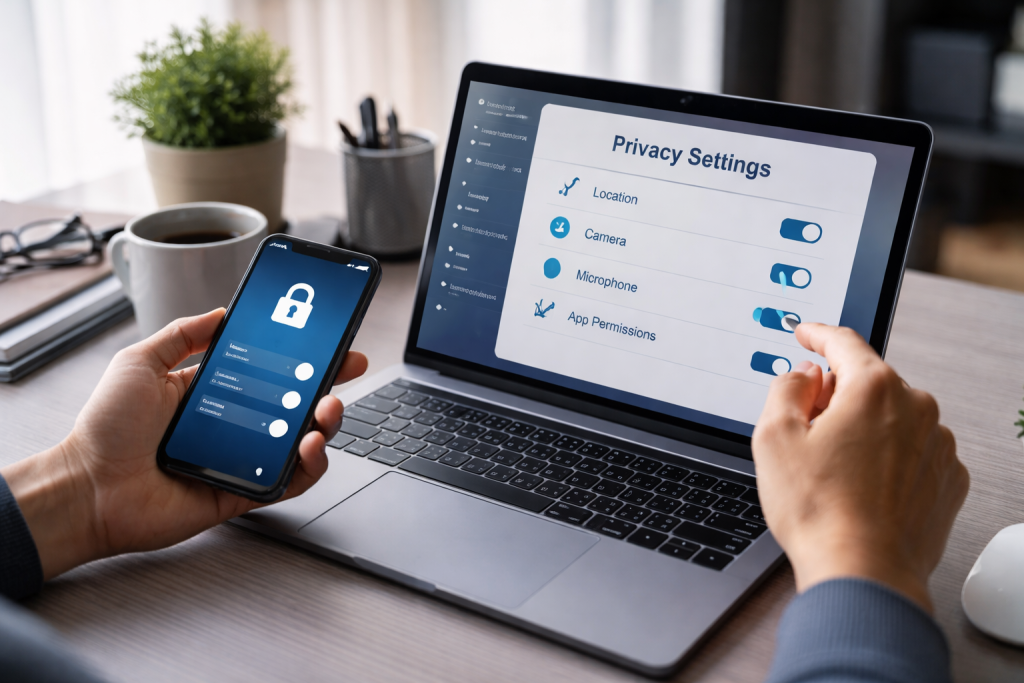
The internet acts as a vast network, connecting individuals and devices globally. Within this network, information flows constantly. Each online interaction, from sending an email to browsing a website, leaves a trace. These traces can be collected, analyzed, and sometimes used in ways that individuals may not expect. Companies gather data for targeted advertising, governments may access information for security reasons, and malicious actors seek to exploit vulnerabilities for personal gain.
Contents
- 0.1 The Value of Personal Data
- 0.2 Identifying Digital Footprints
- 0.3 Legal and Ethical Frameworks
- 0.4 Device Settings Review
- 0.5 Social Media Account Audit
- 0.6 Online Service and Account Review
- 0.7 Strong and Unique Passwords
- 0.8 Two-Factor Authentication (2FA)
- 0.9 Privacy Settings Configuration
- 0.10 Being Wary of Phishing Attempts
- 0.11 Auditing Your Public Information
- 0.12 Curating Personal Information
- 0.13 Professional Networking Sites
- 0.14 Online Reviews and Testimonials
- 0.15 Digital Citizenship and Etiquette
- 0.16 Password Management
- 0.17 Be Skeptical of Unsolicited Communications
- 0.18 Secure Wi-Fi Usage
- 0.19 Software Updates
- 0.20 Data Minimization
- 0.21 Secure Online Banking
- 0.22 Credit and Debit Card Security
- 0.23 Identity Theft Protection
- 0.24 Protecting Sensitive Documents
- 0.25 Mobile Payment Security
- 0.26 How Two-Factor Authentication Works
- 0.27 Enabling 2FA on Various Platforms
- 0.28 Types of Second Factors
- 0.29 Backup Codes and Recovery Options
- 0.30 The Encryption Analogy: A Secret Code
- 0.31 End-to-End Encryption
- 0.32 Encrypting Files and Hard Drives
- 0.33 Secure Email Communication
- 0.34 Choosing Encrypted Services
- 0.35 How VPNs Work
- 0.36 Benefits of Using a VPN
- 0.37 Choosing a Reputable VPN Provider
- 0.38 Limitations of VPNs
- 0.39 Following Reputable Privacy Resources
- 0.40 Adapting to Platform Changes
- 0.41 Understanding Emerging Threats
- 0.42 Participating in Privacy Discussions
- 0.43 Regularly Reviewing and Updating
- 1 FAQs
- 1.1 1. Why is digital privacy important in the digital age?
- 1.2 2. How can I assess my current digital privacy settings?
- 1.3 3. What are some ways to secure my social media accounts?
- 1.4 4. How can I protect my personal information from data breaches?
- 1.5 5. What are some best practices for staying informed and up-to-date on privacy best practices?
The Value of Personal Data
In the digital economy, personal data has become a valuable commodity. It fuels online businesses, informs marketing strategies, and can be traded between entities. This data can range from your browsing history and location to your purchasing habits and personal preferences. The more information available about you, the more predictable your behavior becomes, making you a more valuable target for various services and potential exploiters.
Identifying Digital Footprints
Your digital footprint is the sum of all data you create and leave behind online. This includes information you actively share, such as social media posts and comments, as well as data collected passively through your online activities, such as website cookies and IP addresses. Understanding what constitutes your digital footprint is the first step in managing it effectively.
Legal and Ethical Frameworks
Various laws and regulations exist to govern data privacy, such as the General Data Protection Regulation (GDPR) in Europe and the California Consumer Privacy Act (CCPA) in the United States. These frameworks aim to give individuals more control over their personal data. However, compliance with these regulations can be complex, and breaches can still occur. It is important to be aware of your rights under applicable laws.
Before making changes, it is essential to understand your current privacy posture. This involves reviewing the settings on your devices and accounts. Think of this initial assessment as taking inventory of your digital home. You need to know what doors are unlocked and what windows are open before you can secure them.
Device Settings Review
Smartphones, computers, and other internet-connected devices collect a significant amount of data. Operating systems and applications often have default settings that prioritize functionality or data collection over privacy. Reviewing these settings includes checking app permissions, location services, and advertising identifiers. Limit access for applications to only what is necessary for their function. For instance, a calculator app does not need access to your contacts or microphone.
App Permissions
Each application installed on a device requests various permissions to access certain functions or data. Examining these permissions is crucial. Scrutinize which apps have access to your location, contacts, camera, microphone, and storage. Revoke any permissions that seem unnecessary or excessive for the app’s stated purpose.
Location Services
Many devices allow for location tracking, either constantly or when specific applications are in use. While useful for navigation or location-based services, persistent location tracking can reveal a great deal about your daily movements and habits. Regularly review and adjust which apps are allowed to access your location, and consider disabling it altogether if not essential.
Advertising Identifiers
Devices often generate unique advertising identifiers that allow companies to track your activity across different apps and websites for targeted advertising. You can typically reset these identifiers or opt out of personalized advertising within your device’s privacy settings.
Social Media Account Audit
Social media platforms are significant repositories of personal information. Their privacy settings can be complex and often change. A thorough audit of your social media accounts is a necessary step in managing your digital privacy.
Profile Information
Review the personal information you have shared on your profiles, including your birthday, location, workplace, and relationship status. Limit the visibility of this information to only your trusted connections or make it private.
Post and Content Visibility
Examine the privacy settings for your past and future posts. Decide who can see your updates: friends, friends of friends, or the public. Consider making older posts private to reduce the amount of historical information publicly available.
Tagging and Mentions
Understand and manage who can tag you in photos and posts and who can mention you. This helps control the content that appears on your profile and minimizes unwanted associations.
Connected Applications
Many social media accounts allow you to connect with third-party applications. Please review these connections and disconnect any that you no longer use or recognize. These applications can often access your profile data.
Online Service and Account Review
Beyond social media, numerous online services store personal information. This includes email providers, cloud storage services, online shopping accounts, and streaming platforms.
Email Account Security
Your email account is often a gateway to other online services. Ensure it has a strong, unique password and that two-factor authentication is enabled. Review email forwarding settings and connected applications, as they can be points of compromise.
Cloud Storage Settings
Services like Google Drive, Dropbox, and iCloud store significant amounts of personal files. Verify the sharing settings for your cloud storage folders. Make sure you don’t unintentionally share or make sensitive documents public.
Online Shopping and Subscription Accounts
Review the privacy policies of online retailers and subscription services. Check what information they collect and how they use it. Periodically review your order history and payment information stored on these platforms.
Social media platforms are common targets for unauthorized access due to the wealth of personal information they hold. Implementing strong security measures is paramount.
Strong and Unique Passwords
The foundation of account security is a strong, unique password for each social media account. A password should be a mix of uppercase and lowercase letters, numbers, and symbols. Avoid using easily guessed information, like birthdays or common words. Consider using a password manager to generate and store complex passwords securely.
Two-Factor Authentication (2FA)
Two-factor authentication adds an extra layer of security by requiring a second form of verification in addition to your password. This could be a code sent to your phone via SMS, an authenticator app, or a physical security key. An attacker will still require the second factor to gain access, even if they compromise your password. Enable 2FA on all your social media accounts whenever possible.
Privacy Settings Configuration
As mentioned earlier, thoroughly configuring privacy settings on social media is vital. Regularly check these settings, as platforms update them periodically. Ensure that only trusted individuals can see your posts, personal information, and connections. Limit the ability of strangers to find your profile through searches.
Being Wary of Phishing Attempts
Phishing attacks are common on social media, where attackers impersonate legitimate services or individuals to trick you into revealing your login credentials or personal information. Be skeptical of unsolicited messages or links, especially those that request sensitive data or create a sense of urgency. Always verify the sender and the legitimacy of the request.
Your online presence is the digital reflection of yourself. It encompasses everything from your social media profiles and professional networks to any comments or posts you’ve made on websites. Managing this presence involves projecting the image you desire and mitigating potential reputational damage.
Auditing Your Public Information
Conduct regular searches for your name online. This will reveal what information is publicly accessible about you. Look at social media profiles, news articles, public records, and any other mentions. Identifying what is out there is the first step to managing it.
Curating Personal Information
Once you identify what is publicly available, you can begin to curate it. This may involve updating old or inaccurate information, removing content you no longer wish to be associated with, or adjusting privacy settings on platforms where your information is displayed.
Professional Networking Sites
Professional networking is the primary purpose of platforms like LinkedIn. Ensure your profile accurately reflects your skills and experience. Be mindful of the connections you make and the information you share. Sensitive professional or personal details should be kept private.
Online Reviews and Testimonials
If you own a business or offer services, online reviews and testimonials can significantly impact your reputation. Respond professionally to both positive and negative feedback. Addressing criticism constructively can demonstrate your commitment to customer satisfaction.
Digital Citizenship and Etiquette
Practicing exemplary digital citizenship involves being respectful and responsible online. Avoid engaging in cyberbullying, spreading misinformation, or participating in harmful online discussions. Your actions online contribute to your overall digital reputation.
Data breaches are unfortunately common occurrences in the digital world. These breaches can expose sensitive personal information, leading to identity theft and financial loss. Taking proactive steps can significantly reduce your vulnerability.
The Digital Lockbox Analogy: Consider your personal information an item stored in a lockbox. When someone breaks into that lockbox, it’s called a data breach. Strong passwords and 2FA are like high-quality locks on the box. Encryption is like making the contents inside unreadable even if the box is opened.
Password Management
A robust password management strategy is fundamental. Use a password manager to generate and store complex, unique passwords for all your online accounts. This eliminates the temptation to reuse passwords, which is a major security risk.
Be Skeptical of Unsolicited Communications
Phishing and smishing (SMS phishing) attacks often try to trick you into providing personal information. Be wary of emails, text messages, or phone calls asking for sensitive details like your social security number, bank account information, or passwords, especially if they come from unknown or unexpected sources. Legitimate organizations will rarely ask for such information via unsolicited communication.
Secure Wi-Fi Usage
Public Wi-Fi networks, while convenient, are often unencrypted and can be easily monitored by malicious actors. Avoid accessing sensitive accounts or conducting financial transactions on public Wi-Fi. If you must use public Wi-Fi, consider using a Virtual Private Network (VPN).
Software Updates
Keeping your operating systems, applications, and antivirus software up-to-date is crucial. Software updates often include patches for security vulnerabilities that attackers might exploit. Regularly check for and install available updates for all your devices.
Data Minimization
Practice data minimization by only providing the absolutely necessary information when signing up for services or filling out forms. The less information you share, the less there is to be compromised in a breach. If a website or service asks for more information than seems necessary for its function, consider whether you truly need to use it.
Financial and personal data are particularly attractive targets for cybercriminals. Protecting this information requires a multi-layered approach.
Secure Online Banking
When managing your finances online, ensure you are using secure websites. Look for “https” in the URL and a padlock icon in the address bar, indicating an encrypted connection. Always log out of your banking sessions when finished, and never share your online banking credentials.
Credit and Debit Card Security
Be cautious when entering your credit or debit card details online. Only shop from reputable retailers. Regularly review your bank and credit card statements for any unauthorized transactions. Consider setting up transaction alerts for your accounts.
Identity Theft Protection
Identity theft is a serious risk that can result from compromised personal data. Be aware of the signs of identity theft, such as receiving bills for accounts you did not open or receiving suspicious mail. Consider using credit monitoring services that can alert you to unusual activity on your credit report.
Protecting Sensitive Documents
Physical documents containing sensitive information, such as bank statements, social security cards, and medical records, should be stored securely. Shred any documents that you no longer need before discarding them.
Mobile Payment Security
If you use mobile payment apps, ensure they are secured with strong passwords or biometric authentication. Understand the privacy policies of these services and how your transaction data is handled.
Two-factor authentication (2FA) is a powerful tool for enhancing account security. It requires more than just a password to log in, making it significantly harder for unauthorized access.
How Two-Factor Authentication Works
2FA typically involves two distinct factors of authentication: something you know (your password) and something you have (your phone or a security key) or something you are (your fingerprint or facial scan). When you log in, after entering your password, you will be prompted for the second factor.
Enabling 2FA on Various Platforms
Most major online services, including email providers, social media platforms, and financial institutions, offer 2FA. It is highly recommended to enable this feature on all accounts where it is available. Look for “Security” or “Account” settings within each platform to find the option to enable 2FA.
Types of Second Factors
- SMS Codes: A one-time code is sent to your registered mobile phone number via text message. This is a common and accessible method.
- Authenticator Apps: Applications like Google Authenticator or Authy generate time-sensitive codes on your device. These are generally considered more secure than SMS codes, as they are less susceptible to SIM-swapping attacks.
- Security Keys: Physical devices, often USB or NFC-based, that you insert into your device or tap to authenticate. These are considered the most secure form of 2FA.
- Biometrics: Fingerprint scanners or facial recognition on your devices can be used as a second factor for authentication on certain platforms.
Backup Codes and Recovery Options
When setting up 2FA, you are often provided with backup codes. Store these codes in a safe and accessible place, separate from your primary devices. These codes are essential for regaining access to your account if you lose access to your second factor (e.g., lose your phone).
Encryption is a process that scrambles data, making it unreadable to anyone without the correct decryption key. This is a fundamental technique for protecting sensitive information.
The Encryption Analogy: A Secret Code
Imagine sending a message written in a secret code that only you and your intended recipient understand. Encryption is like creating and using that secret code for your digital messages and files.
End-to-End Encryption
End-to-end encryption (E2EE) is a system where only the communicating users can read the messages. The data is encrypted on the sender’s device and decrypted only on the recipient’s device. This means that even the service provider cannot access the content of the communication. Popular messaging apps like Signal and WhatsApp offer E2EE.
Encrypting Files and Hard Drives
Sensitive files stored on your computer or in cloud storage can be encrypted to protect them from unauthorized access. Many operating systems offer full-disk encryption features that encrypt your entire hard drive. This ensures that if your device is lost or stolen, the data remains inaccessible without your password.
Secure Email Communication
While standard email is not typically encrypted end-to-end, you can use specialized email encryption tools or services to secure your messages. PGP (Pretty Good Privacy) is a well-known encryption standard often used for securing email communications.
Choosing Encrypted Services
When selecting online services, prioritize those that offer strong encryption for your data and communications. Read their privacy policies and technical documentation to understand their encryption practices.
Virtual Private Networks (VPNs) offer a way to enhance your online privacy by masking your IP address and encrypting your internet traffic.
How VPNs Work
When you connect to a VPN, your internet traffic is routed through a remote server operated by the VPN provider. This server assigns you a new IP address, making it appear as if you are browsing from the VPN server’s location. All your internet traffic is then encrypted between your device and the VPN server, masking your online activities from your Internet Service Provider (ISP) and other potential observers.
Benefits of Using a VPN
- Anonymity: Your real IP address is hidden, making it harder to track your online activities back to you.
- Security: Encrypts your internet traffic, protecting you from surveillance on public Wi-Fi networks and from your ISP.
- Access to Geo-Restricted Content: By connecting to servers in different countries, you can access websites and services that may be restricted in your region.
Choosing a Reputable VPN Provider
Not all VPNs are created equal. It is important to choose a reputable provider with a strong privacy policy, a clear no-logs policy (meaning they do not track your online activity), and robust encryption. Research different VPN services and read reviews before making a decision.
Limitations of VPNs
While VPNs enhance privacy and security, they are not a silver bullet for complete anonymity. Your browsing habits, cookies, and account logins can still allow websites and services to identify you. VPNs are a tool to be used in conjunction with other privacy best practices.
The digital landscape is constantly evolving, with new technologies and privacy threats emerging regularly. Staying informed is crucial for maintaining effective digital privacy.
Following Reputable Privacy Resources
Numerous organizations and publications focus on digital privacy and security. Following these sources can provide valuable insights into new threats, best practices, and legal developments. Examples include the Electronic Frontier Foundation (EFF) and reputable cybersecurity news outlets.
Adapting to Platform Changes
Online platforms frequently update their features and privacy settings. Regularly revisiting your settings across all your accounts is essential. What was private yesterday might be public today due to an update.
Understanding Emerging Threats
Be aware of new types of malware, phishing techniques, and data exploitation methods. Understanding these threats allows you to better protect yourself from them. Cybersecurity awareness is an ongoing process.
Participating in Privacy Discussions
Engaging with privacy-focused communities and discussions can provide valuable perspectives and practical advice from others who are actively managing their digital privacy. Sharing knowledge and learning from others is a strength.
Regularly Reviewing and Updating
Privacy management is not a one-time task. It requires ongoing attention. Schedule regular check-ins with your digital settings, perhaps quarterly or semi-annually, to ensure your privacy remains robust. This proactive approach is the most effective way to navigate the complexities of the digital age.
FAQs
1. Why is digital privacy important in the digital age?
Digital privacy is important in the digital age because it helps protect personal information from being accessed, used, or shared without consent. With the increasing amount of personal data being stored and shared online, maintaining digital privacy is crucial for preventing identity theft, fraud, and other privacy violations.
2. How can I assess my current digital privacy settings?
You can assess your current digital privacy settings by reviewing the privacy settings on your social media accounts, checking the permissions granted to apps and websites, and reviewing the security settings on your devices and accounts. It’s important to regularly review and update these settings to ensure your privacy is protected.
To secure your social media accounts, you can enable two-factor authentication, use strong and unique passwords, review and adjust privacy settings, and be cautious about the information you share. It’s also important to regularly review the apps and third-party services connected to your social media accounts.
4. How can I protect my personal information from data breaches?
You can protect your personal information from data breaches by using strong, unique passwords for each of your accounts, being cautious about the information you share online, using secure and encrypted communication channels, and staying informed about data breach incidents and best practices for data security.
5. What are some best practices for staying informed and up-to-date on privacy best practices?
Some best practices for staying informed and up-to-date on privacy best practices include following reputable privacy and security websites, subscribing to newsletters and updates from privacy organizations, attending privacy and security workshops or webinars, and regularly reviewing and updating your privacy settings and practices.

With over 5 years of experience in digital learning and productivity, we specialize in creating practical and easy-to-follow solutions.Our expertise focuses on simplifying complex concepts into clear, actionable strategies for everyday use.We are committed to helping learners and professionals improve efficiency, build skills, and achieve consistent growth.