
Unlocking the Potential of Smart Home Technology: A Beginner’s Guide
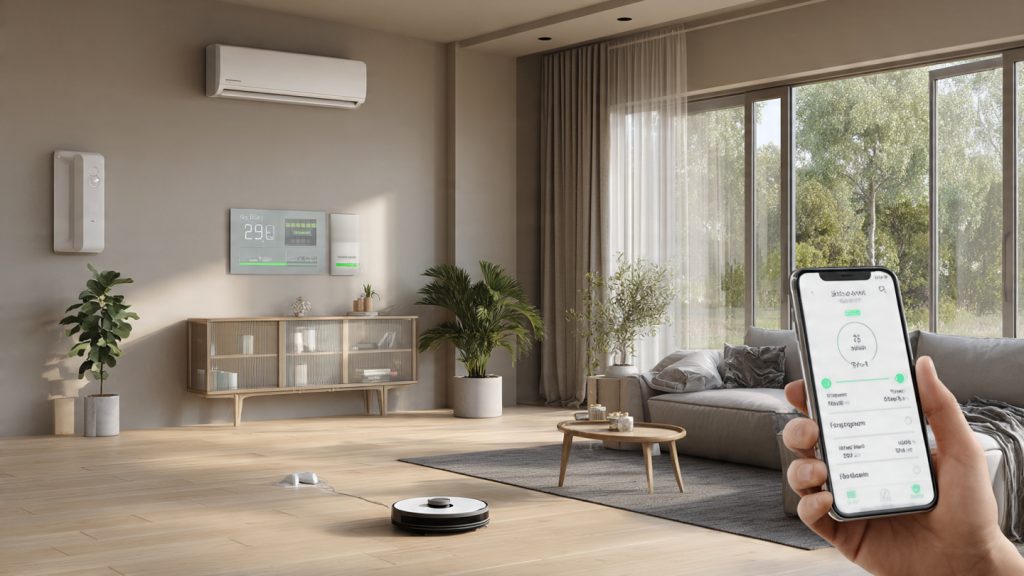
Smart home technology can seem a bit daunting at first glance, but at its heart, it’s about making your home life easier, safer, and sometimes even more fun. Essentially, it links various devices in your home (think lights, thermostats, security cameras) to the internet, allowing you to control them remotely or automate them to work together. This means less fumbling in the dark for a light switch or worrying if you locked the front door.
Contents
- 0.1 Understanding the Basics of Smart Home Technology
- 0.2 Choosing the Right Smart Home Devices for Your Needs
- 0.3 Setting Up Your Smart Home System: A Step-by-Step Guide
- 0.4 Integrating Smart Home Technology into Your Daily Routine
- 0.5 Enhancing Home Security with Smart Home Devices
- 0.6 Managing Energy Efficiency with Smart Home Technology
- 0.7 Exploring the Entertainment and Convenience Features of Smart Home Devices
- 0.8 Troubleshooting Common Issues with Smart Home Technology
- 0.9 Maximizing the Potential of Smart Home Technology with Automation
- 0.10 Future Trends and Innovations in Smart Home Technology
- 1 FAQs
- 1.1 What is smart home technology?
- 1.2 What are the benefits of smart home technology?
- 1.3 How do I choose the right smart home devices for my needs?
- 1.4 What are some common issues with smart home technology and how can they be troubleshooted?
- 1.5 What are some future trends and innovations in smart home technology?
Understanding the Basics of Smart Home Technology
Navigating the world of smart home tech really boils down to a few core concepts. It’s not as complex as it might seem.
What Makes a Device “Smart”?
A “smart” device is simply one that can connect to a network, usually your home Wi-Fi, and exchange information. This connectivity allows you to control it from your phone, tablet, or sometimes even with your voice. It also lets devices “talk” to each other, which is where a lot of the magic happens.
Key Components: Hubs, Apps, and Connectivity
You’ll often hear about “hubs” in smart home discussions. A hub is like the central brain for many smart home systems. It helps different devices, especially those from various brands, communicate smoothly. Think of it as a translator. While some simple devices work directly with your Wi-Fi, bigger setups often benefit from a hub. Control typically happens through a dedicated app on your smartphone, and the connectivity itself relies on your home internet.
Common Communication Protocols
Smart devices don’t all speak the same language. You’ll encounter terms like Wi-Fi, Bluetooth, Zigbee, and Z-Wave. Wi-Fi is great because it’s already in your home, but it can drain device batteries and sometimes gets crowded. Bluetooth is good for close-range connections. Zigbee and Z-Wave are specifically designed for smart homes, offering low power consumption and creating a “mesh network” where devices can relay signals to each other, extending range.
Choosing the Right Smart Home Devices for Your Needs
Before you start buying gadgets, it’s a good idea to think about what problems you’re trying to solve or what conveniences you truly want. Don’t just buy something because it’s “smart.”
Identifying Your Priorities
Do you want to feel safer when you’re away? Are you constantly forgetting to turn off lights? Or perhaps saving money on your energy bill is a big motivator? Your answers here will guide your device choices. Security, energy management, convenience, and entertainment are the main categories people usually focus on.
Starting Small: A Practical Approach
You don’t need to deck out your entire house at once. In fact, that’s rarely a good idea. Start with one or two devices that address your most pressing needs or curiosities. A smart plug for a lamp, a smart thermostat, or a single security camera are excellent starting points. This allows you to get a feel for the technology without a huge investment or an overwhelming setup.
Compatibility Considerations
This is crucial. Not all smart devices play nicely together. When buying, always check if a device is compatible with your existing hub, voice assistant (like Alexa or Google Assistant), or other devices you plan to integrate. Look for labels like “Works with Alexa” or “Google Assistant compatible.” Choosing devices that support the same ecosystem can save you a lot of headaches down the road.
Setting Up Your Smart Home System: A Step-by-Step Guide
Once you’ve picked out a few devices, it’s time to get them up and running. The process is usually designed to be fairly straightforward.
Getting Started with Wi-Fi and Power
First things first, ensure your home Wi-Fi is strong and reliable, especially where you plan to place your smart devices. Most devices will need to be plugged into power. Follow the instructions that come with each device carefully for physical installation.
Device Pairing and App Configuration
This is where you connect your new smart gadget to your home network and the control app. Typically, you’ll download the manufacturer’s app, create an account, and follow on-screen prompts to “discover” and pair the device. This often involves putting the device into a “pairing mode” and entering your Wi-Fi password.
Integrating with Voice Assistants and Hubs
If you have a smart speaker or a central hub, you’ll then connect your newly paired device to it. For voice assistants, this usually involves enabling a “skill” or “action” in their respective apps and then linking your device account. With a hub, it’s often a discovery process within the hub’s app, which will search for compatible devices on your network. Don’t be afraid to consult the manuals—they’re there to help.
Integrating Smart Home Technology into Your Daily Routine
The real benefit of smart home tech comes from how seamlessly it fits into your everyday life. It shouldn’t feel like another chore.
Automating Routine Tasks
This is where smart homes really shine. Instead of manually interacting with devices, you can set them to respond to certain triggers. For example, your lights can turn on automatically when you arrive home, or your thermostat can adjust based on the time of day or your location.
Creating Scenes and Routines
Most smart home platforms allow you to create “scenes” or “routines.” A “movie night” scene might dim the lights, close the blinds, and turn on the TV—all with a single command or schedule. A “good morning” routine could gradually brighten your bedroom lights and start the coffee maker. These individualized setups make a huge difference.
Voice Control for Hands-Free Convenience
Using voice commands is one of the most popular ways to interact with a smart home. “Alexa, turn on the living room lights” or “Hey Google, set the thermostat to 72 degrees” can be incredibly convenient, especially when your hands are full or you’re just feeling lazy.
Enhancing Home Security with Smart Home Devices
Security is one of the most compelling reasons people adopt smart home technology. It offers peace of mind whether you’re home or away.
Smart Cameras and Video Doorbells
These are probably the most common starting points for smart home security. Video doorbells let you see and talk to visitors from anywhere, even when you’re not home. Smart cameras provide constant surveillance, often with motion detection and alerts sent straight to your phone. Some even offer local storage or cloud subscriptions for recordings.
Smart Locks and Access Control
Never worry about forgetting your keys again. Smart locks allow you to lock and unlock your door remotely, grant temporary access to guests or dog walkers, and even receive notifications when the door is opened or closed. Some can be integrated with your overall security system.
Integrating Sensors for Enhanced Protection
Beyond cameras and locks, various sensors can significantly boost your home security. Door and window sensors can alert you if an entry point is opened. Motion sensors provide an extra layer of detection inside your home. And smart smoke or carbon monoxide detectors offer timely warnings to your phone, regardless of where you are.
Managing Energy Efficiency with Smart Home Technology
Beyond convenience and security, smart devices can genuinely help you save on your utility bills by being more mindful of energy usage.
Smart Thermostats for Climate Control
A smart thermostat is often the first energy-saving step for many. They learn your preferences, can be controlled remotely, and some even detect when you’re away from home to adjust temperatures automatically. This prevents you from heating or cooling an empty house unnecessarily.
Smart Lighting for Optimized Usage
Smart light bulbs aren’t just for ambiance. They can be scheduled to turn off when you leave a room, dim automatically during certain hours, or even tie into motion sensors so lights only turn on when someone is present. This avoids leaving lights on accidentally.
Monitoring Energy Consumption with Smart Plugs
Smart plugs are incredibly versatile. Beyond turning devices on and off remotely, many models can also monitor the energy consumption of whatever is plugged into them. These insights can help you identify energy-hungry appliances and make informed decisions about their usage.
Exploring the Entertainment and Convenience Features of Smart Home Devices
Beyond the practical, smart homes also offer plenty of features just for fun and comfort.
Multimedia and Audio Streaming
Smart speakers are the hub of smart home entertainment for many. They can stream music, podcasts, and audiobooks directly, often allowing you to control playback with your voice. Some can even connect to your existing sound systems.
Smart Blinds and Shades
Automated blinds or shades can control natural light throughout the day. They can open to wake you up gently, close to block out harsh afternoon sun, or even automatically shut when you start a movie for a cinematic experience.
Smart Appliances for Modern Living
The world of smart appliances is ever-expanding. From smart refrigerators that can tell you when you’re running low on milk to smart ovens you can preheat on your way home, these devices offer new levels of convenience in the kitchen and beyond.
Troubleshooting Common Issues with Smart Home Technology
Even the best technology can sometimes hit a snag. Knowing how to deal with common problems can save a lot of frustration.
Connectivity Problems and Wi-Fi Basics
Often, connectivity issues stem from your Wi-Fi. Try rebooting your router. Ensure your devices are within range of your Wi-Fi or hub. Sometimes, interference from other electronics can also be a culprit. If you have a larger home, a mesh Wi-Fi system might be a good investment.
Device Not Responding or Pairing Issues
If a device isn’t responding, check its power source first. If it’s still unresponsive, try restarting the device itself (unplugging and plugging it back in usually works). For pairing issues, ensure your phone is on the same Wi-Fi network as the device you’re trying to set up. Sometimes, deleting and re-adding the device in the app can fix stubborn problems.
Software Updates and Firmware Glitches
Like all electronics, smart devices receive software updates. Make sure your device apps and firmware are always up to date, as updates often fix bugs and improve performance. If you suspect a glitch, a simple restart or factory reset (as a last resort) can sometimes resolve it.
Maximizing the Potential of Smart Home Technology with Automation
Automation is where your smart home truly comes alive, effortlessly managing tasks in the background.
“If This, Then That” (IFTTT) Logic
Many smart home platforms use an “if this, then that” (IFTTT) logic for automation. This means you set up a trigger condition (“if the front door opens”) and an action that follows (“then turn on the hallway light”). This simple concept allows for incredibly powerful customized routines.
Geofencing for Location-Based Triggers
Geofencing uses your smartphone’s location to trigger actions. For example, “If I leave the house,” your security system can arm itself and your lights can turn off. “If I arrive home,” the thermostat can adjust, and certain lights can greet you.
Customizing Schedules and Routines
Don’t underestimate the power of a well-planned schedule. Set lights to turn on and off at specific times, adjust your thermostat throughout the day, or even have your coffee maker start brewing just before your alarm goes off. These small automations add up to significant convenience.
Future Trends and Innovations in Smart Home Technology
The smart home landscape is constantly evolving, with exciting developments on the horizon.
Artificial Intelligence and Predictive Automation
Expect more AI integration, leading to truly predictive automation. Your home might eventually anticipate your needs based on learned patterns and external data, like weather forecasts, adjusting everything before you even think about it.
Enhanced Interoperability Standards
Efforts like Matter (a new industry standard) aim to make devices from different brands communicate much more seamlessly. This will greatly simplify choosing and setting up a smart home system, reducing compatibility headaches.
Privacy and Security Advancements
As more devices connect, privacy and security become even more critical. Expect to see continued advancements in encryption, secure authentication, and features that give users more control over their data and privacy settings. The aim is to build trust and ensure your smart home remains a safe haven.
FAQs
What is smart home technology?
Smart home technology refers to the use of devices and systems within a home that are connected to the internet and can be controlled remotely. These devices can include thermostats, lighting, security cameras, door locks, and entertainment systems, among others.
What are the benefits of smart home technology?
Smart home technology offers numerous benefits, including increased convenience, improved energy efficiency, enhanced home security, and the ability to automate routine tasks. It can also provide greater control and monitoring of the home, even when the homeowner is away.
How do I choose the right smart home devices for my needs?
When choosing smart home devices, it’s important to consider your specific needs and priorities. Factors to consider include compatibility with existing systems, ease of use, desired features, and budget. Researching and comparing different products can help in making an informed decision.
What are some common issues with smart home technology and how can they be troubleshooted?
Common issues with smart home technology can include connectivity problems, device compatibility issues, and software glitches. Troubleshooting steps can include checking internet connectivity, ensuring devices are updated, and resetting devices. Consulting the manufacturer’s support resources can also be helpful.
What are some future trends and innovations in smart home technology?
Future trends in smart home technology may include increased integration of artificial intelligence, expanded use of voice control, advancements in energy management, and the development of more sophisticated home security features. Innovations in smart home technology are likely to focus on enhancing user experience and making homes more efficient and secure.

With over 5 years of experience in digital learning and productivity, we specialize in creating practical and easy-to-follow solutions.Our expertise focuses on simplifying complex concepts into clear, actionable strategies for everyday use.We are committed to helping learners and professionals improve efficiency, build skills, and achieve consistent growth.