
Don’t Fall Victim: How to Safeguard Your Data on Public Wi-Fi
Public Wi-Fi offers convenience, allowing individuals to connect to the internet from cafes, airports, and other public spaces. However, this accessibility comes with risks. Unsecured networks can be a breeding ground for cyber threats, making it crucial to understand these dangers and implement protective measures. This guide outlines how to safeguard your data when using public Wi-Fi.
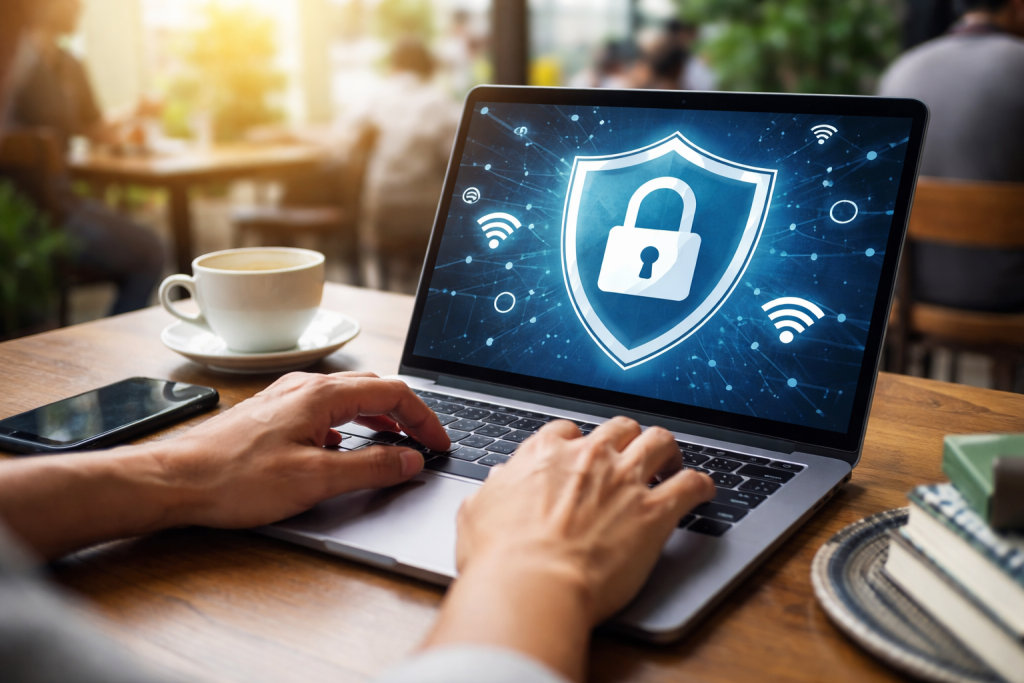
Public Wi-Fi networks often lack the security protocols of private networks. The open nature of these connections can make data transmission more vulnerable. Imagine a public Wi-Fi network as an unlocked door. Anyone can enter, and while most are law-abiding, some may seek to steal.
Contents
- 0.1 Dangers of Unsecured Public Wi-Fi Networks
- 0.2 Recognizing and Avoiding Phishing Scams on Public Wi-Fi
- 0.3 Identifying Secure Wi-Fi Networks
- 0.4 Securing Your Devices on Public Wi-Fi
- 0.5 Best Practices for Protecting Your Personal Information
- 0.6 How a VPN Protects Your Data
- 0.7 Choosing and Using a VPN Wisely
- 0.8 Educating Yourself and Others on Public Wi-Fi Security
- 0.9 Additional Security Measures to Consider
- 1 FAQs
- 1.1 What are the risks of using public Wi-Fi networks?
- 1.2 How can I securely access public Wi-Fi networks?
- 1.3 Why is using a virtual private network (VPN) important when accessing public Wi-Fi?
- 1.4 How can I recognize and avoid phishing scams on public Wi-Fi?
- 1.5 What are the best practices for protecting my personal information on public Wi-Fi?
Dangers of Unsecured Public Wi-Fi Networks
Unsecured public Wi-Fi networks present several significant threats. One common danger is the Man-in-the-Middle (MitM) attack. In this scenario, an attacker positions themselves between your device and the internet connection. They can then intercept, read, and even alter the data you send and receive. This is like a postal worker opening your mail, reading its contents, and then resealing it, potentially adding their messages.
Another risk is session hijacking. Often, a cookie controls your session when you log into a website. On an unsecured network, an attacker can steal this cookie and use it to impersonate you, gaining unauthorized access to your accounts. This scenario is akin to someone stealing your house key and entering your home without your permission.
Wi-Fi pineapple devices are another concern. These are devices that mimic legitimate public Wi-Fi hotspots. When you connect, your traffic is routed through the attacker’s device, allowing them to monitor and capture your data. They are essentially traps designed to lure unsuspecting users.
Malware distribution is also a threat. Attackers can exploit vulnerabilities in your device or network connections to push malicious software onto your system. These incidents can happen through seemingly harmless pop-ups or by redirecting you to fake websites that attempt to install viruses.
Recognizing and Avoiding Phishing Scams on Public Wi-Fi
Phishing scams are a prevalent threat that intensifies on public Wi-Fi. Attackers may create fake Wi-Fi networks with names similar to legitimate ones (e.g., “Free Airport Wi-Fi” instead of “Airport_Official_Wi-Fi”). Connecting to these can lead you to websites designed to steal your login credentials.
These fake websites often mimic well-known services like banks, social media platforms, or email providers. They may ask you to log in to “verify your account” or “update your information,” but they’re really stealing your username and password. This phenomenon is like being handed a fake ID that looks real, tricking you into revealing your true identity.
You might also encounter phishing attempts through emails or pop-up messages displayed while you’re online. These messages can create a sense of urgency, urging you to click a link or download an attachment to avoid account suspension or receive a prize. Always be suspicious of unsolicited communications.
Taking proactive steps can significantly reduce your risk when using public Wi-Fi. These measures act as your digital armor.
Identifying Secure Wi-Fi Networks
Before connecting, try to identify if the network is secure. Look for networks that require a password. While a password doesn’t guarantee security, it’s a basic layer of protection. Authenticated networks, often found in businesses or universities, might require you to log in with credentials, offering a higher level of assurance.
Be cautious of networks with generic names or those that offer free access without any form of authentication. These are often the most vulnerable. If you’re unsure about a network’s legitimacy, ask an employee or IT representative before connecting.
Securing Your Devices on Public Wi-Fi
Your devices themselves need to be secured. Ensure your operating system and all installed applications are up to date. Software updates often include security patches that fix vulnerabilities attackers might exploit. Think of updates as reinforcing the walls of your digital home.
Disable automatic Wi-Fi connection. Many devices are programmed to connect to known or open networks automatically. These settings can lead to unintended connections to risky networks. Manually select the network you intend to use.
Turn off file sharing on your device when connected to public Wi-Fi. This prevents others on the network from accessing your files. Similarly, disable remote access features unless they are absolutely necessary and secured.
Best Practices for Protecting Your Personal Information
When using public Wi-Fi, be mindful of the information you access and share. Avoid conducting sensitive transactions like online banking or making purchases that require entering credit card details. If you must access sensitive accounts, consider using your mobile data instead. Your mobile connection is generally more secure than most public Wi-Fi.
Use strong, unique passwords for all your online accounts. A compromised password on one site can lead to the compromise of others if you reuse credentials. Consider using a password manager to create and store complex passwords securely.
Be wary of public computers or kiosks. If you need to access an account on a public computer, please ensure you log out completely afterward. Clear your browsing history and cache.
A Virtual Private Network (VPN) is one of the most effective tools for enhancing your security on public Wi-Fi. A VPN creates an encrypted tunnel between your device and a remote server operated by the VPN provider. All your internet traffic passes through this tunnel, making it unreadable to anyone trying to intercept it.
How a VPN Protects Your Data
When you connect to a VPN, your internet traffic is encrypted. This means that even if an attacker intercepts your data, it will appear as gibberish, rendering it useless. It’s like sending your mail in a locked box instead of an open envelope.
A VPN also masks your IP address. Your IP address is like your home address on the internet. By hiding it, a VPN makes it harder for websites and other entities to track your online activity and location.
Using a VPN is particularly important when accessing sensitive information or online accounts. It provides a crucial layer of privacy and security, transforming an open public space into a private, protected pathway.
Choosing and Using a VPN Wisely
Select a reputable VPN service provider with a strong privacy policy. Look for providers that do not log your activity and use robust encryption methods. Free VPNs can sometimes come with limitations or even pose their security risks, as they may sell your data to cover costs.
Once you’ve chosen a VPN, download and install its application on your devices. Make sure your VPN is turned on before using public Wi-Fi. Ensure it’s running and connected before you begin browsing or accessing any online accounts.
Beyond technical measures, a conscious approach to online privacy is essential. Educating yourself and others is a vital part of this control.
Educating Yourself and Others on Public Wi-Fi Security
Understanding the risks is the first step. Continuously stay informed about the latest cybersecurity threats and best practices. This proactive approach helps you adapt to evolving dangers.
Share your knowledge with friends, family, and colleagues. The more people are aware of public Wi-Fi risks, the safer online communities become. Simple tips, like reminding them to use a VPN or avoid sensitive transactions, can make a significant difference.
Additional Security Measures to Consider
Enable two-factor authentication (2FA) on all your accounts that offer it. 2FA adds an extra layer of security by requiring a second form of verification, such as a code sent to your phone, in addition to your password. This acts as a second lock on your digital door.
Be mindful of the information you share on social media. Refrain from sharing real-time location updates, particularly when using public Wi-Fi. Such behavior can make you a target.
Disconnect from the network once you’ve finished using public Wi-Fi. Don’t leave your device connected and unattended. This simple action can prevent unauthorized access.
By understanding the inherent risks and consistently applying these security measures, you can significantly reduce your vulnerability and enjoy the convenience of public Wi-Fi with greater peace of mind. Your online privacy is a valuable asset, and safeguarding it on public Wi-Fi is a critical step in protecting it.
FAQs
What are the risks of using public Wi-Fi networks?
Public Wi-Fi networks pose several risks to users, including the potential for data interception by cybercriminals, exposure to malware and phishing attacks, and the possibility of unauthorized access to personal information.
How can I securely access public Wi-Fi networks?
To securely access public Wi-Fi networks, it is important to use a virtual private network (VPN) to encrypt your internet connection, avoid accessing sensitive information such as online banking or personal accounts, and ensure that the Wi-Fi network you are connecting to is secure and legitimate.
Why is using a virtual private network (VPN) important when accessing public Wi-Fi?
Using a VPN is important when accessing public Wi-Fi because it encrypts your internet connection, making it more difficult for cybercriminals to intercept and access your data. This added layer of security helps protect your personal information from potential threats on public Wi-Fi networks.
How can I recognize and avoid phishing scams on public Wi-Fi?
To recognize and avoid phishing scams on public Wi-Fi, it is important to be cautious of unsolicited emails or pop-up messages asking for personal information, to avoid clicking on suspicious links or attachments, and to verify the legitimacy of websites before entering any sensitive information.
What are the best practices for protecting my personal information on public Wi-Fi?
Some best practices for protecting personal information on public Wi-Fi include using strong, unique passwords for online accounts, enabling two-factor authentication when available, keeping software and security patches up to date, and educating yourself and others on the importance of public Wi-Fi security.

With over 5 years of experience in digital learning and productivity, we specialize in creating practical and easy-to-follow solutions.Our expertise focuses on simplifying complex concepts into clear, actionable strategies for everyday use.We are committed to helping learners and professionals improve efficiency, build skills, and achieve consistent growth.