
Unlock the Power of VPN: How to Safeguard Your Online Privacy Like a Pro
The internet, while a phenomenal tool for information and connection, is also a vast and often unpredictable landscape. Every click, every search, and every online interaction leaves a digital footprint, exposing your personal data to potential exploitation. In an age where data breaches are becoming increasingly common and surveillance is a growing concern, safeguarding your online privacy is no longer a luxury but a fundamental necessity. This comprehensive guide opens up the world of Virtual Private Networks (VPNs), offering you the knowledge and tools to navigate the digital realm with confidence and anonymity.
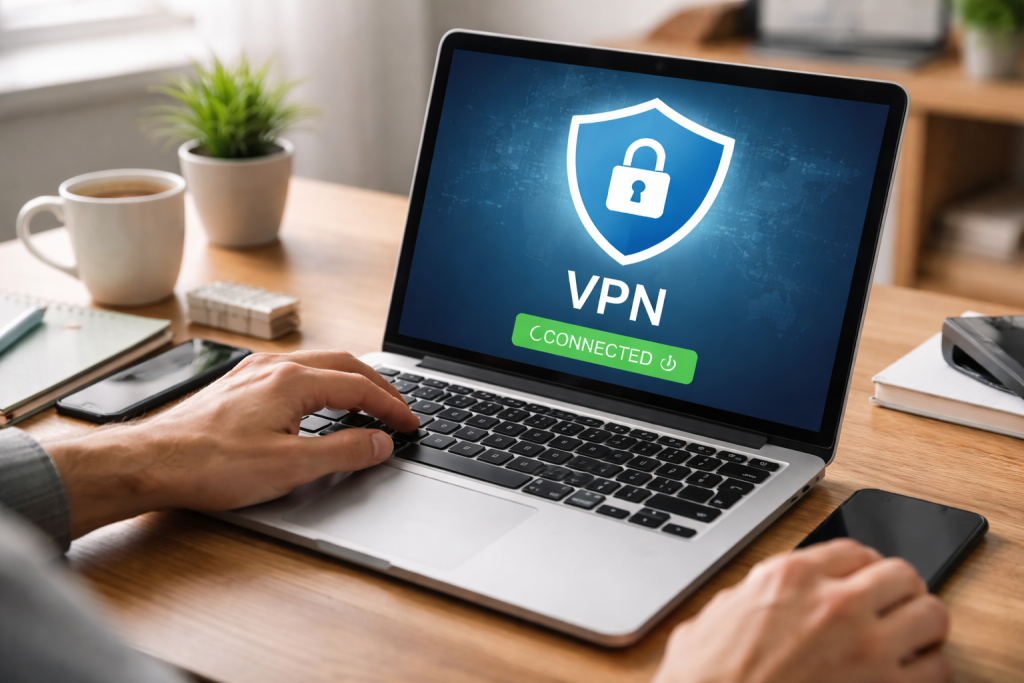
At its core, a Virtual Private Network (VPN) acts as a secure tunnel between your device and the internet. Imagine sending a letter through the regular postal service; anyone along the route could potentially intercept and read it. Now, imagine putting that letter inside an impenetrable, encrypted box and sending it through a private, unmarked courier. That’s essentially what a VPN does for your internet traffic. Your VPN provider first routes your data through a remote server instead of directly connecting to websites and online services.
Contents
- 0.1 The Encryption Advantage
- 0.2 IP Address Masking
- 0.3 No-Logs Policy and Transparency
- 0.4 Server Network and Performance
- 0.5 Security Features and Protocols
- 0.6 Installation and Account Creation
- 0.7 Connecting to a Server
- 0.8 Customizing Settings
- 0.9 Strong Passwords and Two-Factor Authentication
- 0.10 Be Wary of Public Wi-Fi
- 0.11 Regular Software Updates and Antivirus Protection
- 0.12 Streaming Services and Regional Libraries
- 0.13 Accessing Blocked Websites and Services
- 1 FAQs
- 1.1 What is a VPN, and how does it work?
- 1.2 What factors should I consider when choosing a VPN provider?
- 1.3 How do I set up a VPN as a beginner?
- 1.4 How can a VPN help me bypass geo-restrictions and access blocked content?
- 1.5 What makes using a VPN crucial for safeguarding data on public Wi-Fi networks?
The Encryption Advantage
One of the most crucial elements of a VPN’s functionality is encryption. When you connect to a VPN, your internet traffic is encrypted, meaning it’s scrambled into an unreadable format. This scramble is then decrypted only when it reaches its intended destination (the VPN server or the website you’re visiting). This robust encryption makes it virtually impossible for third parties, such as internet service providers (ISPs), government agencies, or even cunning cybercriminals, to monitor your online activities, steal your sensitive data, or compromise your personal information. Without a VPN, your ISP can see every website you visit, every search query you make, and every piece of data you send and receive. With a VPN, all they see is encrypted traffic flowing to the VPN server, effectively blinding them to your online endeavors.
IP Address Masking
Another vital aspect of a VPN’s operation is IP address masking. Your IP (Internet Protocol) address is a unique numerical label assigned to your device when you connect to the internet. It reveals your geographical location, down to your city and even your neighborhood, to anyone you interact with online. When you use a VPN, your true IP address is replaced with the IP address of the VPN server you’re connected to. This effectively hides your real location and makes it appear as though you are browsing from wherever the VPN server is located. This anonymity is crucial for protecting your identity online and preventing targeted advertising, data collection, and even cyber attacks. It’s like putting on a digital disguise, allowing you to move through the internet unrecognized.
With a plethora of VPN providers vying for your attention, selecting the right one can feel overwhelming. However, by focusing on key factors, you can make an informed decision that aligns with your privacy and security needs.
No-Logs Policy and Transparency
The most critical factor to consider is a VPN provider’s logging policy. A reputable VPN will adhere to a strict “no-logs” policy, meaning they do not collect, store, or monitor any of your online activities, including your browsing history, connection timestamps, or IP addresses. It’s vital to investigate their privacy policy and ensure it explicitly states their commitment to zero logging. Transparency is also key; the best providers will regularly undergo independent audits of their security infrastructure and logging policies to verify their claims. Be wary of providers that offer vague promises or operate in countries with questionable data retention laws. A truly private VPN will prioritize your anonymity above all else.
Server Network and Performance
The size and distribution of a VPN provider’s server network directly impact your browsing experience. A larger network with servers strategically located across the globe will offer you more options for circumventing geo-restrictions and connecting to faster servers closer to your physical location. Performance is also paramount. Look for providers that offer high-speed connections, unlimited bandwidth, and minimal latency. This ensures a smooth and uninterrupted online experience, whether you’re streaming high-definition content, engaging in online gaming, or conducting important business transactions. Slow VPNs can be incredibly frustrating and defeat the purpose of enhanced security.
Security Features and Protocols
Beyond basic encryption, examine the security features offered by a VPN provider. Look for advanced features such as a kill switch, which automatically disconnects your internet if the VPN connection drops, preventing accidental data leaks. DNS leak protection is also essential to ensure your DNS requests are routed through the VPN and not your ISP. Consider the VPN protocols offered; OpenVPN, WireGuard, and IKEv2/IPSec are generally considered the most secure and reliable, providing a strong balance of speed and encryption. Avoid providers that rely solely on outdated or less secure protocols like PPTP.
Once you’ve chosen a reputable VPN provider, setting it up is usually a straightforward process. Most providers offer user-friendly applications for various operating systems and devices.
Installation and Account Creation
The first step involves downloading and installing the VPN application on your device. Most providers offer dedicated apps for Windows, macOS, Android, iOS, and even Linux. After installation, you’ll typically be prompted to create an account or log in with your existing credentials. This usually involves providing an email address and creating a secure password. Remember to use a strong, unique password for your VPN account, as it’s a critical gateway to your online privacy. Some providers also offer extensions for popular web browsers, allowing for quick and convenient VPN activation directly from your browser.
Connecting to a Server
Once logged in, the VPN application will usually present you with a list or map of available server locations. To activate the VPN, simply select your desired server location and click the “Connect” button. The application will then establish an encrypted connection to the chosen server. You’ll often see an indicator, such as a green light or a changed icon, confirming that your VPN is active and protecting your connection. It’s generally recommended to connect to a server that is geographically close to you for optimal speed, unless you have a specific reason to connect elsewhere, such as bypassing geo-restrictions.
Customizing Settings
Many VPN applications offer a range of customizable settings that can further enhance your security and privacy. Explore these options to tailor the VPN to your specific needs. This might include enabling the kill switch, configuring DNS leak protection, choosing different VPN protocols, or setting up split tunneling (which allows certain apps to bypass the VPN while others remain protected). Familiarizing yourself with these settings can greatly improve your overall VPN experience and ensure you’re getting the most out of your subscription.
While a VPN is a powerful tool, it’s part of a broader strategy for comprehensive online privacy. Combining VPN usage with other best practices will maximize your protection.
Strong Passwords and Two-Factor Authentication
Never underestimate the power of strong, unique passwords for all your online accounts. Combine uppercase and lowercase letters, numbers, and symbols, and avoid using easily guessed information. Implement two-factor authentication (2FA) wherever possible. This adds an extra layer of security, requiring a second verification step, such as a code sent to your phone, in addition to your password. Even if a cybercriminal manages to obtain your password, 2FA will prevent them from accessing your account.
Be Wary of Public Wi-Fi
Public Wi-Fi networks, while convenient, are notorious for their lack of security. They are often unencrypted and susceptible to various attacks, making your data vulnerable to interception. Always use a VPN when connecting to public Wi-Fi in cafes, airports, hotels, or any other public space. The VPN will encrypt your traffic, creating a secure tunnel and protecting your sensitive information from potential eavesdroppers. Without a VPN, using public Wi-Fi is akin to broadcasting your information in the open.
Regular Software Updates and Antivirus Protection
Keeping your operating system, web browsers, and all software applications updated to the latest versions is crucial. Software updates often include vital security patches that address vulnerabilities that could be exploited by malicious actors. Invest in reputable antivirus and anti-malware software and keep it updated. These tools can detect and remove threats, preventing them from compromising your device and personal data. A multi-layered approach to security is the most effective.
One of the most popular applications of a VPN is its ability to bypass geo-restrictions, allowing you to access content that is otherwise unavailable in your geographical region.
Streaming Services and Regional Libraries
Many streaming services, such as Netflix, Hulu, and BBC iPlayer, offer different content libraries based on your location due to licensing agreements. By connecting to a VPN server in a different country, you can effectively trick these services into believing you are browsing from that region. By doing this, you can access a broader selection of movies, TV shows, and documentaries that your home country might restrict. For example, if you want to watch a show only available on US Netflix, simply connect to a US VPN server, and you’ll gain access. This functionality also applies to sports events and other geographically licensed content.
Accessing Blocked Websites and Services
In some countries, governments impose strict censorship and block access to certain websites, social media platforms, or online services. By routing your internet traffic through a server in a country where the content remains unblocked, a VPN can circumvent these restrictions. This allows you to freely access information and communicate online without fear of censorship or surveillance. For individuals living in repressive regimes, a VPN can be a lifeline for accessing unbiased news and information and for maintaining connections with the outside world. This ability to bypass government-imposed firewalls is truly empowering.
FAQs
What is a VPN, and how does it work?
A VPN, or Virtual Private Network, is a technology that creates a secure and encrypted connection over a less secure network, such as the internet. It allows users to securely access a private network and share data remotely through public networks. VPNs work by routing your internet connection through a server and hiding your online activities from prying eyes.
What factors should I consider when choosing a VPN provider?
When choosing a VPN provider, it’s important to consider factors such as the provider’s privacy policy, logging practices, server locations, connection speed, device compatibility, customer support, and pricing. Additionally, you should look for a provider that offers strong encryption and a no-logs policy to ensure your online privacy.
How do I set up a VPN as a beginner?
Setting up a VPN as a beginner is relatively simple. You can start by choosing a reputable VPN provider, downloading their software or app, and following the installation instructions. Once installed, you can log in to the VPN app, select a server location, and connect to the VPN to secure your internet connection.
How can a VPN help me bypass geo-restrictions and access blocked content?
A VPN can help you bypass geo-restrictions by allowing you to connect to a server in a different location, thus masking your actual location and making it appear as though you are accessing the internet from a different country. This enables you to access content that your actual location may block or restrict.
What makes using a VPN crucial for safeguarding data on public Wi-Fi networks?
Public Wi-Fi networks, often unsecured and vulnerable to cyber attacks, necessitate the use of a VPN for data security. A VPN encrypts your internet connection, making it difficult for hackers to intercept your data and ensuring that your online activities remain private and secure.

With over 5 years of experience in digital learning and productivity, we specialize in creating practical and easy-to-follow solutions.Our expertise focuses on simplifying complex concepts into clear, actionable strategies for everyday use.We are committed to helping learners and professionals improve efficiency, build skills, and achieve consistent growth.