
Simplify Your Life: How to Easily Connect Devices to Your Smart Home Network
The allure of a smart home is undeniable. Imagine lights that dim at your command, thermostats that adjust themselves based on your habits, and security systems that keep you informed even when you’re miles away. This interconnected ecosystem promises convenience, efficiency, and a touch of futuristic living. However, the prospect of setting up such a network can seem daunting. This guide aims to demystify the process, empowering you to build and manage a smart home that genuinely simplifies your life.
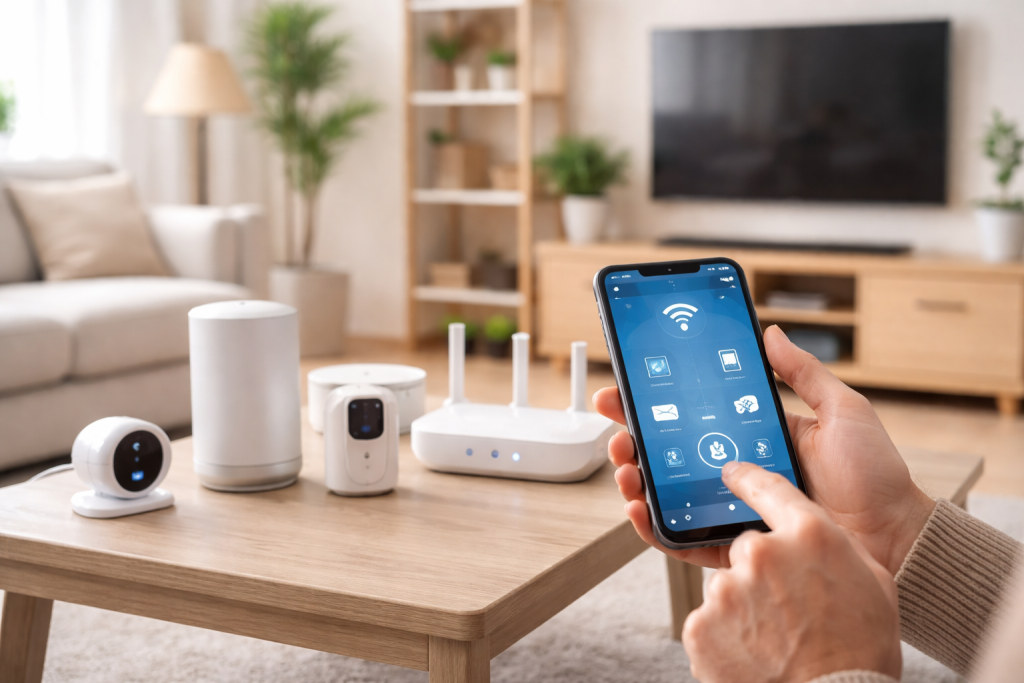
At its core, a smart home network is a system of interconnected devices that communicate with each other and can be controlled remotely, often through a central hub or an app. These devices leverage various wireless technologies to exchange information. Understanding these foundational elements will pave the way for a smoother setup and more informed choices.
Contents
- 0.1 The Role of Connectivity Protocols
- 0.2 The Importance of a Central Hub
- 0.3 Identifying Your Smart Home Goals
- 0.4 Ensuring Compatibility and Ecosystems
- 0.5 Preparing Your Network
- 0.6 Installing and Connecting Devices
- 0.7 No Power or Device Not Responding
- 0.8 Difficulty Connecting to the Network
- 0.9 Devices Not Communicating
- 0.10 Choosing Your Voice Assistant
- 0.11 Linking Devices to Your Voice Assistant
- 0.12 Securing Your Network Infrastructure
- 0.13 Protecting Device-Specific Data
- 0.14 Consolidating Control
- 0.15 Automation for Efficiency
- 0.16 Intelligent Climate Control
- 0.17 Smart Lighting Solutions
- 0.18 Planning Your Next Acquisition
- 0.19 Streamlining the Installation Process
- 0.20 The Rise of AI and Machine Learning
- 0.21 Greater Interoperability and Standardization
- 1 FAQs
The Role of Connectivity Protocols
The invisible threads that bind your smart devices together are the connectivity protocols. Different devices utilise different languages to speak to each other.
Wi-Fi: The Ubiquitous Standard
Most smart home devices, especially those requiring a constant internet connection for remote access or high bandwidth, rely on Wi-Fi. It’s familiar and widely available, making it a common choice for cameras, smart TVs, and high-performance speakers.
Bluetooth: Local and Low Power
Bluetooth is excellent for short-range communication, often used for direct connections between a device and your smartphone or a dedicated hub. It’s energy-efficient and ideal for devices like smart locks, some smart bulbs, and wearable tech.
Zigbee and Z-Wave: The Smart Home Specialists
These are dedicated low-power, low-bandwidth mesh networking protocols designed specifically for smart home devices. They excel in reliability and can create robust networks where devices relay signals to extend range, ensuring even distant sensors can communicate effectively.
The Importance of a Central Hub
While some devices can operate independently, many smart home systems benefit from a central hub. This device acts as the brain of your operation, translating communication between various devices and protocols and often providing a single point of control. It can also facilitate more complex automations that might not be possible with individual device apps.
The sheer variety of smart home devices available can be overwhelming. Making thoughtful choices from the outset will prevent frustration and ensure your investment aligns with your needs and budget.
Identifying Your Smart Home Goals
Before diving into product catalogues, consider what you want your smart home to achieve. Are you focused on security, energy savings, convenience, or entertainment?
Security and Surveillance
This category includes smart locks, doorbell cameras, security cameras, motion sensors, and alarm systems. Devices that integrate seamlessly and offer reliable alerts are paramount.
Lighting and Ambiance
Smart bulbs, light strips, and smart switches allow for personalised lighting experiences, scheduling, and mood creation. Compatibility with voice assistants is often a key consideration here.
Climate Control
Smart thermostats, smart plugs for fans, and even smart window shades contribute to energy efficiency and comfort by intelligently managing your home’s temperature and ventilation.
Entertainment Systems
You can integrate smart speakers, smart TVs, and streaming devices for a more cohesive and voice-controlled entertainment experience.
Ensuring Compatibility and Ecosystems
The dream of a unified smart home is best realised when devices can work together. Look for devices that are compatible with your chosen hub or voice assistant platform.
Cross-Platform Compatibility
Some devices work with multiple platforms (e.g., both Amazon Alexa and Google Assistant), offering greater flexibility.
Brand Ecosystems
Sticking within a particular brand’s ecosystem (like Philips Hue for lighting or Ring for security) can sometimes offer deeper integration and more advanced features, though it comes at the cost of being locked into that brand.
The actual setup process is often simpler than it appears, involving a series of intuitive steps. Patience and a methodical approach will ensure a successful installation.
Preparing Your Network
A stable and robust home network is the bedrock of any smart home.
Router Placement and Strength
Ensure your Wi-Fi router is centrally located and has a strong signal throughout your home. Consider a mesh Wi-Fi system if you have dead zones.
Network Security
Change your default router password to a strong, unique one. Enable WPA2 or WPA3 encryption for your Wi-Fi network.
Installing and Connecting Devices
Each device will have its specific installation process, but general principles apply.
Powering Up and Pairing
Most devices require you to first power them on and then initiate a pairing process through their dedicated app or your smart home hub.
Following App Instructions
Crucially, take your time to read the instructions provided by the device manufacturer and its accompanying app. These guides are tailored to guide you through any specific requirements.
Connecting to Your Network
You will typically need to select your home Wi-Fi network and enter its password during the setup process for Wi-Fi-connected devices. For Zigbee and Z-Wave devices, the pairing process often involves a button press or a sequence of actions on the device itself, guided by your hub’s interface.
Despite best efforts, connectivity issues can arise. Understanding common problems and their solutions will save you time and frustration.
No Power or Device Not Responding
When a device refuses to wake up, a few basic checks can often resolve the issue.
Check Power Source
Ensure the device is properly plugged in or its batteries are charged and correctly inserted.
Reset the Device
Many smart devices have a small reset button that can often fix minor glitches. Consult the user manual for the correct procedure.
Difficulty Connecting to the Network
This is a frequent hurdle, but usually surmountable with logical troubleshooting.
Verify Wi-Fi Password
Double-check that you are entering the correct Wi-Fi password, as it is case-sensitive.
Device Proximity to Router/Hub
Move the device closer to your router or smart home hub during the setup process to ensure a strong initial connection.
Router Reboot
Sometimes a simple reboot of your Wi-Fi router can clear up transient network issues.
Devices Not Communicating
If devices are connected but not interacting as expected, the problem might lie in the communication pathways.
Check App Permissions
Ensure the relevant apps have been granted the necessary permissions on your smartphone or tablet.
Restart Hub and Apps
Try restarting your smart home hub and closing and reopening the device control apps.
Voice control is one of the most celebrated features of smart homes, offering unparalleled convenience.
Choosing Your Voice Assistant
The most popular options are Amazon Alexa, Google Assistant, and Apple’s Siri. Existing devices you own or the number of compatible smart home products may influence your choice.
Linking Devices to Your Voice Assistant
Once your voice assistant is set up, the next step is to enable it to control your smart devices.
Discovering Devices
Within the voice assistant’s app, there is usually a “discover devices” or “add device” function that will scan your network for compatible smart home products.
Creating Routines and Scenes
Beyond simple commands, you can create routines (a sequence of actions triggered by a single command, like “Goodnight”, which turns off lights and locks doors) and scenes (preset configurations for specific moods or activities).
As your home becomes more connected, so too does the importance of securing its digital perimeter and protecting your personal data.
Securing Your Network Infrastructure
The foundation of your smart home’s security lies in protecting your network.
Strong Passwords
As mentioned earlier, strong, unique passwords for your Wi-Fi network and any smart home accounts are non-negotiable.
Regular Firmware Updates
Manufacturers regularly release firmware updates for routers and smart devices to patch security vulnerabilities. Make sure to apply these updates promptly.
Protecting Device-Specific Data
Beyond the network, individual devices and their associated accounts require attention.
Privacy Settings in Apps
Review the privacy settings within each smart home app. Understand what data is being collected and how it is being used, and adjust preferences accordingly.
Two-Factor Authentication (2FA)
Enable 2FA on all your smart home accounts, if available. This adds an extra layer of security by requiring a secondary verification step before logging in.
As your smart home grows, managing a growing number of devices and their interactions becomes key to maintaining order and efficiency.
Consolidating Control
The goal of a smart home is often to simplify, not complicate.
Using a Central Hub Interface
If you have a dedicated smart home hub, its app often provides a unified dashboard to monitor and control all connected devices.
Creating Groups and Rooms
Within most smart home apps, you can group devices by function (e.g., “Living Room Lights”) or by location. This allows for simultaneous control of multiple devices with a single command.
Automation for Efficiency
Automating tasks is where a smart home truly shines, saving time and effort.
Setting Schedules
Program lights to turn on at sunset or your thermostat to adjust before you wake up.
Creating Trigger-Based Automations
Set up rules like, “If motion is detected in the hallway at night, turn on the hallway light to 20% brightness.”
Smart home devices offer a powerful means to reduce your energy consumption and save on utility bills.
Intelligent Climate Control
Optimising your home’s temperature is a significant area for energy savings.
Smart Thermostats
These devices learn your habits and can adjust heating and cooling accordingly, often integrating with weather forecasts to prevent unnecessary energy use.
Smart Plugs for Appliances
Use smart plugs to monitor and control the energy usage of appliances. You can schedule them to turn off when not in use or to power down certain devices overnight.
Smart Lighting Solutions
Lighting can account for a substantial portion of household energy use.
LED Smart Bulbs
These are inherently more energy-efficient than traditional incandescent bulbs, and smart features allow for dimming and scheduling, further reducing consumption.
Motion and Occupancy Sensors
These can be integrated with lighting systems to ensure lights are only on when a room is occupied.
The beauty of a smart home is its scalability. Adding new devices should be a seamless and exciting process.
Planning Your Next Acquisition
Consider how a new device will complement your existing setup and contribute to your overall smart home goals.
Research Compatibility
Before purchasing, verify that the new device will integrate with your current hub or voice assistant. Look for certifications like “Works with Alexa” or “Works with Google Assistant”.
Assess Network Capacity
While most smart home devices use minimal bandwidth, a very large number of devices could potentially strain a weaker Wi-Fi network.
Streamlining the Installation Process
With experience, adding new devices becomes increasingly straightforward.
Keep Manuals Accessible
Have the user manuals for your hub and essential devices readily available.
Leverage Pre-existing Knowledge
Apply the lessons learnt from previous installations regarding network connection and app setup.
The smart home landscape is constantly evolving, with innovation driving new possibilities.
The Rise of AI and Machine Learning
Artificial intelligence is poised to make smart homes even more intuitive and proactive.
Predictive Automation
AI-powered systems will learn your preferences and anticipate your needs, making adjustments before you even think to ask. Imagine your home automatically adjusting lighting and temperature based on the time of day, weather, and your typical activity patterns.
Enhanced Voice Recognition and Natural Language Processing
Conversations with your smart home will become more fluid and natural, understanding complex commands and context.
Greater Interoperability and Standardization
The quest for a truly unified smart home experience continues.
Matter Standard
This emerging industry standard aims to ensure seamless compatibility between devices from different manufacturers, regardless of their underlying protocols. This will significantly simplify the process of choosing and integrating new devices.
Edge Computing for Enhanced Privacy and Speed
More processing will be done directly on devices or local hubs, reducing reliance on cloud servers. This can lead to faster response times and improved privacy by keeping sensitive data within your home.
Embracing the smart home revolution doesn’t require an immediate overhaul of your entire living space. By understanding the fundamentals, making informed choices, and employing a methodical approach to setup and management, you can build a smart home that genuinely simplifies your life, enhances your comfort, and provides a glimpse into the future of living.
FAQs
What is a smart home network?
A smart home network is a system that connects various devices and appliances within a home to a central hub, allowing them to be controlled and automated remotely. This network enables communication and coordination between different smart devices, such as thermostats, lights, security cameras, and more.
How do I choose the right devices for my smart home?
When choosing devices for your smart home, consider factors such as compatibility with your existing network, ease of use, security features, and integration with other smart devices. It’s important to research and select devices that align with your specific needs and preferences.
What are some common issues when connecting devices to a smart home network?
Common issues when connecting devices to a smart home network include compatibility issues, connectivity problems, and setup/configuration errors. Troubleshooting these issues may involve checking network settings, updating firmware, and ensuring that devices are within range of the network.
How can I enhance security and privacy in my smart home?
To enhance security and privacy in your smart home, you can take measures such as using strong, unique passwords for each device, regularly updating firmware and software, enabling two-factor authentication, and being cautious about granting permissions to third-party apps and services.
What are some future trends in smart home technology to expect?
Future trends in smart home technology may include advancements in artificial intelligence, increased interoperability between devices and platforms, greater emphasis on energy efficiency and sustainability, and the integration of emerging technologies such as augmented reality and 5G connectivity.

With over 5 years of experience in digital learning and productivity, we specialize in creating practical and easy-to-follow solutions.Our expertise focuses on simplifying complex concepts into clear, actionable strategies for everyday use.We are committed to helping learners and professionals improve efficiency, build skills, and achieve consistent growth.