
Streamlining Your Digital Life: Tips for Managing Your Online Accounts
In an increasingly interconnected world, our digital footprint expands daily. From social media profiles to online banking, streaming services, and productivity tools, we accumulate a vast array of online accounts. While these platforms offer convenience and connectivity, they can also become a source of overwhelm and disorganization. This article reviews the art of streamlining your digital life, offering practical advice and strategies to regain control and enhance your online experience.
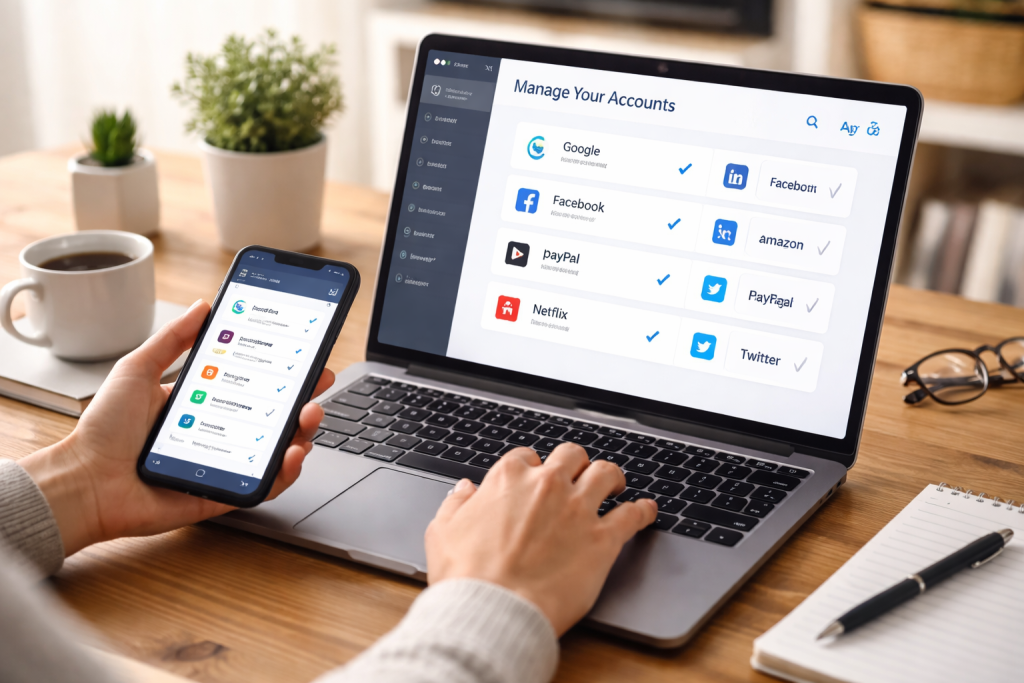
The concept of a “digital life” encompasses all your online interactions, accounts, and data. Without conscious effort, this digital landscape can quickly become cluttered, leading to forgotten passwords, redundant accounts, and a general sense of digital chaos. Streamlining your digital life is about bringing order to this chaos, intentionally managing your online presence to be more efficient, secure, and enjoyable. It’s not about disconnecting entirely, but rather about optimizing your connection, ensuring that your digital tools serve you, rather than the other way around. This process involves a combination of organization, security best practices, and conscious decision-making about your online engagement.
Contents
- 0.1 The Overwhelm of Digital Clutter
- 0.2 The Benefits of a Simplified Online Presence
- 0.3 Security Implications of Unmanaged Accounts
- 0.4 The Efficiency Cost of Disorganization
- 0.5 Taking Inventory of Your Digital Footprint
- 0.6 Deleting Unused and Redundant Accounts
- 0.7 Consolidating and Centralizing Information
- 0.8 Implementing Strong, Unique Passwords
- 0.9 Enabling Two-Factor Authentication (2FA)
- 0.10 Regularly Reviewing Account Activity and Permissions
- 0.11 The Role of Password Managers
- 0.12 Secure Practices for Password Managers
- 0.13 Understanding Phishing and Social Engineering
- 0.14 Utilizing Single Sign-On (SSO) with Caution
- 0.15 Setting Up Smart Notification Preferences
- 0.16 Employing Alias Email Addresses for Subscriptions
- 0.17 Enhanced Productivity and Focus
- 0.18 Greater Security and Privacy
- 0.19 Reduced Digital Stress and Anxiety
- 0.20 Password Managers (Recap & Further Exploration)
- 0.21 Email Management Tools and Strategies
- 0.22 Digital Decluttering Apps and Services
- 0.23 Setting Boundaries and Digital Detox
- 0.24 Mindful Consumption of Online Content
- 0.25 Prioritizing Real-World Connections
- 0.26 Regular Audits and Reviews
- 0.27 Staying Updated on Security Best Practices
- 0.28 Adapting to New Technologies Responsibly
- 1 FAQs
- 1.1 What is the importance of managing your online accounts?
- 1.2 What are some tips for organizing and consolidating your online accounts?
- 1.3 How can you secure your online accounts?
- 1.4 What are the benefits of streamlining your digital life?
- 1.5 What tools and apps can help with managing online accounts?
The Overwhelm of Digital Clutter
Just as a cluttered physical space can lead to stress, so too can a cluttered digital one. The sheer volume of online accounts, notifications, and information vying for our attention can be mentally taxing. Common frustrations include forgetting which email address is associated with which service, struggling to recall a password, or constantly receiving irrelevant alerts. This digital clutter not only wastes time and energy but can also create vulnerabilities, making it harder to identify and respond to potential security threats. Taking proactive steps to streamline your digital life is an investment in your peace of mind and digital well-being.
The Benefits of a Simplified Online Presence
A streamlined digital life offers a multitude of benefits, extending beyond mere tidiness. Improved efficiency is a primary advantage; with organized accounts and strong password practices, accessing your online resources becomes a seamless experience. Enhanced security is another critical outcome, as fewer dormant accounts mean fewer potential points of entry for malicious actors. Furthermore, by reducing digital noise, you can reclaim valuable mental bandwidth, allowing for greater focus and productivity. A simplified digital life ultimately leads to a less stressful and more thoughtful engagement with technology.
Neglecting your online accounts carries significant risks, impacting both your personal security and your digital efficiency. Every online account, no matter how insignificant it seems, represents a potential vulnerability if not properly managed.
Security Implications of Unmanaged Accounts
Cybercriminals could potentially exploit any dormant or forgotten account. If an old forum account or a rarely used shopping website is compromised, the breach could expose your email address, personal information, or even a password you’ve reused elsewhere. Having multiple accounts increases the attack surface for malicious actors. Furthermore, unmonitored accounts can be exploited for spam campaigns or identity theft or used to gain access to more critical services through password resets. Proactive management of your online accounts is a fundamental aspect of your overall cybersecurity posture.
The Efficiency Cost of Disorganization
Beyond security, disorganized online accounts exact a significant toll on your efficiency. The time spent digging through emails to find old login details, attempting to reset forgotten passwords, or signing up for redundant services all accumulates, stealing valuable minutes from your day. This friction can lead to frustration and a reluctance to engage with necessary online tools. A chaotic digital life can hinder your productivity, making simple tasks feel arduous and complex. By investing time in organizing your accounts now, you create a more efficient and less stressful digital future.
Bringing order to your digital landscape requires a systematic approach. The goal is to reduce redundancy, centralize information, and create a logical structure for your online presence.
Taking Inventory of Your Digital Footprint
The first step in any organizational endeavor is to understand what you’re dealing with. Begin by compiling a comprehensive list of all your online accounts. Think broadly, encompassing everything from social media profiles and email accounts to online banking, streaming services, shopping websites, forums, and utility accounts. You can approach this task by checking your email inbox for registration confirmations, reviewing your browser’s saved passwords, or even performing a Google search for your name to see what publicly accessible accounts you might have. This inventory will serve as your roadmap for the streamlining process.
Deleting Unused and Redundant Accounts
Once you have your inventory, critically evaluate each account. Ask yourself: do I still use this? Is this service essential? Do I have another account that serves the same purpose? Many of us accumulate accounts for one-off purchases, fleeting interests, or services we tried and never fully adopted. These unused accounts are prime candidates for deletion. Prioritize accounts that contain sensitive personal information. Be thorough when deleting an account; consult the platform’s support pages for instructions to guarantee the removal of all your data. Be aware that some services make account deletion intentionally difficult, but persistence is key.
Consolidating and Centralizing Information
Where possible, consolidate your accounts or centralize related information. For example, if you have multiple email addresses, consider designating one primary address for critical communications and others for less important subscriptions or spam bait. If a service allows you to link accounts (e.g., social logins), use this feature cautiously and only with trusted providers, as it can simplify login processes. The aim is to reduce the number of distinct entities you need to manage independently, making your digital life more cohesive.
Security is paramount in the digital realm. A streamlined digital life is also a more secure one, as fewer entry points and better management practices reduce your risk of compromise.
Implementing Strong, Unique Passwords
The cornerstone of online security is strong, unique passwords for every single account. This cannot be stressed enough. Reusing passwords across multiple sites is akin to using the same key for your home, your car, and your safe deposit box. A breach in one account instantly exposes all your other accounts. A strong password should be long (at least 12-16 characters), complex (a mix of uppercase and lowercase letters, numbers, and symbols), and completely random. Avoid using personal information, common words, or easily guessed patterns.
Enabling Two-Factor Authentication (2FA)
Two-Factor Authentication (2FA), also known as multi-factor authentication (MFA), adds an extra layer of security beyond just a password. Even if a thief manages to steal your password, they won’t be able to access your account without the second factor. This system usually involves a code sent to your phone via SMS, a push notification from an authenticator app (like Google Authenticator or Authy), a biometric scan (fingerprint, facial recognition), or a physical key. Enable 2FA on every account that offers it, especially for critical services like email, banking, and social media. It significantly increases the difficulty of unauthorized access.
Regularly Reviewing Account Activity and Permissions
Make it a habit to periodically review the activity logs and security settings of your important accounts. Look for any unfamiliar logins, password changes, or unauthorized actions. Also, check the permissions you’ve granted to third-party apps or websites. Over time, we often unwittingly grant access to various services that we no longer use or trust. Revoke unnecessary permissions to minimize potential avenues for data leakage. This vigilance forms a crucial part of maintaining a secure digital environment.
A critical component of a streamlined and secure digital life is robust password management. Relying on memory or scribbled notes is neither efficient nor safe.
The Role of Password Managers
Password managers are indispensable tools for managing hundreds of strong, unique passwords. These applications securely store all your login credentials in an encrypted vault, accessible only with a single master password. They can generate complex passwords, automatically fill in login forms, and even audit your existing passwords for weaknesses or reuse. Popular options include LastPass, 1Password, Bitwarden, and Dashlane. Investing in a reputable password manager is one of the most impactful steps you can take to enhance your digital security and streamline your login experience.
Secure Practices for Password Managers
While password managers offer immense convenience and security, it’s vital to use them securely. Your master password is the key to your entire digital kingdom, so it must be exceptionally strong and unique, never reused anywhere else. Consider using a passphrase (a sequence of random, unrelated words) that is easy to remember but hard to guess. Additionally, enable two-factor authentication for your password manager itself. Regularly back up your password manager’s data (following its recommended procedures) to prevent data loss. By securing your password manager, you secure all your online accounts.
Understanding Phishing and Social Engineering
Even with strong passwords and 2FA, you remain vulnerable to phishing and social engineering attacks. Phishing involves deceptive emails, messages, or websites designed to trick you into revealing your login credentials or other sensitive information. Social engineering refers to psychological manipulation that convinces you to divulge information or grant access. Always be suspicious of unsolicited requests for personal information, especially those that create a sense of urgency or threat. Verify the sender’s identity and the legitimacy of links before clicking. Education and vigilance are your best defense against these sophisticated attacks.
Beyond organization and security, look for opportunities to automate and simplify repetitive tasks associated with your online accounts.
Utilizing Single Sign-On (SSO) with Caution
Single Sign-On (SSO) allows you to use one set of credentials to log into multiple unrelated services. For instance, you can use your Google or Facebook account to log into various websites. While this can streamline the login process, it also concentrates risk. A compromise in your primary SSO account could leave many other accounts vulnerable. Use SSO selectively, only with services you fully trust, and always ensure your primary SSO account is secured with a strong, unique password and 2FA. For highly sensitive accounts (like banking), avoid SSO entirely.
Setting Up Smart Notification Preferences
The constant barrage of notifications from various apps and services can be a significant distraction and source of digital fatigue. Take the time to customize your notification settings. Turn off non-essential alerts, group similar notifications, and prioritize those that are critical for your work or personal safety. Most operating systems and individual apps allow granular control over notifications, letting you decide what gets your immediate attention and what can wait. A quieter digital environment contributes to better focus and reduced stress.
Employing Alias Email Addresses for Subscriptions
To protect your primary email address from spam and potential data breaches, consider using alias email addresses for subscriptions, promotional offers, or less important online registrations. Services like iCloud Hide My Email and AnonAddy, or even creating secondary email accounts, can generate unique, disposable email addresses. If one of these aliases starts receiving spam or is compromised, you can simply deactivate it without affecting your main inbox. This compartmentalization helps maintain a clean primary inbox and provides an extra layer of privacy.
The effort invested in streamlining your digital life pays dividends across multiple facets of your daily experience.
Enhanced Productivity and Focus
With fewer digital distractions, a clearer overview of your online commitments, and efficient access to your accounts, your productivity will naturally increase. You’ll spend less time wrestling with forgotten passwords or managing digital clutter and more time focusing on meaningful tasks. This reduction in digital friction frees up cognitive resources, allowing for deeper concentration and less mental fatigue.
Greater Security and Privacy
A meticulously managed digital life inherently translates to better security and greater privacy. Unique, strong passwords, widespread 2FA, and the deletion of unused accounts all work in concert to significantly reduce your attack surface. By being deliberate about what information you share and where, you exert more control over your digital footprint, safeguarding your personal data from unwanted exposure.
Reduced Digital Stress and Anxiety
The cumulative effect of digital clutter often manifests as stress and anxiety. The fear of missing out (FOMO), the constant need to check notifications, and the frustration of disorganized accounts can chip away at your well-being. Streamlining your digital life helps mitigate these pressures by creating a more intentional and less overwhelming online environment. You regain a sense of control, leading to a calmer, more pleasant interaction with technology.
Numerous digital tools can assist you in your streamlining journey.
Password Managers (Recap & Further Exploration)
As previously discussed, password managers are cornerstones. Beyond basic storage, many offer features like secure notes for sensitive information, secure sharing of credentials with trusted individuals, and even dark web monitoring to alert you if your stored credentials appear in data breaches. Explore different options to find one that aligns with your specific needs and comfort level.
Email Management Tools and Strategies
Beyond aliases, advanced email clients or web-based services often provide powerful filtering, labeling, and search capabilities. Utilize these to organize your inbox, categorize emails from different accounts, and quickly locate important information. Consider implementing the “Inbox Zero” philosophy to maintain a tidy and manageable email environment.
Digital Decluttering Apps and Services
Some specialized apps and services can help identify and manage various aspects of your digital life. Tools that scan for redundant files, track your online subscriptions, or even help you delete outdated social media accounts can be valuable additions to your streamlining toolkit. Be sure to choose reputable services when entrusting them with access to your digital data.
Streamlining is not just about organization; it’s about achieving a healthier relationship with technology.
Setting Boundaries and Digital Detox
Actively set boundaries around your digital usage. Designate “no-phone zones” in your home, schedule regular digital detox periods, and establish specific times for checking emails or social media. Consciously disconnecting allows you to recharge, engage with the physical world, and prevent digital overload.
Mindful Consumption of Online Content
Be intentional about what online content you consume. Unfollow accounts that no longer serve you, unsubscribe from irrelevant newsletters, and actively seek sources that provide value, inspiration, or information without overwhelming you. Quality over quantity applies strongly to your digital diet.
Prioritizing Real-World Connections
Remember that technology is a tool to enhance life, not replace it. Actively prioritize real-world connections, face-to-face interactions, and offline hobbies. A balanced life integrates digital tools seamlessly without allowing them to overshadow the richness of human experience and physical engagement.
Streamlining is an ongoing process, not a one-time event. Regular maintenance is crucial to prevent digital clutter from accumulating again.
Regular Audits and Reviews
Schedule periodic audits of your online accounts. Once every six months or annually, revisit your inventory, review your password security, and check for any new unused accounts that have crept in. This routine check-up helps keep everything in order.
Staying Updated on Security Best Practices
The digital security landscape is constantly evolving. Stay informed about the latest threats, security vulnerabilities, and recommended best practices. Follow reputable cybersecurity news sources and be proactive in updating your knowledge.
Adapting to New Technologies Responsibly
As new online services and technologies emerge, approach them with a mindful perspective. Before signing up for another account, consider if it truly adds value, if you genuinely need it, and how it will integrate into your already streamlined digital life. By adopting new technologies responsibly, you can continue to enjoy the benefits of the digital world without sacrificing your hard-won order and peace of mind.
FAQs
What is the importance of managing your online accounts?
Managing your online accounts is important for security, organization, and efficiency. It helps protect your personal information, reduces the risk of identity theft, and makes it easier to access and use your online accounts.
What are some tips for organizing and consolidating your online accounts?
Some tips for organizing and consolidating your online accounts include conducting a thorough audit of them, closing unused ones, using a password manager, and linking accounts where possible.
How can you secure your online accounts?
You can secure your online accounts by using strong, unique passwords for each account, enabling two-factor authentication, being cautious of phishing attempts, and regularly updating your security settings.
What are the benefits of streamlining your digital life?
The benefits of streamlining your digital life include increased security, reduced clutter and overwhelm, improved productivity, and better control over your online presence.
What tools and apps can help with managing online accounts?
There are various tools and apps available to help manage online accounts, such as password managers like LastPass and 1Password, account aggregation services like Mint, and security apps like Authy for two-factor authentication.

With over 5 years of experience in digital learning and productivity, we specialize in creating practical and easy-to-follow solutions.Our expertise focuses on simplifying complex concepts into clear, actionable strategies for everyday use.We are committed to helping learners and professionals improve efficiency, build skills, and achieve consistent growth.