
Navigating the Digital World: A Beginner’s Guide to Understanding Online Privacy
In an era where our lives are increasingly intertwined with the digital realm, comprehending the nuances of online privacy is no longer a luxury but a fundamental necessity. From the simplest daily interactions to the most significant life events, our digital footprints are constantly expanding, often without our full awareness. This guide aims to equip beginners with the knowledge and tools to navigate this complex landscape, fostering a more secure and informed online existence.
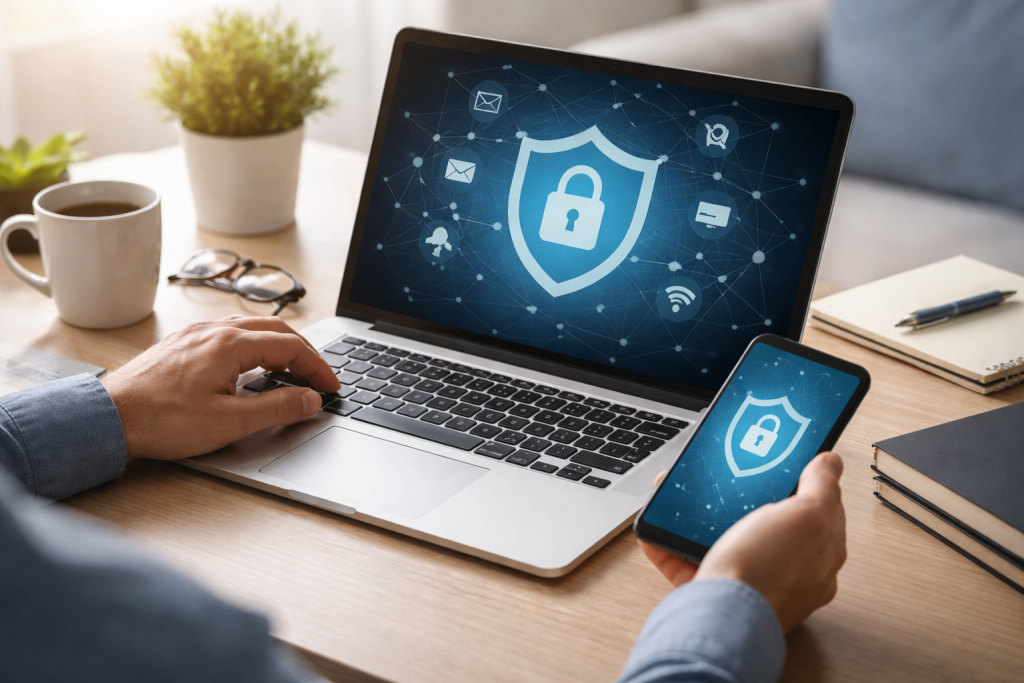
Online privacy, at its core, refers to the ability of individuals to control the personal information they share online and who has access to it. It encompasses a broad spectrum, from your browsing habits and social media posts to financial transactions and health records. The sheer volume and sensitivity of this data make its protection paramount.
Contents
- 0.1 Why Online Privacy Matters More Than Ever
- 0.2 The Risks of Sharing Personal Information Online
- 0.3 Essential Tips for Protecting Your Online Privacy
- 0.4 Navigating Social Media Privacy Settings Effectively
- 0.5 How to Safely Shop and Bank Online
- 0.6 Recognizing and Avoiding Online Scams
- 0.7 The Role of Cookies and Tracking in Online Privacy
- 0.8 Protecting Your Personal Data on Public Wi-Fi Networks
- 0.9 Balancing Convenience and Privacy in the Digital World
- 0.10 Resources for Learning More About Online Privacy
- 1 FAQs
Why Online Privacy Matters More Than Ever
In the past, people often limited privacy concerns to physical spaces, such as securing personal letters or locking their diaries. Today, the digital equivalent of these actions applies to virtually every interaction we have online. If we don’t take the necessary precautions, advertisers, data brokers, and even malicious actors can access our personal information. The consequences of compromised online privacy can range from annoying spam emails to identity theft, financial fraud, and even reputational damage that impacts your professional and personal life. It’s about maintaining a sense of autonomy and control over your digital self, preventing exploitation, and ensuring that your online experiences remain positive and secure. It’s about protecting your digital identity, which is often an extension of your real-world identity, from unauthorized access or misuse.
The Risks of Sharing Personal Information Online
Every piece of information we share online, whether intentionally or inadvertently, carries a certain level of risk. This could be your name, email address, phone number, location data, or even seemingly innocuous details like your favorite music or holiday destinations. This data, when aggregated, can paint a surprisingly detailed picture of your life. Marketers utilize this information to customize their marketing strategies, frequently creating a sense of continuous surveillance. Data brokers collect and sell this information to various entities, contributing to a vast, often opaque, data economy. Cybercriminals can exploit this information more sinisterly for phishing attacks, social engineering, or to access other accounts. For instance, a hacker might use publicly available information about your pets or family members to guess security questions for your banking app. The more information you share, the larger your digital attack surface becomes, increasing your vulnerability to various online threats.
Taking proactive steps to safeguard your online privacy doesn’t require advanced technical knowledge. Many effective measures are straightforward and can significantly enhance your digital security.
Essential Tips for Protecting Your Online Privacy
One of the most fundamental steps is to create strong, unique passwords for all your online accounts. A strong password combines uppercase and lowercase letters, numbers, and symbols and is at least 12 characters long. Avoid using easily guessed information, like birthdays or pet names. Consider using a reputable password manager to securely store and generate complex passwords. Two-factor authentication (2FA) adds an extra layer of security by requiring a second verification method, such as a code sent to your phone, in addition to your password. Even in the event of a compromised password, this significantly reduces the risk of unauthorized access. Regularly reviewing and updating your privacy settings on social media platforms, email services, and other online accounts is also crucial. Be mindful of what you post and share, understanding that anything posted online can potentially be permanent. Think before you click on suspicious links or download attachments from unknown senders, as these are common vectors for malware and phishing attacks. Finally, keeping your operating system, web browser, and antivirus software up to date ensures you have the latest security patches against emerging threats.
Users should actively manage the robust privacy controls offered by social media platforms, which encourage sharing. Take the time to explore the privacy settings on platforms like Facebook, Instagram, Twitter, and LinkedIn. Limit who can see your posts, photos, and personal information. Many platforms allow you to restrict content visibility to “friends only,” “specific people,” or even “only me.” Be cautious about sharing your location, especially in real time. Examine your current posts and photos, and contemplate removing or limiting access to any content that could potentially harm you or jeopardize your privacy. Regularly check which third-party apps have access to your social media accounts and revoke access for any that you no longer use or trust. Even seemingly harmless quizzes or games can request extensive permissions to your personal data.
The convenience of online shopping and banking has revolutionized how we manage our finances, but it also introduces specific privacy and security considerations.
How to Safely Shop and Bank Online
Always ensure that websites you use for online shopping or banking are secure. Look for “https://” in the website address bar, indicating an encrypted connection, and a padlock icon. This signifies that your data is being transmitted securely. Avoid making financial transactions on public Wi-Fi networks, as these are more susceptible to interception by cybercriminals. When making purchases, use strong, unique passwords for your online accounts, and consider using virtual credit card numbers or payment services like PayPal that mask your actual credit card details. Regularly monitor your bank statements and credit card activity for any unauthorized transactions. Be wary of unsolicited emails or calls claiming to be from your bank, as these are often phishing attempts designed to trick you into revealing your login credentials. Never click on links in such emails; instead, go directly to your bank’s official website.
Recognizing and Avoiding Online Scams
Online scams take many forms, from phishing emails and fake websites to cryptocurrency schemes and romance scams. Understanding common scam tactics is essential for protection. Phishing emails often mimic legitimate organizations, urging you to click on a link or provide personal information due to an urgent “issue.” Always verify the sender’s email address and hover over links to see their true destination before clicking. Be suspicious of unsolicited offers that sound too good to be true, such as lottery winnings you never entered or investment opportunities with guaranteed high returns. Legitimate businesses and banks typically do not ask for sensitive information like your password or full credit card number via email or text message. If you receive a suspicious message, contact the organization directly through their official website or phone number. Education is your best defense against these evolving threats.
Beyond the information you actively share, there’s a vast amount of data collected about your online behavior through various technologies. Understanding these mechanisms is key to better privacy management.
The Role of Cookies and Tracking in Online Privacy
Cookies are small text files stored on your computer by websites you visit. They serve various purposes, from remembering your login details and shopping cart items to tracking your browsing habits across different sites. Advertisers often place third-party cookies, primarily for tracking and personalized advertising, while some cookies are essential for website functionality. Companies use these cookies to create a profile of your interests and customize ads according to your online activities. You can manage cookies through your browser settings, choosing to block third-party cookies, clear cookies regularly, or opt out of personalized advertising where available. Browser extensions like AdBlock Plus or DuckDuckGo Privacy Essentials can also help minimize tracking. Understanding that your online activity is largely monitored empowers you to make informed decisions about your digital interactions.
Protecting Your Personal Data on Public Wi-Fi Networks
Public Wi-Fi networks in cafes, airports, and hotels offer convenience but come with significant security risks. Cybercriminals can easily intercept your data on these often unsecured networks. Avoid accessing sensitive accounts like online banking or making financial transactions when connected to public Wi-Fi. If you must use public Wi-Fi, consider using a Virtual Private Network (VPN). A VPN encrypts your internet connection, creating a secure tunnel for your data and shielding it from potential eavesdropping. Ensure your device’s firewall is enabled and that file sharing is turned off in public network settings. When finished, disconnect from the public Wi-Fi and consider “forgetting” the network to prevent automatic reconnections.
Achieving perfect online privacy in the modern digital age is challenging, bordering on impossible. However, the goal is not absolute anonymity but rather a conscious and informed approach to managing your digital footprint.
Balancing Convenience and Privacy in the Digital World
Convenience often compromises privacy in today’s fast-paced world. Location-based services offer personalized recommendations, smart devices simplify daily tasks, and social media keeps us connected. The key is to find a balance that aligns with your comfort level and risk tolerance. Ask yourself if the convenience offered by a particular service or app is worth the personal data it collects. Be discerning about which apps you grant permissions to and regularly review those permissions. Understand that opting out of certain data collection practices might mean losing some personalized features, but it significantly enhances your privacy. This balance is a personal choice, and it’s important to revisit it periodically as technology evolves and your understanding deepens.
Resources for Learning More About Online Privacy
The landscape of online privacy is constantly evolving, with new threats and technologies emerging regularly. Continuous learning is therefore vital. Numerous reputable resources can help you stay informed. Organizations like the Electronic Frontier Foundation (EFF), Privacy Rights Clearinghouse, and the Federal Trade Commission (FTC) offer valuable guides, articles, and updates on privacy issues. Tech blogs, cybersecurity news outlets, and academic research papers also provide in-depth analysis. Participating in online communities focused on privacy and security can offer insights and practical tips from experienced users. Empower yourself with knowledge, apply the principles discussed in this guide, and make informed choices to shape a more secure and private digital experience for yourself and your loved ones. The journey to online privacy is ongoing, and by taking proactive steps, you can navigate the digital world with greater confidence and control.
FAQs
What is online privacy, and why is it important?
Online privacy refers to the protection of personal and sensitive information shared on the internet. It is important because it helps prevent unauthorized access to personal data, identity theft, and potential harm from online threats.
What are the risks of sharing personal information online?
Sharing personal information online can lead to identity theft, financial fraud, cyberstalking, and exposure to online scams. It can also result in the misuse of personal data for targeted advertising or other malicious purposes.
What are some tips for protecting online privacy?
Some tips for protecting online privacy include using strong, unique passwords; enabling two-factor authentication; being cautious about sharing personal information on social media; using a virtual private network (VPN) on public Wi-Fi networks; and regularly updating privacy settings on devices and accounts.
To navigate social media privacy settings, users should familiarize themselves with the privacy options offered by each platform, review and adjust privacy settings regularly, limit the audience for posts and personal information, and be mindful of the information shared with third-party apps and websites.
How can individuals recognize and avoid online scams?
To recognize and avoid online scams, individuals should be cautious of unsolicited emails or messages, verify the legitimacy of websites before making online purchases, avoid clicking on suspicious links, and educate themselves about common online scams and red flags to look out for.

With over 5 years of experience in digital learning and productivity, we specialize in creating practical and easy-to-follow solutions.Our expertise focuses on simplifying complex concepts into clear, actionable strategies for everyday use.We are committed to helping learners and professionals improve efficiency, build skills, and achieve consistent growth.