
Lock Down Your Digital Life: Expert Strategies for Defending Against Online Account Hacks
In our increasingly interconnected world, our digital lives are as vital as our physical ones. From banking and communication to social interaction and work, a significant portion of our existence is now online. This pervasive digital footprint, however, makes us vulnerable to a growing array of cyber threats. Online account hacks are no longer a fringe concern; they are a widespread reality that can have devastating consequences. Understanding these risks and implementing robust defense strategies is paramount to locking down your digital life and safeguarding your sensitive information.
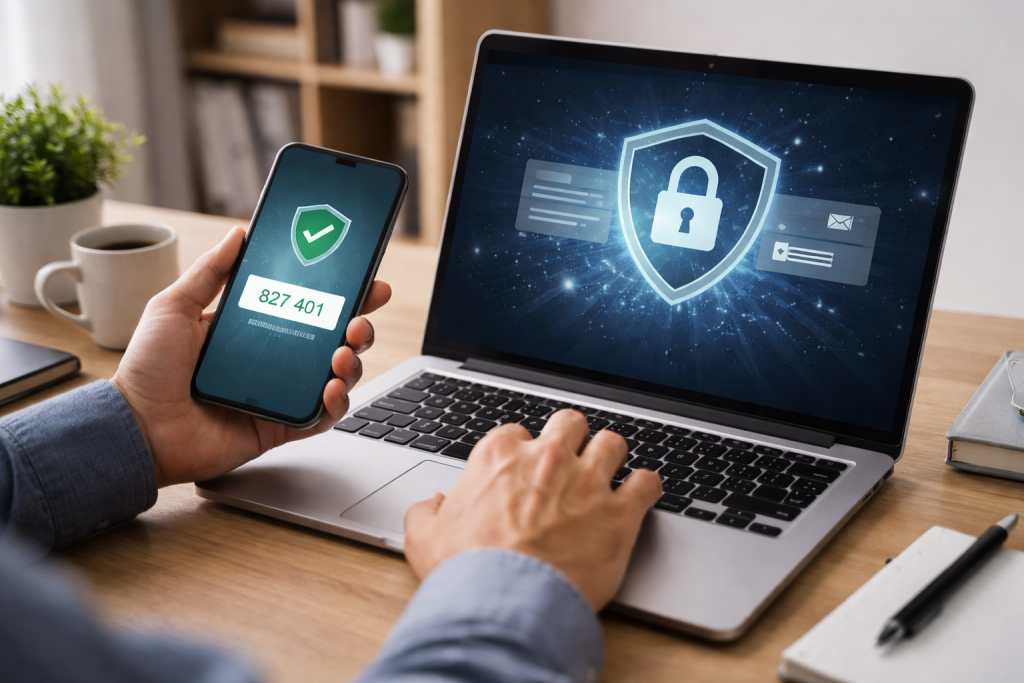
The landscape of online security is constantly evolving, with malicious actors employing various sophisticated techniques to gain unauthorized access to accounts. A fundamental understanding of these common attack vectors is the first step in building effective defenses.
Contents
- 0.1 Brute-Force Attacks: The Power of Persistence
- 0.2 Social Engineering: Exploiting Human Trust
- 0.3 Malware and Keyloggers: The Silent Intruders
- 0.4 Credential Stuffing: The Reuse Problem
- 0.5 Exploiting Software Vulnerabilities: The Unpatched Weakness
- 0.6 The Art of the Complex Password: Beyond the Obvious
- 0.7 The Power of Passphrases: Memorable and Mighty
- 0.8 The Imperative of Uniqueness: No More Password Recycling
- 0.9 The Role of Password Managers: Your Digital Valet
- 0.10 Understanding the Layers: What is Two-Factor Authentication?
- 0.11 Common 2FA Methods: Practical Applications
- 0.12 The Benefits of 2FA: A Significant Security Boost
- 0.13 The Art of the Hoax: Common Phishing Tactics
- 0.14 Red Flags to Watch For: What to Suspect
- 0.15 The Best Defense: Verification and Skepticism
- 0.16 The Privacy Settings Audit: Tailoring Your Visibility
- 0.17 Limiting Personal Information: What to Keep Private
- 0.18 The Perils of Oversharing: When Enough is Too Much
- 0.19 App Permissions: Granting Access Wisely
- 0.20 The Master List: Cataloging Your Digital Presence
- 0.21 Regular Reviews: A Proactive Approach
- 0.22 Streamlining Notifications: Staying Informed
- 0.23 Secure Banking Practices: Beyond the Basics
- 0.24 Vigilance with Credit Cards: Tracking Every Transaction
- 0.25 Payment Platforms: Trust and Verification
- 0.26 The Patchwork Defense: Closing Security Gaps
- 0.27 Staying Ahead of the Curve: The Ever-Evolving Threat Landscape
- 0.28 The Automation Advantage: Setting and Forgetting
- 0.29 The Art of Review: Scrutinizing Activity Logs
- 0.30 Spotting Suspicious Activity: What to Look For
- 0.31 Reporting Suspicious Activity: Prompt Action is Key
- 0.32 Complex Threats and Advanced Defense: Beyond DIY
- 0.33 Incident Response and Recovery: Navigating a Breach
- 0.34 Proactive Security Assessments: Identifying Weaknesses
- 1 FAQs
- 1.1 1. What are common methods of online account hacks?
- 1.2 2. What are best practices for creating secure passwords?
- 1.3 3. How can I add an extra layer of protection to my accounts?
- 1.4 4. What are some tips for spotting and avoiding phishing attempts?
- 1.5 5. Why are regular system updates crucial for security?
Brute-Force Attacks: The Power of Persistence
One of the most straightforward, yet surprisingly effective, methods is the brute-force attack. This involves an attacker systematically trying every possible combination of characters to guess a password. While modern systems often have built-in defenses against infinite attempts, many users still opt for simple, easily guessable passwords that can be compromised quickly through automated tools.
Social Engineering: Exploiting Human Trust
Perhaps the most insidious threat comes not from complex algorithms but from exploiting human psychology. Social engineering, encompassing techniques like phishing and preying on our natural inclination to trust or our fear of missing out, convinces individuals to reveal their login credentials voluntarily. These actions can be achieved through deceptive emails, text messages, or even phone calls.
Malware and Keyloggers: The Silent Intruders
Malware, short for malicious software, encompasses a broad range of threats, including viruses, worms, and Trojans. These can be introduced through infected downloads, email attachments, or malicious websites. Once installed, certain types of malware, known as keyloggers, are designed to record every keystroke entered on a device, effectively capturing usernames and passwords as they are typed.
Credential Stuffing: The Reuse Problem
A significant vulnerability lies in the widespread habit of reusing passwords across multiple online services. When a data breach occurs at one service and reveals user credentials, attackers can then use these stolen username-password combinations to attempt logins on other popular platforms. This “credential stuffing” is a highly efficient method for hackers to gain access to numerous accounts if users have not implemented strong, unique passwords for each.
Exploiting Software Vulnerabilities: The Unpatched Weakness
Software, whether it’s an operating system, a web browser, or an application, can have inherent flaws or vulnerabilities. Hackers actively seek these weaknesses to exploit them and gain unauthorized access. If you fail to update software, attackers can exploit these unpatched vulnerabilities.
Your password is the primary gatekeeper to your online accounts. Many breaches occur simply because the chosen password was too weak. Implementing best practices for password creation is a fundamental and highly effective defense strategy.
The Art of the Complex Password: Beyond the Obvious
A strong password is not just about length; it’s about complexity. Endeavor to create passwords that are a minimum of 12-15 characters long. Incorporate a mix of uppercase and lowercase letters, numbers, and special characters (!@#$%^&*). Avoid using easily guessed information, such as your name, birthdate, common words, or sequential numbers.
The Power of Passphrases: Memorable and Mighty
For many, remembering a long string of random characters is a challenge. This is where passphrases come into play. A passphrase is a sequence of words, often forming a memorable sentence or phrase, that can be used as a password. For example, “MyDogFluffyLovesToChaseSquirrelsAlways!” is significantly more secure than “fluffy123. ” The longer and more obscure the passphrase, the stronger it is.
The Imperative of Uniqueness: No More Password Recycling
As highlighted earlier, reusing passwords is a critical security flaw. Each online account should have its own unique password. This ensures that if one account is compromised, the attackers cannot easily access your other online presences.
The Role of Password Managers: Your Digital Valet
Managing numerous unique and complex passwords can be overwhelming. This is where password managers excel. These applications securely store all your login credentials, generating strong, unique passwords for each site and automatically filling them in when you log in. This significantly reduces the cognitive load and enhances your overall security posture.
While strong passwords are essential, they are not invincible. Two-factor authentication (2FA), also known as multi-factor authentication (MFA), adds a crucial extra layer of security, making it significantly harder for unauthorized individuals to access your accounts, even if they manage to obtain your password.
Understanding the Layers: What is Two-Factor Authentication?
Two-factor authentication requires users to provide two distinct forms of verification to gain access to an account. These forms typically fall into three categories: something you know (your password), something you have (your phone or a security token), or something you are (your fingerprint or facial scan).
Common 2FA Methods: Practical Applications
- SMS Codes: The most common form of 2FA involves receiving a one-time code via text message to your registered phone number. While convenient, SMS-based 2FA can be vulnerable to SIM-swapping attacks, where an attacker hijacks your phone number.
- Authenticator Apps: Applications like Google Authenticator or Authy generate time-based, one-time passwords (TOTPs) that change every 30-60 seconds. These are generally considered more secure than SMS codes, as they are not transmitted over the cellular network.
- Hardware Security Keys: These are small physical devices that plug into your computer or smartphone, providing an extremely secure method of authentication. They often employ cryptographic protocols to verify your identity.
- Biometric Authentication: Using your fingerprint or facial recognition on your devices adds a convenient and secure factor to the login process.
The Benefits of 2FA: A Significant Security Boost
Implementing 2FA dramatically reduces the risk of account takeover. Even if a hacker has your password, they will still need access to your second form of authentication to log in. Many major online services, including email providers, social media platforms, and banking websites, offer 2FA options, making it an indispensable tool in your digital defense arsenal.
Phishing remains one of the most pervasive and successful methods of gaining unauthorized access to online accounts. These attacks rely on deception, tricking individuals into revealing their sensitive information. Developing a keen eye for these scams is a critical skill for any internet user.
The Art of the Hoax: Common Phishing Tactics
Phishing attempts often mimic legitimate communications from trusted organizations. They frequently create a sense of urgency, fear, or curiosity to prompt immediate action. Common tactics include emails claiming your account has been compromised, requests to verify your login details due to unusual activity, or enticing offers for free products or services.
Red Flags to Watch For: What to Suspect
- Generic Greetings: Legitimate companies rarely address you with generic greetings like “Dear Customer” or “Valued User.”
- Suspicious Sender Addresses: Phishing emails often use email addresses that are slightly different from the legitimate company’s domain, for example, “support@amaz0n.com” instead of “support@amazon.com.”
- Poor Grammar and Spelling: While not always present, numerous grammatical errors or typos can be a strong indicator of a phishing attempt.
- Urgent Calls to Action: Emails that demand immediate action or threaten account closure if you don’t comply are highly suspect.
- Requests for Sensitive Information: Legitimate organizations will almost never ask for your password, social security number, or full credit card details via email or text message.
- Suspicious Links and Attachments: Hovering over links without clicking can reveal the true destination. If it doesn’t match the supposed source, do not click. Similarly, be wary of unexpected attachments.
The Best Defense: Verification and Skepticism
When in doubt, do not click on any links or open any attachments in suspicious emails. Instead, navigate directly to the organization’s official website by typing the URL into your browser or using their official app. You can then independently verify any claims made in the suspicious communication. A healthy dose of skepticism is your most powerful weapon against phishing.
Social media platforms are ubiquitous, but they also represent a significant repository of personal information that can be exploited by hackers and identity thieves. Taking deliberate steps to secure your social media accounts is crucial for protecting your privacy.
The Privacy Settings Audit: Tailoring Your Visibility
Most social media platforms offer a wide range of privacy settings. Regularly auditing and adjusting these settings is essential. This includes controlling who can see your posts, your friends list, your personal information, and your location. Be particularly mindful of what you share publicly.
Limiting Personal Information: What to Keep Private
Avoid sharing excessive personal details on your profiles, such as your full birthdate, home address, phone number, or workplace. Identity thieves can use this information to their advantage in social engineering attacks.
The Perils of Oversharing: When Enough is Too Much
Consider the long-term implications of what you post online. Shared information can stay accessible for years, potentially leading to unexpected consequences. Exercise discretion and avoid oversharing, especially when it comes to sensitive topics or personal situations.
App Permissions: Granting Access Wisely
When you connect third-party applications to your social media accounts, carefully review the permissions they request. Only grant access to the information they absolutely require to function. Regularly review connected apps and revoke access for those you no longer use or trust.
With the proliferation of online services, maintaining an organized system for your digital accounts is not just convenient; it’s a vital security measure. Knowing where your accounts are and how to manage them can prevent missed security alerts and simplify the process of securing your information.
The Master List: Cataloging Your Digital Presence
Create a secure, encrypted document or use a reputable password manager to keep a comprehensive list of all your online accounts. This list should include the service provider, the username, and a note about how to reset the password or recover the account.
Regular Reviews: A Proactive Approach
Periodically review your list of accounts. Please identify any services that you are no longer actively using. If the service provider fails to adequately secure inactive accounts, it’s a good practice to delete them.
Streamlining Notifications: Staying Informed
Ensure that your contact information, especially your email address and phone number, is up-to-date on all your accounts. This is crucial for receiving important security alerts and password reset notifications. Consider using a dedicated secondary email address for less critical online accounts.
Your financial accounts are prime targets for hackers. Protecting your banking, credit card, and payment service accounts is paramount to preventing financial fraud and identity theft.
Secure Banking Practices: Beyond the Basics
Always use strong, unique passwords for your banking and payment accounts. Enable two-factor authentication whenever it is offered. Be wary of unsolicited emails or calls asking for your banking details. Always log into your bank’s website directly through your browser or their official mobile app, never through a link provided in an email.
Vigilance with Credit Cards: Tracking Every Transaction
Regularly monitor your credit card statements for any unauthorized charges. Many credit card companies offer real-time transaction alerts, which can be a valuable tool for early detection of fraudulent activity.
Payment Platforms: Trust and Verification
When using online payment platforms like PayPal or Venmo, ensure you are interacting with the legitimate website or app. Familiarize yourself with their security features, and be cautious about sharing your payment information with unknown or untrusted merchants.
Software updates are more than just annoying prompts to restart your device; they are critical patches that fix security vulnerabilities and protect you from the latest threats.
The Patchwork Defense: Closing Security Gaps
Software developers constantly discover and address security flaws in their products. Updates often include patches that close these vulnerabilities, preventing hackers from exploiting them to gain access to your system and your accounts.
Staying Ahead of the Curve: The Ever-Evolving Threat Landscape
The methods employed by cybercriminals are constantly evolving. By keeping your software updated, you ensure you have the latest security protections in place to counter emerging threats. This applies to your operating system, web browser, antivirus software, and all other applications.
The Automation Advantage: Setting and Forgetting
Many operating systems and applications offer automatic update options. Enabling these features guarantees a consistent and robust layer of security by regularly patching your software without the need for manual intervention.
Even with the best preventative measures, vigilance is key. Regularly monitoring your accounts allows you to detect malicious activity early and take swift action to mitigate any damage.
The Art of Review: Scrutinizing Activity Logs
Periodically review the activity logs or login history for your most important accounts, such as your email and social media. Look for any unfamiliar login locations, devices, or times.
Spotting Suspicious Activity: What to Look For
Be alert for unusual changes in account settings, unexpected emails about password resets or security alerts that you didn’t initiate, or any unauthorized transactions. Any deviation from your normal account activity warrants investigation.
Reporting Suspicious Activity: Prompt Action is Key
If you believe your account may have been compromised, please take immediate action. Report the incident to the service provider and change your password for that account and any other accounts that use the same or similar credentials.
While individual efforts can significantly enhance your digital security, there may be times when you require more specialized assistance. Recognizing when to consult cybersecurity experts can be a crucial step in protecting yourself and your organization.
Complex Threats and Advanced Defense: Beyond DIY
For businesses or individuals dealing with particularly sophisticated threats, or when facing ongoing targeted attacks, professional cybersecurity services can provide advanced detection, prevention, and response capabilities.
In the unfortunate event of a data breach or a major cyber incident, cybersecurity experts are invaluable in containing the damage, investigating the cause, and assisting with the recovery process. They can also help you implement stronger future defenses.
Proactive Security Assessments: Identifying Weaknesses
Cybersecurity professionals can conduct thorough assessments of your digital infrastructure, identify potential vulnerabilities, and recommend tailored strategies to strengthen your security posture before an attack occurs.
Locking down your digital life is an ongoing process, not a one-time task. By understanding the risks, implementing robust password strategies, leveraging two-factor authentication, recognizing phishing attempts, securing your social media, managing your accounts effectively, protecting your financial information, keeping your software updated, and remaining vigilant in monitoring your accounts, you significantly fortify your defenses. And for those moments when the threat landscape becomes overwhelming, seeking professional cybersecurity help offers an essential layer of advanced protection and expert guidance. In the digital age, proactive defense and informed awareness are your most powerful allies.
FAQs
1. What are common methods of online account hacks?
Common methods of online account hacks include phishing, where attackers use fake emails or websites to trick users into revealing their login credentials, and brute force attacks, where hackers use automated tools to guess passwords. Other methods include social engineering, malware, and exploiting security vulnerabilities.
2. What are best practices for creating secure passwords?
Best practices for creating secure passwords include using a combination of letters (both uppercase and lowercase), numbers, and special characters. It’s also important to avoid using easily guessed information, such as birthdays or common words, and to use unique passwords for each account. Consider using a reputable password manager to generate and store complex passwords.
3. How can I add an extra layer of protection to my accounts?
You can add an extra layer of protection to your accounts by enabling two-factor authentication (2FA). This typically involves receiving a one-time code via text message, email, or through an authenticator app, in addition to entering your password. 2FA significantly enhances the security of your accounts by requiring a second form of verification.
4. What are some tips for spotting and avoiding phishing attempts?
To spot and avoid phishing attempts, be cautious of unsolicited emails asking for personal information or urging immediate action. Check for misspelled or suspicious email addresses, and hover over links to see the actual URL before clicking. Be wary of urgent or alarming messages, and verify the legitimacy of requests by contacting the company directly through official channels.
5. Why are regular system updates crucial for security?
Regular system updates are crucial for security because they often include patches for known vulnerabilities that hackers can exploit. By keeping your software, operating system, and applications up to date, you can protect your devices and data from potential security threats. Updates also often include new security features and improvements.

With over 5 years of experience in digital learning and productivity, we specialize in creating practical and easy-to-follow solutions.Our expertise focuses on simplifying complex concepts into clear, actionable strategies for everyday use.We are committed to helping learners and professionals improve efficiency, build skills, and achieve consistent growth.