
The ABCs of Computer Networks: A Beginner’s Crash Course
The digital threads that weave our modern lives together are none other than computer networks. From the simple act of sending an email to the complex orchestration of global financial markets, networks are the invisible highways carrying our data. For anyone looking to navigate the digital landscape, understanding the fundamentals of computer networks is no longer a niche skill but a foundational literacy. This guide aims to demystify the jargon and illuminate the core concepts, providing a clear and accessible entry point into the fascinating world of computer networking.
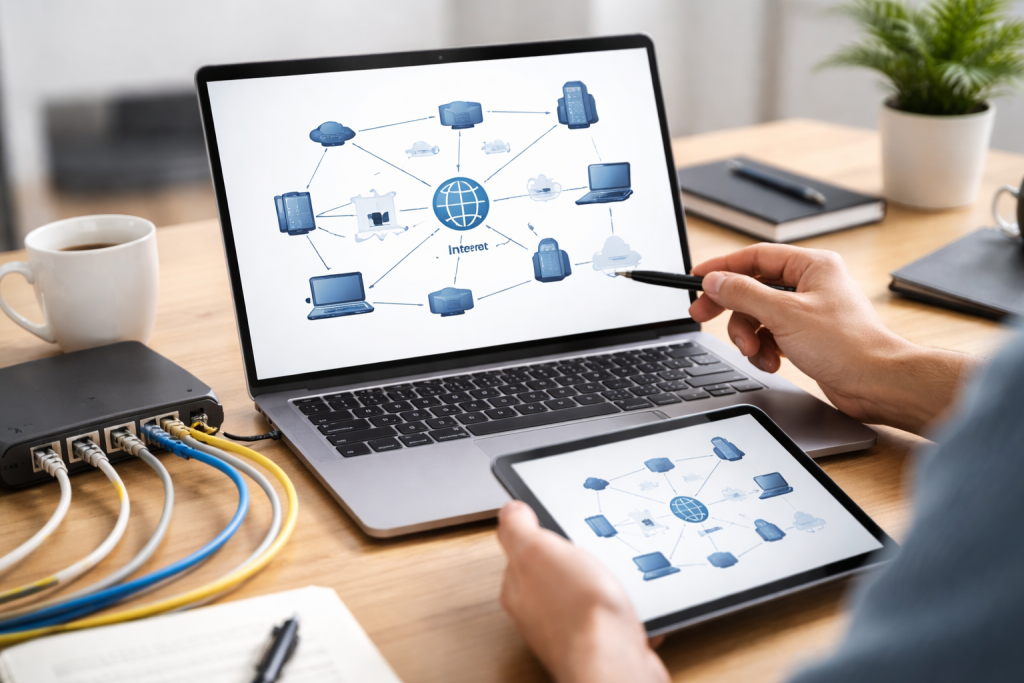
At its heart, a computer network is simply a group of interconnected devices that can communicate and share resources. Think of it as a digital neighborhood where computers, printers, smartphones, and servers are the houses, all linked by roads that allow information to flow. The primary purpose of these connections is to enable data exchange and resource sharing. Without networks, the sophisticated collaboration and instant access to information we often take for granted would be impossible. Imagine trying to print a document from your laptop to a network printer without a network—it would be an isolated experience. Similarly, sharing files between colleagues would be an arduous manual process. Networks transform these individual islands of computing power into a cohesive, functional ecosystem.
Contents
- 0.1 What is a Networked Device?
- 0.2 The Purpose of Interconnection
- 0.3 Powering Global Commerce and Communication
- 0.4 Driving Innovation and Information Access
- 0.5 Local Area Networks (LANs): The Neighborhood Connectors
- 0.6 Wide Area Networks (WANs): Connecting the Continents
- 0.7 Metropolitan Area Networks (MANs): Bridging the Urban Gap
- 0.8 Servers: The Information Hubs
- 0.9 Clients: The End-Users’ Access Points
- 0.10 Routers: The Traffic Directors
- 0.11 Switches: The Local Connectors
- 0.12 Understanding Data Formatting and Transmission
- 0.13 Ensuring Reliable and Efficient Data Exchange
- 0.14 Identifying and Mitigating Threats
- 0.15 Protecting Sensitive Data
- 0.16 The Evolution of Wireless Technologies
- 0.17 Enhancing Mobility and Ubiquitous Access
- 0.18 Redefining Resource Allocation and Scalability
- 0.19 The Network’s Role in Cloud Access
- 0.20 Diagnosing Connectivity Problems
- 0.21 Resolving Speed and Performance Issues
- 0.22 Emerging Technologies and Innovations
- 0.23 The Ever-Expanding Networked World
- 1 FAQs
- 1.1 1. What are the different types of computer networks?
- 1.2 2. What are the key components of a computer network?
- 1.3 3. What is the role of protocols in computer networks?
- 1.4 4. How can I protect my data and information in a computer network?
- 1.5 5. What are some common network issues, and how can they be troubleshot?
What is a Networked Device?
Any piece of hardware that can send or receive data over a network is a networked device. This encompasses a vast array of technologies, from the powerful servers that host websites and applications to personal computers, mobile phones, smart TVs, and even increasingly sophisticated Internet of Things (IoT) devices like smart thermostats and security cameras. A unique identifier, similar to a street address, enables the network to locate and communicate with each of these devices. This ability to identify and address devices is a cornerstone of network functionality, ensuring that data reaches its intended destination without getting lost in the digital ether.
The Purpose of Interconnection
The act of interconnection is what breathes life into a network. It’s not enough for devices to exist; they must be able to speak the same language and have pathways to transmit their messages. This allows for a multitude of benefits. For example, resource sharing means that more than one person can use the same printer, internet connection, or central database. This cuts down on waste and costs. Data sharing facilitates collaboration, enabling teams to work on documents simultaneously or to access vast repositories of information from anywhere. Instant communication across distances, whether across a room or across continents, forms the backbone of modern business, education, and social interaction.
We cannot overstate the pervasive influence of computer networks on nearly every facet of modern life. They are the silent enablers of our digital existence, powering everything from the mundane to the monumental. In the professional realm, networks are essential for streamlining operations, fostering collaboration, and accessing critical business intelligence. Businesses of all sizes rely on networked infrastructure to manage inventory, process transactions, communicate with customers and suppliers, and facilitate remote work. The ability to connect globally has opened up new markets and opportunities, transforming how companies operate and compete on the international stage.
Powering Global Commerce and Communication
The internet, the ultimate global computer network, has revolutionized commerce. E-commerce platforms allow consumers to purchase goods and services from anywhere in the world, while businesses can reach a much wider customer base. Beyond commerce, networks are the conduits for instant communication. Email, instant messaging, video conferencing, and social media platforms all rely on robust network infrastructure to connect individuals and communities. This unparalleled connectivity has fostered globalization, breaking down geographical barriers and enabling cultural exchange on an unprecedented scale. From keeping in touch with loved ones abroad to participating in international scientific research, networks are the threads that bind our increasingly interconnected world.
Driving Innovation and Information Access
Furthermore, computer networks are the fertile ground upon which innovation thrives. They provide access to vast libraries of information, enabling researchers, students, and professionals to stay abreast of the latest developments and to build upon existing knowledge. The ability to share research findings rapidly accelerates scientific discovery and technological advancement. The cloud computing paradigm, which we will explore later, is itself a testament to the power of networked resources, offering scalable and accessible computing power and storage that fuels innovation across industries. Networks significantly hampered the rapid pace of technological evolution we witness today.
Computer networks come in a variety of sizes and scopes, each tailored to fulfill specific functions. Understanding these different types is important for comprehending how connectivity is achieved in different contexts. The most common classifications are Local Area Networks (LANs), Wide Area Networks (WANs), and Metropolitan Area Networks (MANs), distinguished primarily by their geographical reach and the technologies used to connect them.
Local Area Networks (LANs): The Neighborhood Connectors
A local area network, or LAN, typically connects devices within a limited geographical area, such as a home, an office building, or a school campus. Typically, a single organization owns and manages these networks, providing high speeds and efficient communication for local users. You might connect your computers, smartphones, and smart devices to a wireless router in a home LAN. Ethernet cables and switches may link computers and printers within different departments in an office. The close proximity of devices in a LAN allows for rapid data transfer, making it ideal for sharing files, printers, and internet access within that localized environment.
Wireless LANs (WLANs): Untethering Connectivity
Within the realm of LANs, Wireless Local Area Networks (WLANs), commonly known as Wi-Fi, have become ubiquitous. WLANs allow devices to connect to a network wirelessly via radio waves, offering immense convenience and mobility. This untethered connectivity has transformed how we interact with technology, enabling seamless internet access in homes, cafes, airports, and countless other public spaces. The ease of setting up and using WLANs has made them the preferred choice for many users, fostering a more flexible and integrated digital experience.
Wide Area Networks (WANs): Connecting the Continents
In contrast to LANs, Wide Area Networks (WANs) span vast geographical distances, connecting multiple LANs across cities, countries, or even continents. The internet is the largest and most prominent example of a WAN, but individual businesses or organizations also utilize WANs to connect their branch offices located in different regions. These networks often rely on leased telecommunication lines or public infrastructure, and their speeds can vary considerably depending on the underlying technology and the distance between points. The complexity and scale of WANs require sophisticated routing and management to ensure reliable data transmission.
Metropolitan Area Networks (MANs): Bridging the Urban Gap
A Metropolitan Area Network (MAN) bridges the gap between LANs and WANs. As the name suggests, a MAN covers a geographical area such as a city or a large town. It can connect multiple LANs within a metropolitan region, often serving as the backbone for data traffic in that area. For example, a university with several campuses spread across a city might use a MAN to link their respective LANs, allowing students and faculty to access resources seamlessly across all locations. MANs typically offer higher speeds than WANs and are often implemented using fiber optic cables for efficient data transmission.
For a computer network to function, various hardware and software components must work in concert. These components act as the infrastructure and the intelligent actors that direct and manage the flow of information. Understanding these fundamental parts is key to grasping how data moves from one point to another.
Servers: The Information Hubs
Servers are powerful computers designed to provide services and resources to other computers on the network, known as clients. Think of a server as a central library or a well-stocked store. Web servers host websites, allowing users to access them through their browsers. File servers store and manage shared files, making them accessible to all authorized users on the network. Email servers handle the sending and receiving of emails. Database servers store and manage large amounts of structured data. The performance and reliability of servers are crucial for the overall efficiency and availability of network services.
Clients: The End-Users’ Access Points
Clients are the devices that request and utilize services provided by servers. Your personal computer, laptop, smartphone, or tablet acts as a client when accessing a website or checking your email. Clients initiate requests to servers and display the information or perform the actions requested. The client-server model is a fundamental architectural paradigm in networking, where the client is responsible for the user interface and initiating requests, while the server handles the processing and delivery of resources.
Routers: The Traffic Directors
Routers are specialized devices that play a critical role in directing data traffic between different networks. Imagine a router as a highly efficient post office that knows the best routes to deliver mail to various destinations. When you send data from your computer to a website on the internet, your data packet will pass through one or more routers. Routers examine the destination address of data packets and forward them along the most efficient path to their intended recipient. They are essential for connecting separate LANs to each other and to the wider internet, enabling communication beyond your immediate network.
Switches: The Local Connectors
Switches are networking devices that connect multiple devices together within a single LAN. Unlike older hubs that broadcasted data to all connected devices, switches are more intelligent. They learn the MAC addresses (unique hardware identifiers) of connected devices and forward data only to the intended recipient. This significantly reduces network congestion and improves efficiency within the LAN. Think of a switch as a sophisticated switchboard operator that connects specific callers directly to their intended recipient without disturbing others.
Devices on a network need to follow the same rules and guidelines in order to talk to each other. These rules, known as protocols, define how data is formatted, transmitted, and received. Without protocols, devices from different manufacturers or with different operating systems would be unable to understand each other, rendering networks useless. Protocols are the universal language of computer networks, ensuring interoperability and seamless data exchange.
Understanding Data Formatting and Transmission
Protocols govern every aspect of network communication. For example, the Hypertext Transfer Protocol (HTTP) is what allows your web browser to request and display web pages from servers. The Transmission Control Protocol (TCP) and Internet Protocol (IP), collectively known as TCP/IP, are the foundational protocols of the internet. IP handles the addressing and routing of data packets, ensuring they reach their destination, while TCP ensures that the data arrives reliably and in the correct order, reassembling it if necessary. Other protocols handle tasks like email transfer (SMTP), file transfer (FTP), and domain name resolution (DNS), which translates human-readable domain names like “example.com” into IP addresses that computers understand.
Ensuring Reliable and Efficient Data Exchange
Protocols play a crucial role in ensuring the reliable and efficient transmission of data. They define error-checking mechanisms, data segmentation and reassembly, flow control to prevent overwhelming devices, and security measures. By establishing a standardized framework for communication, protocols enable the vast and complex global network we rely on today to function harmoniously.
In today’s interconnected world, where sensitive data is constantly being transmitted and stored, network security is paramount. Protecting your data and information from unauthorized access, modification, or theft is no longer an optional extra but a fundamental necessity. A robust network security strategy involves a multi-layered approach to safeguard against a diverse range of threats.
Identifying and Mitigating Threats
Network security encompasses a wide array of measures designed to protect networks and the data they carry. This includes implementing firewalls, which act as barriers between trusted and untrusted networks, filtering incoming and outgoing traffic based on predefined security rules. Antivirus and anti-malware software are essential for detecting and removing malicious software that can compromise the integrity of devices and data. Intrusion detection and prevention systems monitor network traffic for suspicious activity and can automatically take steps to block or alert administrators to potential breaches.
Protecting Sensitive Data
Beyond securing the network infrastructure, protecting the data itself is critical. Encryption is a key technology that scrambles data into an unreadable format, making it incomprehensible to anyone without the decryption key. This is particularly important for sensitive information like financial details, personal identifiable information (PII), and proprietary business data. Regular security audits and vulnerability assessments help identify potential weaknesses in the network before they can be exploited. User authentication, using strong passwords and multi-factor authentication, ensures that only authorized individuals can access network resources.
Wireless networking has fundamentally changed how we connect and interact with the digital world, offering unprecedented freedom and mobility. As technologies continue to advance, wireless solutions are poised to play an even more significant role in shaping the future of connectivity.
The Evolution of Wireless Technologies
From the early days of Wi-Fi, which primarily provided internet access within homes and offices, wireless technology has evolved dramatically. Bluetooth has enabled short-range communication between devices, facilitating everything from wireless earbuds to car infotainment systems. Cellular networks, like 4G and the rapidly expanding 5G, provide high-speed mobile internet access over vast areas, powering everything from mobile gaming to enterprise applications on the go. The future promises even faster speeds, lower latency, and greater capacity through technologies like 6G and beyond.
Enhancing Mobility and Ubiquitous Access
The primary advantage of wireless networking is its ability to untether users and devices, providing seamless connectivity wherever they go. This mobility is essential for modern lifestyles and businesses, enabling remote work, on-the-go productivity, and a more integrated digital experience. The proliferation of IoT devices, which are often small and battery-powered, further illustrates the need for efficient and widespread wireless connectivity.
Cloud computing has emerged as a transformative force, fundamentally altering how businesses and individuals access and utilize computing resources. It involves delivering computing services—including servers, storage, databases, networking, software, analytics, and intelligence—over the internet (“the cloud”) to offer faster innovation, flexible resources, and economies of scale.
Redefining Resource Allocation and Scalability
Instead of relying solely on on-premises hardware, organizations can rent computing power, storage, and software from cloud providers. This offers incredible scalability; resources can be easily scaled up or down as needed, eliminating the need for significant upfront investments in hardware and the logistical challenges of managing physical infrastructure. This elasticity is crucial for businesses experiencing fluctuating demand or rapid growth. Networks play a vital role in connecting users to these cloud resources, ensuring efficient and reliable access to data and applications hosted remotely.
The Network’s Role in Cloud Access
For cloud computing to be effective, robust and high-bandwidth network connectivity is essential. Users and applications need to connect to cloud data centers seamlessly and without interruption. This requires sophisticated networking infrastructure, including high-speed internet connections, advanced routing, and reliable network management. The performance and latency of the network directly impact the user experience when interacting with cloud-based services.
Even the most well-designed networks can encounter problems. Fortunately, a systematic approach to troubleshooting can resolve many common network issues. Understanding these common pitfalls and their solutions can save time and frustration.
Diagnosing Connectivity Problems
One of the most frequent issues is a lack of connectivity. This can manifest in various ways, such as being unable to access the internet, connect to a shared printer, or reach a specific server. Common culprits include loose or damaged cables, misconfigured network devices, or issues with wireless signal strength. Simple checks like restarting your modem and router, ensuring all cables are securely plugged in, and verifying your Wi-Fi connection are often the first steps.
Resolving Speed and Performance Issues
Slow network speeds or intermittent performance can be incredibly frustrating. This could be due to network congestion, an overloaded server, insufficient bandwidth, or problems with the underlying network hardware. In a home network, too many devices simultaneously streaming content or downloading large files can consume available bandwidth. In a business environment, troubleshooting might involve checking server load, optimizing network configurations, or upgrading network hardware. Understanding which devices are consuming the most bandwidth can also provide valuable clues.
The evolution of computer networks is a continuous journey, driven by an insatiable demand for faster, more reliable, and more intelligent connectivity. The trends and innovations shaping the future of networks promise even more transformative possibilities.
Emerging Technologies and Innovations
The development of technologies like Artificial Intelligence (AI) and Machine Learning (ML) is increasingly being integrated into network management, enabling predictive analytics, automated troubleshooting, and optimized network performance. Network Functions Virtualization (NFV) and Software-Defined Networking (SDN) are revolutionizing network design and management, providing enhanced flexibility and agility. The expansion of 5G and the development of 6G promise ultra-low latency and massive capacity, paving the way for advancements in areas like autonomous vehicles, augmented reality, and the truly ubiquitous Internet of Things.
The Ever-Expanding Networked World
As our reliance on digital services grows, so too will the importance and complexity of computer networks. The future will see networks becoming even more pervasive, intelligent, and integrated into the fabric of our lives, enabling new forms of communication, collaboration, and innovation that we can only begin to imagine today. The journey to understanding computer networks is a continuous one, but with a grasp of these fundamental concepts, you are well-equipped to navigate the ever-evolving digital landscape.
FAQs
1. What are the different types of computer networks?
– The different types of computer networks include Local Area Network (LAN), Wide Area Network (WAN), and Metropolitan Area Network (MAN).
2. What are the key components of a computer network?
– The key components of a computer network include servers, clients, and routers, which work together to facilitate communication and data sharing.
3. What is the role of protocols in computer networks?
– Protocols in computer networks are sets of rules and standards that enable devices to communicate and exchange data with each other.
4. How can I protect my data and information in a computer network?
– Network security measures such as firewalls, encryption, and regular software updates can help protect your data and information from unauthorized access and cyber threats.
5. What are some common network issues, and how can they be troubleshot?
– Common network issues include slow internet connection, connectivity problems, and hardware malfunctions. Troubleshooting steps may include checking cables, restarting devices, and running diagnostic tests to identify and resolve the issues.

With over 5 years of experience in digital learning and productivity, we specialize in creating practical and easy-to-follow solutions.Our expertise focuses on simplifying complex concepts into clear, actionable strategies for everyday use.We are committed to helping learners and professionals improve efficiency, build skills, and achieve consistent growth.