
Maximize Your Efficiency: The Best Productivity Apps for Student Success
The modern student navigates a complex landscape of academic demands, social commitments, and personal growth. Traditional methods of organization and task management, while foundational, often struggle to keep pace with the volume and pace of information. This is where productivity applications emerge as valuable tools. These digital assistants offer structured environments and automated functions designed to streamline workflows, enhance focus, and ultimately contribute to academic success. They act as digital compasses, helping students chart a course through their studies, ensuring they reach their desired destinations without getting lost in the labyrinth of deadlines and assignments. This article explores various categories of productivity apps, detailing their benefits and providing guidance on selecting the most suitable options for individual student needs.
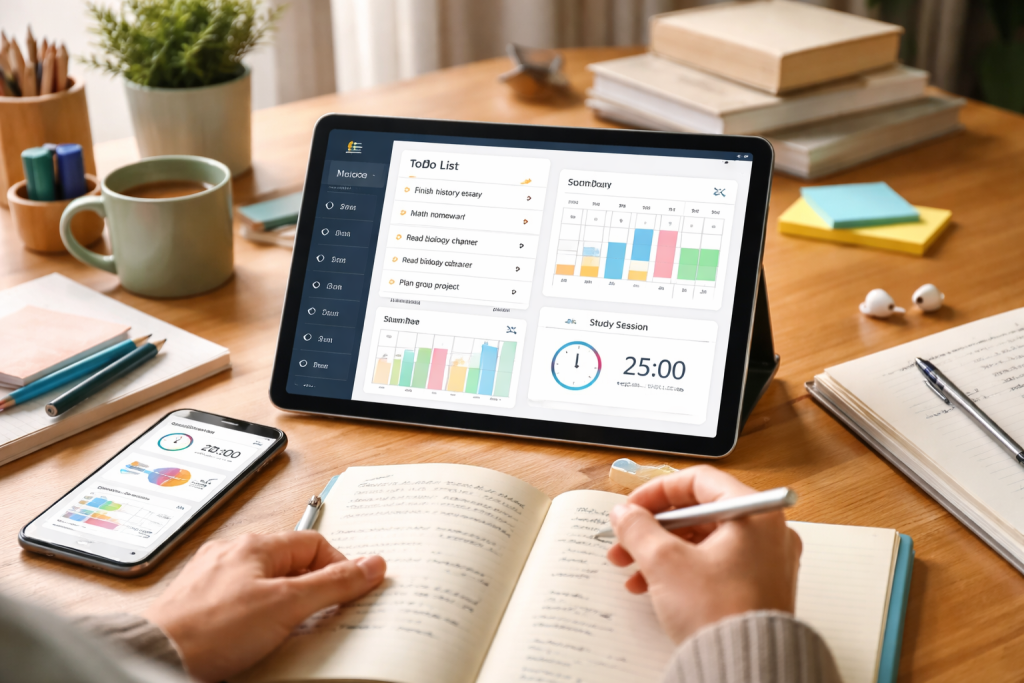
Effective time management is a cornerstone of academic achievement. Students often find themselves juggling lectures, study sessions, assignments, extracurricular activities, and social engagements. Without a clear plan, days can feel overwhelmed and productive hours can slip through fingers like sand. Time management apps provide a framework to visualize, allocate, and track how time is spent, thereby preventing procrastination and ensuring that study goals are met. These tools are not merely digital calendars; they are sophisticated systems for planning and execution.
Contents
- 0.1 Scheduling and Calendar Applications
- 0.2 Time Tracking and Analysis Tools
- 0.3 Pomodoro Technique and Focus Timers
- 0.4 Digital Notebooks and Document Managers
- 0.5 Cloud Storage and Syncing Services
- 0.6 Web Clipping and Research Tools
- 0.7 To-Do List Applications
- 0.8 Project Management and Kanban Boards
- 0.9 Deadline Reminders and Notifications
- 0.10 Flashcard and Spaced Repetition Systems
- 0.11 Quiz and Practice Test Applications
- 0.12 Mind Mapping and Concept Visualization Tools
- 0.13 Real-time Document Editing and Sharing Platforms
- 0.14 Video Conferencing and Messaging Tools
- 0.15 Shared Project Management and Task Boards
- 0.16 Mindfulness and Meditation Apps
- 0.17 Sleep Tracking and Improvement Applications
- 0.18 Fitness and Activity Trackers
- 0.19 Budgeting and Expense Tracking Tools
- 0.20 Bill Payment Reminders and Alerts
- 0.21 Savings Goal Trackers
- 0.22 Calendar Integration and Event Planning
- 0.23 Goal Setting and Habit Tracking
- 0.24 Digital Decluttering and Focus Tools
- 1 FAQs
- 1.1 1. What are productivity apps for students?
- 1.2 2. How can time management apps benefit student success?
- 1.3 3. What are some examples of note-taking and organization apps for academic excellence?
- 1.4 4. How can collaboration and communication apps support group projects and study sessions?
- 1.5 5. What are some health and wellness apps that can support student well-being and productivity?
Scheduling and Calendar Applications
At the core of time management lies the ability to plan. Scheduling and calendar applications offer a visual representation of a student’s week, month, or semester. They allow for the input of class schedules, assignment due dates, exam periods, and personal appointments.
Features of Scheduling Apps
Key features often include recurring event setup for classes, reminders for upcoming deadlines, and the ability to color-code different activities to quickly discern commitments. Some applications integrate with other platforms, allowing for seamless import of academic calendars or syncing with external events. This visual overview acts as a roadmap, highlighting busy periods and identifying windows for focused study.
Time Tracking and Analysis Tools
Understanding where time is actually going is as important as planning it. Time tracking applications allow students to monitor the duration spent on specific tasks or subjects. This data can be eye-opening, revealing areas where time is being consumed inefficiently or where more dedicated effort is required.
Benefits of Time Tracking
By logging study sessions, project work, and even leisure activities, students can gain analytical insights into their habits. This information empowers them to adjust their schedules, eliminate time-wasting activities, and allocate more resources to academically demanding subjects. This is akin to a financial audit for your time, identifying where your most valuable currency is being spent.
Pomodoro Technique and Focus Timers
The Pomodoro Technique, a time management method that uses a timer to break work into intervals, traditionally of 25 minutes, separated by short breaks, has found a strong digital presence. Focus timer apps implement this technique, providing structured work and break periods.
How Focus Timers Aid Concentration
These applications help combat distractions and maintain concentration by creating defined work sprints. The short, scheduled breaks prevent burnout and allow the mind to reset, improving overall cognitive performance during study sessions. Consistent use of these timers can train the brain to enter a focused state more readily.
The ability to capture, organize, and retrieve information is critical for academic success. Students are constantly bombarded with lectures, readings, and research materials. Effective note-taking and organization apps transform this influx of data into accessible and manageable knowledge. They serve as a digital notebook, a filing cabinet, and a personal research assistant all rolled into one.
Digital Notebooks and Document Managers
These applications provide a flexible platform for creating and storing notes, essays, research papers, and other academic documents. Unlike physical notebooks, digital alternatives offer search functionality, cross-linking capabilities, and the ability to embed various media types.
Advantages of Digital Note-Taking
The advantage of digital note-taking lies in its searchability. Instead of flipping through pages, students can instantly find specific information with a keyword search. The ability to organize notes into notebooks, subjects, or projects creates a clear, hierarchical structure. This system prevents important details from being buried and readily available when needed for exams or assignments.
Cloud Storage and Syncing Services
Cloud storage and syncing services are indispensable for ensuring that notes and documents are accessible from any device. They also provide a vital backup mechanism, safeguarding against data loss.
The Importance of Cloud Accessibility
Imagine a student needing to access their research notes while on campus, then wanting to add to them on their laptop at home, or even review them on their tablet before a lecture. Cloud syncing makes this seamless. It also acts as a safety net, protecting against hardware failure or accidental deletion, ensuring that valuable academic work is never lost.
Web Clipping and Research Tools
For students engaged in research, web clipping tools allow them to capture articles, web pages, and other online content directly into their digital notebooks. This streamlines the research process by centralizing information.
Efficiently Gathering Information
These tools transform the internet into a more organized research library. Students can save relevant articles for later review without the risk of forgetting where they found them. Some tools allow for annotation of clipped content, further integrating it into the student’s understanding and personal knowledge base.
Assignments and deadlines are the lifeblood of academic progression. Missing a deadline can have significant consequences, impacting grades and overall academic standing. Task management applications offer a structured approach to breaking down large projects, tracking progress, and ensuring that all obligations are met on time. They are the project managers of your student life, ensuring no task is overlooked.
To-Do List Applications
The simplest yet often most effective form of task management is the digital to-do list. These applications allow students to create lists of tasks, assign due dates, and mark them as complete.
Organizing Daily and Weekly Tasks
These lists provide a clear overview of what needs to be accomplished. They can be further refined by prioritizing tasks, categorizing them by subject or type, and breaking down larger assignments into smaller, manageable steps. This prevents overwhelm by presenting tasks in a clear, actionable format.
Project Management and Kanban Boards
For more complex assignments or group projects, project management applications and Kanban boards offer a visual way to manage workflows. Kanban boards, for instance, typically use columns to represent stages of a project (e.g., To Do, In Progress, Done), with tasks represented by cards that move across the board.
Visualizing Project Progress
This visual representation is highly effective for understanding the overall status of a project. Students can see at a glance what needs to be done, what is currently being worked on, and what has been completed. This transparency is particularly beneficial for collaborative efforts, allowing team members to coordinate their contributions.
Deadline Reminders and Notifications
The most crucial feature of any task management app is its ability to reliably remind students of upcoming deadlines. Proactive notifications prevent the last-minute scramble and allow for more thoughtful and thorough completion of work.
Avoiding the Last-Minute Rush
These reminders act as gentle nudges, ensuring that assignments are not forgotten. They provide ample time for students to complete tasks effectively, rather than rushing through them. This proactive approach contributes to higher quality work and reduced stress.
Beyond simply managing assignments, dedicated study and revision apps are designed to enhance the learning process itself. These tools leverage various pedagogical techniques to help students understand material more deeply, remember it for longer, and prepare effectively for assessments. They are like a personal tutor, offering tailored methods to improve comprehension and recall.
Flashcard and Spaced Repetition Systems
Flashcard apps, particularly those incorporating spaced repetition algorithms, are powerful tools for memorization. Spaced repetition involves reviewing material at increasing intervals, a scientifically proven method for long-term retention.
Enhancing Memorization and Recall
By presenting information at optimal times, these apps help students move facts and concepts from short-term to long-term memory. This is far more efficient than cramming, as it builds a robust understanding that can be recalled with greater ease and accuracy, especially during high-stakes exams.
Quiz and Practice Test Applications
Simulating exam conditions through practice tests and quizzes is an excellent way to gauge understanding and identify knowledge gaps. These applications provide instant feedback, allowing students to focus their revision efforts on areas where they need the most improvement.
Identifying Knowledge Gaps
These tools act as diagnostic tests. By actively testing themselves, students can discover what they know well and, more importantly, what they need to study further. This targeted approach makes revision sessions more efficient and effective, ensuring that study time is spent wisely.
Mind Mapping and Concept Visualization Tools
Mind mapping applications allow students to visually organize ideas, concepts, and relationships between them. This can be incredibly helpful for understanding complex subjects and for brainstorming.
Understanding Complex Interconnections
Mind maps transform abstract information into a visual network. This helps in understanding how different pieces of information connect, fostering a deeper and more holistic comprehension of a subject. This is akin to building a mental blueprint of a topic, making it easier to navigate and recall its components.
University life often involves collaborative efforts, from group projects to shared study sessions. While face-to-face interaction is valuable, digital collaboration tools extend the reach of teamwork beyond physical proximity, fostering seamless communication and shared productivity. These tools act as a virtual common room, where ideas can be shared and projects can be built together.
Real-time Document Editing and Sharing Platforms
Platforms that allow multiple users to edit documents simultaneously are essential for collaborative assignments. This eliminates the confusion of multiple document versions and ensures everyone is working with the most up-to-date information.
Imagine a group working on a research paper. With real-time editing, all members can contribute simultaneously, see each other’s edits as they happen, and resolve conflicts quickly. This streamlines the writing process and ensures that everyone’s contributions are integrated efficiently.
Video Conferencing and Messaging Tools
Effective communication is the backbone of any successful collaboration. Video conferencing allows for virtual meetings, simulating face-to-face discussions, while messaging apps provide quick and easy ways to exchange information and updates.
Facilitating Remote Communication
These tools bridge geographical divides. Students can hold project meetings, discuss ideas, and clarify doubts regardless of their physical locations. This flexibility is vital for modern academic environments, where teams may be spread across campus or even different cities.
When working in groups, having a central location for project tasks and progress updates is crucial. This ensures that all team members are aware of their responsibilities and the overall project timeline.
Keeping the Team Synchronized
A shared project board or task list acts as a single source of truth for the group. It clearly outlines who is responsible for what, the status of each task, and any upcoming deadlines. This visibility prevents duplication of effort and ensures that all members are working towards common goals.
Student success is not solely about academic performance; it is also about maintaining physical and mental well-being. The demands of university life can be taxing, and neglecting personal health can negatively impact productivity. Health and wellness apps offer tools to manage stress, promote healthy habits, and ensure that students are in optimal condition to learn and perform. They are the supportive friends who remind you to take care of yourself, knowing that a healthy mind is a productive mind.
Mindfulness and Meditation Apps
Stress and anxiety are common challenges for students. Mindfulness and meditation apps provide guided practices that can help manage stress, improve focus, and promote emotional regulation.
Cultivating Calm and Focus
Regular engagement with these apps can lead to a calmer, more centered mind. This enhanced mental clarity allows students to approach their studies with greater focus and resilience, reducing the impact of academic pressures.
Sleep Tracking and Improvement Applications
Adequate sleep is fundamental for cognitive function, memory consolidation, and overall well-being. Sleep tracking apps can provide insights into sleep patterns, helping students understand and improve their sleep quality.
Rest for Optimal Performance
By analyzing sleep duration and quality, students can identify factors that may be disrupting their rest. Armed with this information, they can make adjustments to their routines to ensure they are getting the restorative sleep necessary for peak academic performance.
Fitness and Activity Trackers
Physical activity is known to boost mood, reduce stress, and improve cognitive function. Fitness trackers can encourage regular exercise and provide motivation to stay active amidst busy academic schedules.
The Mind-Body Connection to Productivity
Maintaining a physically active lifestyle positively impacts mental acuity. These apps serve as motivators, reminding students to incorporate movement into their day, which in turn can lead to increased energy levels and improved focus during study periods.
Managing finances can be a significant source of stress for students, who often operate on limited budgets. Financial management apps provide essential tools for tracking income and expenses, creating budgets, and making informed financial decisions. These apps are like a wise financial advisor, helping you make the most of your limited resources.
Budgeting and Expense Tracking Tools
These applications allow students to record all their income and outgoing expenses, creating a clear picture of their financial situation. This transparency is the first step towards effective financial control.
Gaining Control Over Spending
By categorizing expenses (e.g., rent, food, books, entertainment), students can identify where their money is going and areas where they can potentially save. This data-driven approach to budgeting prevents overspending and helps students make informed choices about their financial priorities.
Bill Payment Reminders and Alerts
Missing bill payments can lead to late fees and negatively impact credit scores. Financial management apps can provide timely reminders for upcoming bill due dates, ensuring that students stay on track with their financial obligations.
Avoiding Unnecessary Fees and Stress
These automated reminders act as a safeguard against forgotten payments. By ensuring bills are paid on time, students can avoid unnecessary financial penalties and the associated stress, freeing up mental energy to focus on their studies.
Savings Goal Trackers
For students saving for specific goals, such as a down payment on a car, travel, or further education, these apps can help them set targets and monitor their progress.
Achieving Financial Milestones
Visualizing progress towards savings goals can be a powerful motivator. These apps provide a clear path for students to achieve their financial aspirations, fostering a sense of accomplishment and financial responsibility.
The modern student juggles not only academic pursuits but also a personal life that includes social activities, hobbies, and personal development. Achieving a healthy balance can be challenging, and productivity apps can offer strategies and tools to manage these competing demands effectively. They are the skilled jugglers, helping you keep all the balls in the air without dropping any.
Calendar Integration and Event Planning
Many productivity apps offer robust calendar integration, allowing students to coordinate academic commitments with personal events. This provides a holistic view of their schedule, facilitating better time allocation.
Harmonizing Commitments
By seeing academic deadlines and social engagements side-by-side, students can make more informed decisions about their availability and commitments. This prevents overbooking and ensures that there is sufficient time for both academic success and personal fulfillment.
Goal Setting and Habit Tracking
Beyond academic goals, personal development often involves setting and achieving broader life goals, such as learning a new skill or maintaining a fitness routine. Habit tracking apps can support these aspirations by helping students build and maintain positive routines.
Cultivating Sustainable Habits
These applications encourage consistency by breaking down goals into daily or weekly habits. This gradual approach makes personal development more attainable and sustainable, contributing to a well-rounded student experience.
Digital Decluttering and Focus Tools
In an increasingly digital world, distractions are abundant. Apps designed to help manage digital clutter, block distracting websites, or schedule focused work sessions are invaluable for maintaining productivity in both academic and personal spheres.
Reclaiming Focus in a Distracted World
These tools act as digital gatekeepers, helping students regain control over their attention. By minimizing digital distractions, students can dedicate more focused time to their studies, hobbies, and relationships, leading to a more balanced and productive life.
The selection of productivity applications is a personal journey, aligning with individual learning styles, academic demands, and personal preferences. There is no single “best” app, but rather a constellation of tools that, when utilized effectively, can significantly enhance student success. The process of choosing these tools begins with self-assessment: understanding your current challenges, identifying areas for improvement, and prioritizing your needs.
Consider the core functionalities that would address your most pressing academic hurdles. If time management is a significant issue, prioritize robust calendar and time-tracking apps. If information overload is a concern, invest in powerful note-taking and organization platforms. For collaborative projects, seek out seamless communication and document sharing tools.
Furthermore, reflect on your learning style. Are you a visual learner who benefits from mind maps and Kanban boards? Or do you thrive with the structure of to-do lists and flashcards? Many apps offer free trial periods or basic free versions, allowing you to experiment with different functionalities before committing.
The true power of these applications lies not in their mere presence on a device, but in their consistent and intentional use. They are not a magic bullet, but rather digital partners that empower students to take control of their academic journey, fostering a sense of agency and driving them towards greater achievement. By thoughtfully selecting and integrating these tools, students can transform their approach to learning, enhance their efficiency, and ultimately pave a clearer, more successful path through their educational endeavors.
FAQs
1. What are productivity apps for students?
Productivity apps for students are software applications designed to help students manage their time, organize their tasks, improve their study habits, and enhance their overall academic performance. These apps can assist students in various aspects of their academic and personal lives, such as time management, note-taking, task management, study and revision, collaboration, health and wellness, financial management, and balancing academic and personal life.
2. How can time management apps benefit student success?
Time management apps can benefit student success by helping students prioritize tasks, set goals, track their time usage, and schedule their study sessions effectively. These apps often come with features such as to-do lists, reminders, and time tracking tools to assist students in managing their academic workload and meeting deadlines.
3. What are some examples of note-taking and organization apps for academic excellence?
Examples of note-taking and organization apps for academic excellence include Evernote, OneNote, and Notion. These apps allow students to take and organize their notes, create to-do lists, store research materials, and collaborate with peers, thereby enhancing their productivity and academic performance.
4. How can collaboration and communication apps support group projects and study sessions?
Collaboration and communication apps support group projects and study sessions by enabling students to communicate, share files, and collaborate on tasks in real-time. Examples of such apps include Slack, Microsoft Teams, and Google Workspace, which facilitate seamless communication and collaboration among students working on group assignments or studying together.
5. What are some health and wellness apps that can support student well-being and productivity?
Health and wellness apps that can support student well-being and productivity include meditation apps like Headspace, fitness apps like Nike Training Club, and sleep tracking apps like Sleep Cycle. These apps can help students manage stress, stay physically active, and improve their sleep quality, thereby contributing to their overall well-being and productivity.

With over 5 years of experience in digital learning and productivity, we specialize in creating practical and easy-to-follow solutions.Our expertise focuses on simplifying complex concepts into clear, actionable strategies for everyday use.We are committed to helping learners and professionals improve efficiency, build skills, and achieve consistent growth.