
Top Tips for Protecting Your Data When Sharing Files Online
In today’s interconnected world, sharing files online has become an indispensable part of both our professional and personal lives. From collaborating on projects with colleagues to sharing precious family photos with loved ones, the convenience is undeniable. However, this ease of access comes with a significant responsibility: safeguarding the data we transmit. The potential for unauthorized access, data breaches, and the misuse of personal information is a constant concern. This article offers a thorough collection of strategies and best practices to safeguard your data while navigating the digital file-sharing landscape. By implementing these tips, you can significantly reduce your risk and maintain peace of mind.
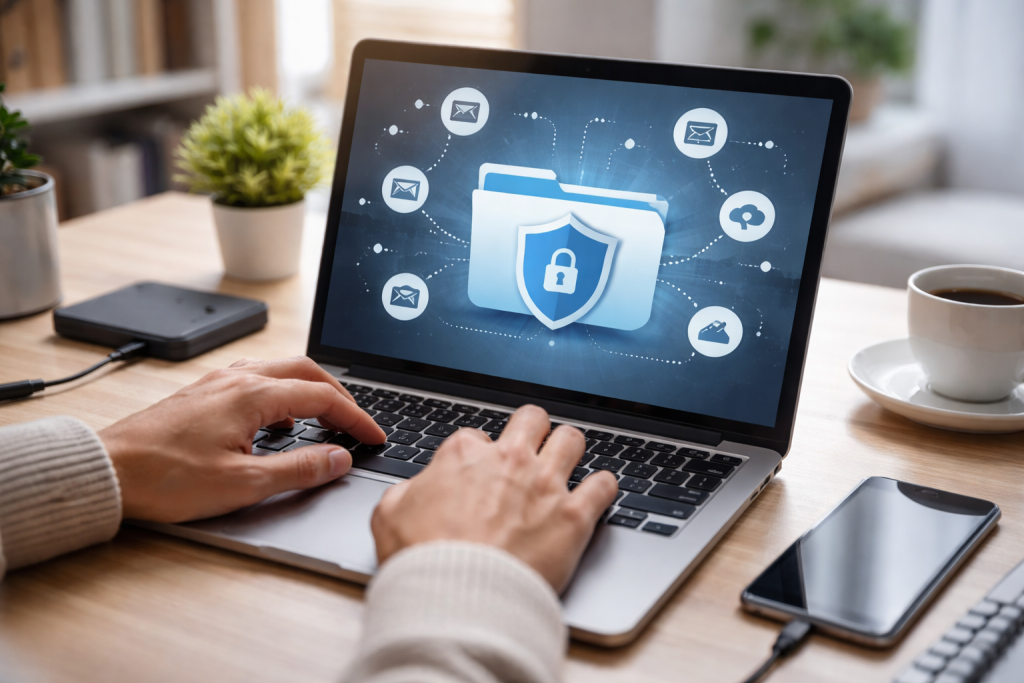
The digital realm, while offering unparalleled connectivity, is also rife with potential dangers to your sensitive information. Recognizing these risks is the first crucial step in developing effective protection strategies. Without a clear understanding of what could go wrong, it’s difficult to implement the right safeguards.
Contents
- 0.1 The Threat Landscape: What Are You Up Against?
- 0.2 Prioritizing Secure File Sharing Platforms
- 0.3 Implementing Strong Encryption for Your Data
- 0.4 Establishing Robust Password Protection
- 0.5 Limiting Access to Shared Files with Precision
- 0.6 Being Mindful of Public Wi-Fi Networks
- 0.7 Regularly Updating Your Security Software
- 0.8 Avoiding Sensitive Information via Email
- 0.9 Enabling Two-Factor Authentication (2FA)
- 0.10 Educating Yourself and Others on Data Privacy
- 0.11 Monitoring and Tracking Shared File Activity
- 1 FAQs
The Threat Landscape: What Are You Up Against?
Various actors populate the digital playground for file sharing, each with different motives for seeking access to your data. These motivations can range from financial gain to espionage or even simply the thrill of an unauthorized intrusion. Being aware of these threats allows you to better anticipate and counteract them.
Malicious Actors and Cybercriminals
At the forefront of these risks are malicious actors, often referred to as cybercriminals. Their primary objective is usually financial. They might seek to steal personal identifying information (PII) like bank account details, social security numbers, or credit card information to commit fraud. They can also employ ransomware, encrypting your files and demanding payment for their release, or steal intellectual property for resale on the dark web.
Accidental Data Exposure
It’s important to remember that not all data breaches are the result of malicious intent. Accidental exposure is a significant concern. Such breaches can occur when users unintentionally share files with the wrong recipients, misconfigure sharing settings, or when a legitimate platform experiences a security vulnerability. The consequences can be just as damaging as a targeted attack.
Insider Threats
While often overlooked, insider threats can also pose a risk. This doesn’t necessarily imply malicious intent from every insider. A well-meaning employee might unintentionally share sensitive data with an unauthorized individual or a compromised account. Understanding the internal vulnerabilities is as important as the external ones.
The Evolution of Cyber Threats
The methods employed by cybercriminals are constantly evolving. New exploits, sophisticated malware, and increasingly cunning social engineering tactics emerge regularly. Therefore, staying informed about the latest threats and vulnerabilities is not a one-time task but an ongoing process.
The tools and platforms you choose for file sharing have a direct impact on the security of your data. Opting for secure solutions minimizes vulnerabilities and provides robust protection mechanisms. This foundational step is paramount to building a strong defense.
Prioritizing Secure File Sharing Platforms
Not all file-sharing services are created equal. Some are designed with robust security features in mind, while others prioritize convenience over protection, leaving your data vulnerable with minimal effort on the part of an attacker.
Choosing Reputable Cloud Storage Services
Reputable cloud storage providers offer a baseline of security that is often superior to less established alternatives. These services typically invest heavily in encryption, access controls, and regular security audits. When selecting a service, look for features like end-to-end encryption, granular permission settings, and a proven track record in data protection. Services that offer business-grade security often provide additional layers of protection.
Consider utilizing Dedicated Secure File Transfer Protocols (SFTP).
For more sensitive or technical file transfers, Secure File Transfer Protocol (SFTP) offers a significantly more secure alternative to standard FTP. SFTP encrypts both the data in transit and the authentication credentials, making it much harder for attackers to intercept your information. Many IT professionals and organizations rely on SFTP for its robust security.
Exploring End-to-End Encrypted Messaging Apps for File Sharing
Certain modern messaging applications now offer end-to-end encryption for files shared within their platforms. This means that only the sender and the intended recipient can decrypt and access the file. Even the service provider itself cannot read the content of the shared files, offering a high level of privacy and security, especially for smaller or more immediate file transfers.
Implementing Strong Encryption for Your Data
Encryption is a cornerstone of data security, transforming readable data into an unreadable format that can only be deciphered with a specific key. This is a critical layer of protection, especially when files are in transit or stored on insecure networks.
Encrypting Files Before Uploading
This proactive approach to encryption means that the file is secured before it even leaves your device. Even if someone compromises the storage platform or intercepts the file during transfer, the data remains unreadable without the decryption key. Many operating systems and third-party applications offer robust encryption tools for individual files or entire folders.
Understanding Different Encryption Methods
There are various encryption algorithms and protocols available, each with its strengths and weaknesses. For general purposes, AES-256 encryption is considered very secure and widely used. For highly sensitive data, consider exploring more advanced encryption solutions or consulting with cybersecurity professionals.
Key Management: The Critical Component of Encryption
While encryption itself is powerful, the security of your encryption keys is paramount. Your encrypted data becomes vulnerable if you compromise your keys. Securely storing and managing your encryption keys is as important as applying the encryption itself. This often involves using secure key management systems or best practices for handling private keys.
Controlling who can access your shared files and what they can do with them is a vital aspect of preventing unauthorized data usage. Even with the most secure sharing platforms, lax access controls can render all other security measures ineffective.
Establishing Robust Password Protection
Passwords serve as the initial gatekeepers for your shared files. Implementing strong, unique, and regularly updated passwords significantly elevates your security posture.
Creating Strong, Unique Passwords
A strong password is one that is long, complex, and difficult to guess. This means avoiding easily identifiable patterns, personal information, and common words. Employing a combination of uppercase and lowercase letters, numbers, and symbols is crucial. Furthermore, using a different password for each file-sharing service or file is essential to prevent a single breach from compromising all your data.
The Role of Password Managers
Manually creating and remembering numerous strong, unique passwords can be a daunting task. Password managers are invaluable tools that can securely store and generate complex passwords for you. They simplify the process of maintaining strong password hygiene across all your online activities.
Regularly Updating Passwords
Cybersecurity is not a static field. New vulnerabilities are discovered, and password cracking techniques improve. Therefore, it is prudent to periodically change your passwords, especially for sensitive files or frequently accessed shared folders. This regular refresh adds another layer of protection against brute-force attacks or leaked credentials.
Granting unnecessary access to your files is akin to leaving your doors unlocked. Carefully controlling who has access and what level of access they possess is paramount.
Granular Permission Settings
Most secure file-sharing platforms offer granular control over user permissions. This allows you to specify whether users can view, edit, download, or delete files. It’s crucial to grant only the minimum necessary permissions to each individual or group accessing your shared data. Avoid granting full administrative access unless absolutely required.
Time-Bound Access and Expiration Dates
Consider setting an expiration date for shared files that require access for a specific period. Once the expiration date is reached, the link or access permission will automatically be revoked, preventing unauthorized access from persisting beyond the intended timeframe. This is particularly useful for temporary project collaborations or sharing documents with external parties.
Reviewing Access Logs and User Permissions
Regularly reviewing who has access to your shared files and their respective permission levels is a critical security practice. This helps you identify any unauthorized access or any lingering permissions that are no longer necessary. Many platforms provide access logs that can be invaluable for monitoring and auditing.
Beyond the specific actions of sharing files, fostering a general culture of security around your digital presence is crucial. This involves staying vigilant and proactive in your approach to cybersecurity.
Being Mindful of Public Wi-Fi Networks
Public Wi-Fi, while convenient, is inherently less secure than a private, password-protected network. This is because the traffic on public networks is often unencrypted and can be easily intercepted by others on the same network.
The Risks of Unsecured Networks
When connecting to public Wi-Fi, such as those found in coffee shops, airports, or hotels, your data is susceptible to eavesdropping. Hackers can use various techniques, like packet sniffing, to capture the information you send and receive, including login credentials, financial details, and even the content of your shared files.
Using a Virtual Private Network (VPN)
A Virtual Private Network (VPN) is an essential tool for combating the risks associated with public Wi-Fi. A VPN encrypts your internet connection, creating a secure tunnel between your device and a VPN server. This encryption renders your data unreadable to anyone attempting to intercept it on the public network, allowing you to share files more securely.
Avoiding Sensitive Transactions on Public Wi-Fi
Whenever possible, avoid conducting sensitive transactions, such as online banking or accessing confidential work files, while connected to public Wi-Fi. If you must, ensure you are using a VPN and have taken other appropriate security measures.
Regularly Updating Your Security Software
Your security software acts as a digital bodyguard for your devices and data. Keeping it up-to-date is paramount to ensuring it can effectively defend against the latest threats.
The Importance of Antivirus and Anti-Malware Software
Antivirus and anti-malware software are designed to detect, prevent, and remove malicious software from your devices. These threats can compromise your system, steal data, or disrupt your operations. Regular updates ensure that your software has the latest definitions of known viruses and malware, enabling it to recognize and neutralize new threats.
Keeping Operating Systems and Applications Updated
We frequently update operating systems (like Windows, macOS, and Linux) and applications (browsers, productivity suites, etc.) with security patches. Attackers could exploit these patches to address known vulnerabilities. Failing to update these is akin to leaving known backdoors open for exploitation.
Firewall Configuration
A firewall acts as a barrier between your network and the internet, controlling incoming and outgoing network traffic. Maintaining a properly configured and active firewall serves as a crucial safeguard against unauthorized access to your devices and the data they hold.
Beyond immediate security measures, adopting a proactive mindset toward data privacy and security education can create a far more resilient defense against threats.
Avoiding Sensitive Information via Email
Email, while ubiquitous, is often not the most secure method for transmitting sensitive information. Its inherent nature can make it vulnerable to interception and phishing attacks.
The Vulnerabilities of Email Communication
Standard email protocols often do not encrypt the content of your messages or attachments, making them vulnerable to interception by third parties. Furthermore, email is a common vector for phishing attacks, where malicious actors try to trick recipients into revealing sensitive information.
Secure Alternatives for Sensitive Data
For conveying highly sensitive information, consider using encrypted file-sharing services, secure messaging apps with end-to-end encryption, or secure document portals. These methods provide a much higher level of assurance that your data will remain confidential.
Enabling Two-Factor Authentication (2FA)
Two-factor authentication adds an extra layer of security to your accounts, significantly reducing the risk of unauthorized access even if your password is compromised.
How 2FA Works
2FA requires you to provide two different forms of identification to verify your identity. This typically involves something you know (your password) and something you have (a code from your phone or a physical security key). This dual verification makes it much harder for attackers to gain access.
Applying 2FA to File-Sharing Accounts
Many file-sharing platforms and cloud storage services support 2FA. Enabling this feature for your accounts is a simple yet highly effective way to bolster your security. Even if an attacker manages to steal your password, they will still require your second authentication factor to access your files.
Educating Yourself and Others on Data Privacy
Knowledge is power, especially in the realm of cybersecurity. Understanding data privacy principles and sharing that knowledge can create a more informed and secure environment for everyone.
Staying Informed About Current Threats
The cybersecurity landscape is constantly changing. Regularly educating yourself on new threats, common attack vectors, and best practices for data protection is crucial. Follow reputable cybersecurity news sources and educational resources.
Promoting Data Privacy Awareness
If you share files within a team or organization, it’s essential to educate your colleagues or family members on safe file-sharing practices. Sharing this knowledge can prevent accidental data breaches caused by a lack of awareness. Encourage a culture of security where everyone understands their role in protecting sensitive information.
Vigilance involves actively monitoring the access and use of your shared files. This proactive monitoring can alert you to potential issues before they escalate.
Reviewing Access Logs
Many secure file-sharing platforms provide detailed access logs. Regularly reviewing these logs can help you identify any unusual or suspicious activity, such as excessive downloads, access from unexpected locations, or attempts to access files you weren’t aware were being shared.
Setting Up Notifications
Configure your file-sharing platforms to send you notifications for specific events, such as when a file is accessed, downloaded, or modified. This instant feedback loop can provide early warning signs of potential security breaches or unauthorized usage.
By diligently implementing these comprehensive tips, you can significantly strengthen your defenses when sharing files online. In an increasingly digital world, prioritizing data protection is not just a technical necessity; it’s a fundamental aspect of responsible digital citizenship, ensuring that your information remains private and secure.
FAQs
1. Why is it important to protect your data when sharing files online?
It is important to protect your data when sharing files online to prevent unauthorized access, data breaches, and potential misuse of sensitive information. Protecting your data helps maintain the privacy, security, and integrity of the shared files.
2. How can I protect my data when sharing files online?
You can protect your data when sharing files online by using secure file sharing platforms, encrypting your files before sharing, setting strong passwords for shared files, being mindful of public Wi-Fi networks, limiting access to shared files, regularly updating your security software, avoiding sharing sensitive information via email, enabling two-factor authentication, and educating yourself and others on data privacy.
3. What are secure file sharing platforms?
Secure file sharing platforms are online services or software that provide secure and encrypted methods for sharing files. These platforms often offer features such as password protection, access controls, encryption, and activity tracking to ensure the security of shared files.
4. Why should I encrypt my files before sharing?
Encrypting your files before sharing adds an extra layer of security by scrambling the data so that only authorized parties with the decryption key can access the information. This helps to protect the confidentiality and integrity of the shared files.
You can monitor and track shared file activity by using file sharing platforms or security software that offer activity tracking and logging features. These tools allow you to see who has accessed, modified, or downloaded shared files, providing visibility and control over the use of your data.

With over 5 years of experience in digital learning and productivity, we specialize in creating practical and easy-to-follow solutions.Our expertise focuses on simplifying complex concepts into clear, actionable strategies for everyday use.We are committed to helping learners and professionals improve efficiency, build skills, and achieve consistent growth.